

What is ext4 file system in linux?
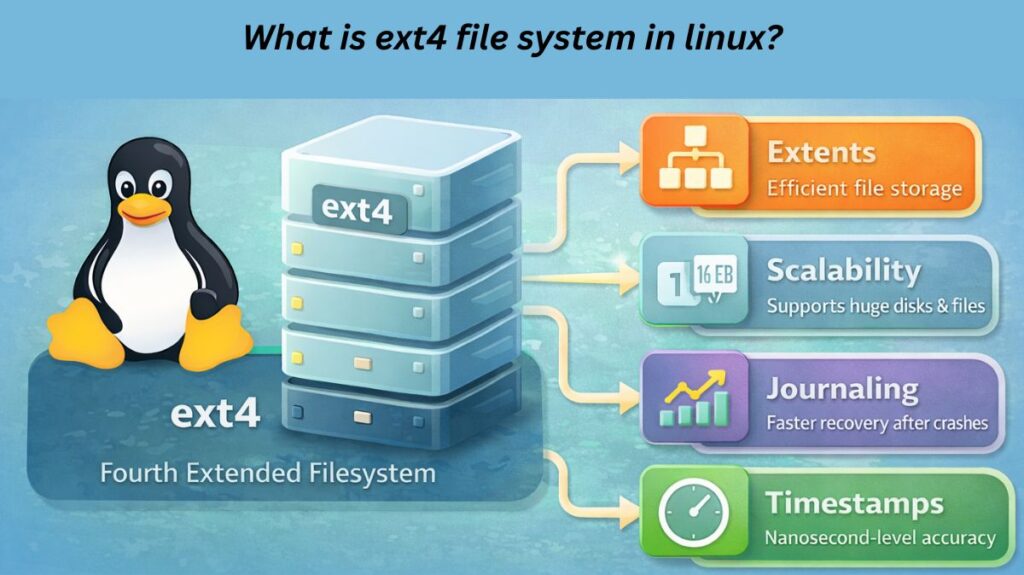
Ext4 is the default journaling filesystem for many Linux systems. It developed from ext2/3, and thanks to features like extents (contiguous blocks), delayed allocation, and enhanced journaling, it can support much larger file systems and files (up to 1 Exabyte volumes, 16 TB files), making it reliable and effective for contemporary storage requirements.
Ext4’s main goal is to provide reliable, fast, and stable storage for desktops and commercial servers.
Evolution from ext3 to ext4
The family of ext file systems developed gradually:
- Ext2 lacked journaling but concentrated on speed and simplicity.
- Journaling was added by ext3 to enhance crash recovery.
- Ext4 incorporated contemporary features, increased capacity, and enhanced performance.
Because ext4 was designed to be backward compatible, existing systems may easily switch over instead of having to replace ext3 entirely.
Ext4’s Core Design Philosophy
Three key concepts form the basis of ext4’s design:
- Effectively manage extremely huge storage devices
- Boost disc efficiency and lessen fragmentation
- Maintain data stability.
This makes ext4 a reliable alternative for systems that value performance and data integrity.
Also Read About What Is Linux? A Brief History And Evolution Of Linux
Key Features of ext4
- Extents (Effective File Storage)
The use of extents in ext4 is among its most significant enhancements.
Ext4 saves files as continuous ranges of blocks rather than extensive lists of individual disc blocks. This method:
- Lessens fragmentation
- Expedites the access to files
- Enhances efficiency for big files
Compared to prior file systems, ext4 can handle contemporary big discs far more effectively because to extensions.
- Massive Scalability
Ext4 is designed to accommodate extremely massive storage systems.
- One Exabyte (EB) is the maximum file system size.
- With standard block sizes, the maximum file size is 16 Terabytes (TB).
Because of its scalability, ext4 is appropriate for a wide range of devices, including large enterprise servers and laptops.
- Improved Performance Mechanisms
ext4 has a number of performance-oriented features:
- Delayed allocation improves placement and lessens fragmentation by writing data to disc only when required.
- Allocating several blocks at once as opposed to one at a time is known as multi-block allocation.
- Boost boot and recovery speeds with faster file system inspections (fsck)
When combined, these features offer considerable speed gains over ext3.
- Journaling for Data Consistency
Journaling from ext3 is preserved in ext4, which helps safeguard data in the event of crashes or power outages.
Before modifications are committed to disc, the journal logs them, enabling:
- Quicker recovery following system failures
- decreased chance of corruption in the file system
Depending on their demands for performance and safety, users can select from a variety of journaling modes.
- High-Precision Timestamps
Nanosecond-level timestamps are supported by ext4, which is a major improvement over previous file systems.
This is beneficial for:
- High-precision recording
- Applications of today that depend on exact file timing
- Sophisticated system monitoring
- Metadata Checksums
Checksums for metadata are included in ext4 to increase dependability.
This increases overall system stability by ensuring that file system structures stay constant and aiding in the early detection of corruption.
- Backward Compatibility
Ext4 doesn’t need to be formatted in order to mount ext3 file systems. An ext3 system can frequently be easily updated to an ext4 system.
Backward compatibility helped ext4 spread.
Also Read About Linux Architecture Layers: Kernel, Shell, And Hardware
Ext4 advantages
The maturity of ext4 is one of its greatest advantages. For many years, it has undergone a great deal of testing in actual settings.
Consequently, ext4 is renowned for:
- Reliability and Stability
- Behaviour that is predictable
- Very little upkeep
- Minimal chance of data loss
Because of its dependability, ext4 is a reliable option for production systems.
Ext4 drawbacks
Despite its advantages, ext4 has drawbacks.
- No support for native snapshots
- No integrated data checksumming for the contents of the file
- Fewer sophisticated storage options than those of more recent file systems
These restrictions are deliberate compromises to preserve stability and simplicity.
Common Use Cases of ext4
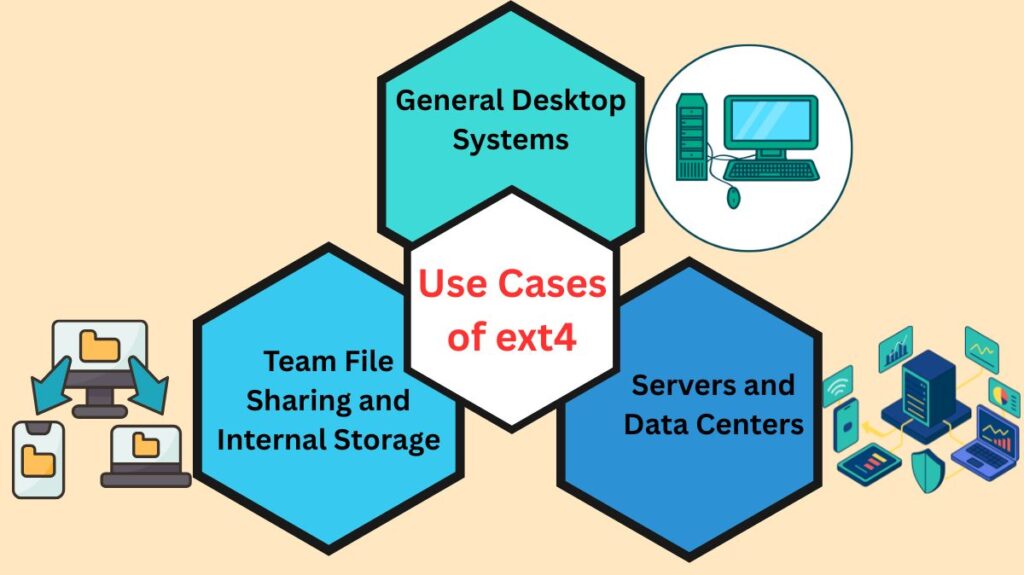
General Desktop Systems
ext4 is perfect for laptops and personal computers because it offers stable storage, smooth operation, and quick boot times.
Servers and Data Centers
Ext4 is used by many Linux servers because it
- Reliably manages demanding tasks
- Provides quick recovery following collisions
- Minimal administrative complexity is required
Team File Sharing and Internal Storage
With its strong directory management and permission control, ext4 works well in shared storage settings that manage a large number of small files.
Also Read About What Is The Difference Between Linux And Windows? Explain
When to Consider Alternatives
XFS
For systems like business storage servers that manage very huge files and extremely heavy I/O workloads, XFS is frequently chosen.
Btrfs
Advanced capabilities like full data checksumming, compression, and snapshots are available with Btrfs.
It is more complicated, though, and could not be as stable over the long run as ext4 for every use case.
Why ext4 Is Still Widely Used
Even with more recent file systems, ext4 is still widely used because it
- Dependable in a variety of settings
- Requires minimal setup
- Provides powerful performance without being complicated
Ext4 offers many consumers exactly what they require without needless risk.
Linux File System Comparison: ext → ext4
| Feature / Aspect | ext/ext1 (Original) | ext2 | ext3 | ext4 |
|---|---|---|---|---|
| Introduction Year | 1992 | 1993 | 2001 | 2008 |
| Full Name | Extended File System | Second Extended File System | Third Extended File System | Fourth Extended File System |
| Journaling Support | No | No | Yes | Yes (Improved) |
| Maximum File System Size | ~2 GB | Up to 32 TB | Up to 32 TB | Up to 1 EB |
| Maximum File Size | ~2 GB | Up to 2 TB | Up to 2 TB | Up to 16 TB |
| Block Management | Basic blocks | Improved block groups | Block groups | Extents (Advanced) |
| Fragmentation Handling | Poor | Moderate | Better than ext2 | Very good (minimal fragmentation) |
| Performance | Low | Good | Better than ext2 | High |
| Crash Recovery | Slow | Slow | Fast (journaling) | Very fast |
| File System Check (fsck) | Very slow | Slow | Faster | Much faster |
| Timestamp Precision | Seconds | Seconds | Seconds | Nanoseconds |
| Backward Compatibility | No | No | Mount ext2 | Mount ext2 & ext3 |
| Reliability | Low | Moderate | High | Very high |
| Typical Usage | Obsolete | Older Linux systems | Legacy systems | Modern Linux default |
| Current Status | Deprecated | Rarely used | Still used | Actively used |
Also Read About How Linux Works And Why Linux Is Important For Developers
EXT / EXT1
- First Linux file systems
- Very basic and outdated
- No journaling
- Rarely used today
EXT2
- Major improvement over EXT
- Faster than EXT3 because no journaling
- Still used in USB drives and flash storage
- Slower recovery after crashes
EXT3
- Introduced journaling, a major upgrade
- Faster crash recovery
- More reliable for servers and desktops
- Foundation for ext4
One-Line Comparison (Easy to Remember)
- EXT / EXT1 → Old and obsolete
- EXT2 → Fast but unsafe during crashes
- EXT3 → Safe, stable, and journaled
- EXT4 → Modern, fast, scalable (successor)
In conclusion
The reliable Linux file system ext4 balances performance, scalability, and stability. Due to its solid journaling mechanism, efficient storage design, and wide compatibility, most Linux systems use it as a default. Even if there are alternatives for certain tasks, ext4 is one of the most stable Linux file systems.
Also Read About What Is Linux Kernel? Why It Is Important And Its Components