

What is Linux’s BTRFS file system? The following illustrates the core design of Btrfs, its advantages, limitations, uses, Btrfs vs Ext4 vs XFS, and how to create btrfs filesystem in linux.
What is btrfs file system in linux?
The B-tree File System, or Btrfs for short, is a contemporary Linux file system created to overcome the drawbacks of conventional file systems. It was created to offer sophisticated features including effective storage management, snapshotting, and data integrity. Btrfs seeks to serve as a comprehensive storage management solution, in contrast to previous file systems that prioritise file storage. Because Btrfs is actively developed and part of the Linux kernel, it is appropriate for contemporary systems that need scalability, flexibility, and dependability.
Why Btrfs Was Developed
Traditional file systems found it difficult to offer sophisticated features like simple backups, quick recovery, and integrated data security as storage systems grew bigger and more complicated. Administrators frequently had to use third-party programs to manage volumes and take snapshots. In order to incorporate these functionalities straight into the file system, Btrfs was developed. The primary goal of Btrfs is to enhance data security and performance while streamlining storage administration.
Core Design of Btrfs
Copy-on-write (CoW) technology is the foundation of Btrfs. Btrfs changes the references after writing the updated data to a new location rather than overwriting the previous data. This method enables sophisticated features like snapshots and enhances data consistency.
B-trees are used to organise all of the data and metadata in Btrfs, enabling quick management, updating, and searching even on very large file systems.
Also Read About What Is The Difference Between Linux And Windows? Explain
Copy-on-Write Mechanism
One of the most crucial aspects of Btrfs is the copy-on-write mechanism. Btrfs does not replace the original data when a file is altered. Rather, it updates the file system references and makes a fresh copy of the altered blocks.
This layout:
- Keeps data from becoming corrupted during crashes
- Allows for effective captures
- Increases the consistency of the file system
Nonetheless, copy-on-write can be turned off on some files to enhance speed for certain workloads, such as databases.
Snapshots and Subvolumes
Subvolumes, separate file system trees inside the same file system, are supported by Btrfs. Administrators can logically arrange data using subvolumes instead of making separate partitions.
Using the copy-on-write method, snapshots are instantaneous read-only or read-write copies of subvolumes. Snapshots use extremely minimal disc space because they exchange unaltered data blocks.
Typical uses for snapshots include:
- Backups of the system
- Updates to software that are safe
- Rapid reversal following failures
Built-in Data Integrity
By employing checksums for both data and metadata, Btrfs offers robust data integrity. Btrfs uses checksums to make sure the data hasn’t been tampered with each time it’s read.
Btrfs may automatically fix corrupted data if redundant copies are present (as in RAID configurations). One of the main issues with huge storage systems is silent data corruption, which this feature helps prevent.
Integrated RAID Support
There is no need for additional RAID tools because Btrfs has built-in RAID capabilities. Multiple RAID levels are supported for both data and metadata.
RAID modes that are frequently supported include:
- RAID 0 (striping)
- Mirroring RAID 1
- RAID 5 and RAID 6 (carefully, parity-based)
Administrators can now easily control storage devices via the file system to this integration.
Online Resizing and Device Management
File systems can be expanded or contracted while mounted and in use to Btrfs. It is very adaptable to changing storage needs because storage devices can be added or deleted without any downtime.
This functionality is particularly helpful in settings like servers and cloud systems where storage requirements increase gradually.
Compression Support
Transparent compression is supported by Btrfs, which lowers disc space consumption and can enhance performance by lowering disc I/O. Zlib, LZO, and Zstandard are common compression algorithms that are supported.
The procedure is smooth for users and apps since compressed data is immediately decompressed as it is read.
Also Read About Linux Architecture Layers: Kernel, Shell, And Hardware
Btrfs benefits
Snapshot and rollback capabilities
Btrfs’ snapshot feature is a major benefit. A file system or subvolume snapshot is a temporary copy. Btrfs’ copy-on-write prevents snapshot data duplication.T his makes them very space-efficient. Snapshots aid during system upgrades and configuration changes since they allow the system to be returned to a previous functional state if an issue arises.
Integrated Checksums and Data Integrity
Automatic checksums are generated by Btrfs for data and metadata. To ensure data integrity, the file system checks the checksum when reading from the disc. This prevents quiet data corruption, which traditional file systems rarely uncover. In redundancy systems, Btrfs can automatically correct bad data, improving reliability.
Copy-on-Write architecture
Original data is never rewritten because of copy-on-write. Instead, references are updated after new location changes. This technique enables snapshots and cloning, improving consistency. It also reduces data corruption during unscheduled failures or shutdowns.
Integrated RAID support
Btrfs has RAID features built into it, unlike other file systems. This simplifies disc management for admins without additional software. The system can dynamically add or remove storage devices and change RAID configurations.
Device Management, Online Resizing
When mounted, Btrfs can expand or contract file systems. Remove storage devices when no longer needed or add more to increase capacity. The versatility is especially useful in cloud platforms and virtualised systems where storage needs change often.
Release Compression
Transparent compression lets Btrfs automatically compress and decompress files during writing and reading. Reducing disc I/O saves space and may improve performance. Logs, backups, and text files benefit most from compression.
Limitations of Btrfs
Complex configuration: With its many advanced capabilities, Btrfs is harder to set up and manage. Unexpected behaviour or performance issues may emerge from poor configuration. Btrfs administrators must comprehend its features to use it effectively.
Specific Task Performance Overhead: Copy-on-write may increase overhead to database workloads. Disabling copy-on-write for certain files reduces this, but requires careful calibration.
Stability issues with some raid levels: Btrfs supports several RAID configurations, although RAID 5 and RAID 6 have had recovery and stability issues. Thus, without significant testing, these RAID options are rarely recommended for operational use.
Recovery Tools Slower Than ext4: Btrfs recovery tools are more complicated and limited for major damage than ext4. Backups are essential when using Btrfs on critical systems.
Also Read About How Linux Works And Why Linux Is Important For Developers
Btrfs applications
Linux desktops: Btrfs is used in desktop snapshot and rollback settings. Users can upgrade their systems safely since they can undo changes. Btrfs is popular in openSUSE because of this.
Development/Testing Environments: Apps and system configurations change often in development environments. Developers can freely experiment with Btrfs snapshots and quickly restore stability.
Backup/Archival Systems: Snapshot, compression, and data integrity make Btrfs perfect for backups. Snapshots save time and space with incremental backups.
Cloud and virtualized infrastructure: Cloud storage needs often grow. By allowing dynamic disc management and online resizing, Btrfs simplifies storage growth without downtime. Data protection boosts reliability.
NAS and home servers: Btrfs is used in NAS and home servers. Built-in RAID, checksums, and snapshots protect confidential data.
Btrfs vs ext4 vs xfs
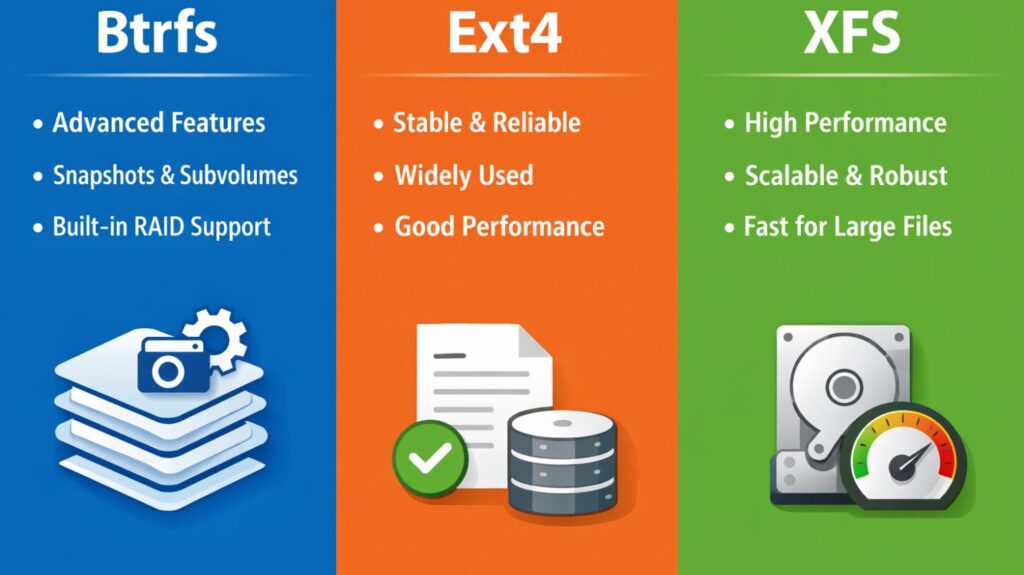
| Feature | Btrfs | XFS | ext4 |
|---|---|---|---|
| File system type | Modern, advanced file system | High-performance journaling FS | Traditional journaling FS |
| Development focus | Storage management + data safety | Speed and scalability | Stability and simplicity |
| Copy-on-Write (CoW) | Yes (core feature) | No | No |
| Snapshots | Supported (built-in) | Not supported | Not supported |
| Subvolumes | Supported | Not supported | Not supported |
| Journaling | Metadata via CoW | Metadata journaling | Full journaling |
| Data checksums | Yes (data + metadata) | Metadata only | No |
| RAID support | Built-in RAID | External (mdadm) | External (mdadm) |
| Online resize | Grow and shrink | Grow only | Grow and shrink |
| Defragmentation | Online | Online | Limited |
| Performance | Moderate to high (depends on workload) | Very high | High |
| Large file support | Excellent | Excellent | Very good |
| Stability | Good (needs proper setup) | Very stable | Extremely stable |
| Best use case | Snapshots, backups, flexible storage | Databases, large files, servers | General purpose systems |
| Default in distros | openSUSE | RHEL, CentOS | Ubuntu (older), Debian |
Also Read About What Is Ext4 File System In Linux? Features And Advantages
How to create btrfs filesystem in linux
1. Create a Btrfs File System
This command formats a disk or partition with the Btrfs file system.
mkfs.btrfs /dev/sdb1This prepares the partition /dev/sdb1 to use Btrfs.
2. Mount a Btrfs File System
After creating the file system, it must be mounted to access files.
mount /dev/sdb1 /mntNow the Btrfs file system is accessible under /mnt.
3. Check Btrfs File System Usage
This command shows detailed space usage, including data, metadata, and system space.
btrfs filesystem usage /mntIt helps administrators understand how storage is being used.
4. Create a Subvolume
Subvolumes act like independent directories inside a Btrfs file system.
btrfs subvolume create /mnt/homeThis creates a subvolume named home.
5. List Subvolumes
This command lists all subvolumes in a mounted Btrfs file system.
btrfs subvolume list /mntUseful for managing snapshots and system layouts.
6. Create a Snapshot
Snapshots are instant copies of subvolumes.
btrfs subvolume snapshot /mnt/home /mnt/home_snapshotThis creates a snapshot of /mnt/home.
Snapshots are space-efficient because unchanged data is shared.
7. Delete a Subvolume or Snapshot
To remove a subvolume or snapshot:
btrfs subvolume delete /mnt/home_snapshotThis safely removes the snapshot.
8. Enable Compression
Compression saves disk space and may improve performance.
mount -o compress=zstd /dev/sdb1 /mntThis enables Zstandard compression on the file system.
9. Check Btrfs File System Errors
This command checks the file system for errors (read-only check).
btrfs check /dev/sdb1It should be used carefully and usually when the file system is unmounted.
10. Balance Btrfs File System
Balancing redistributes data across devices and improves space usage.
btrfs balance start /mntUseful after adding or removing disks.
11. Add a New Disk to Btrfs
Btrfs allows adding storage online.
btrfs device add /dev/sdc1 /mntThe new disk becomes part of the existing file system.
12. Remove a Disk from Btrfs
btrfs device delete /dev/sdc1 /mntData is safely redistributed before removal.
In conclusion
Btrfs is a robust and innovative Linux file system created to satisfy the demands of contemporary storage settings. It is a powerful substitute for conventional file systems because of its copy-on-write architecture, snapshot support, data integrity features, and adaptable storage management. When used properly, Btrfs offers capabilities that greatly ease storage administration and enhance data security, even if it necessitates careful configuration.
Also Read About XFS File System Commands And Ext4 Vs XFS File System