

FAT and NTFS File Systems
Overview
On storage devices including hard drives, SSDs, USB drives, and memory cards, file systems are in charge of managing, organising, and storing data. FAT and NTFS are two of the most popular and commonly used file systems, particularly in Microsoft Windows-related systems. NTFS was created to address the shortcomings of FAT and meet the demands of contemporary computing, whereas FAT is an older and more straightforward method. Knowing both file systems makes it easier to select the best one for various storage and use cases.
Also Read About What Is Linux Kernel? Why It Is Important And Its Components
FAT (File Allocation Table) File System
What is FAT?
One of Microsoft’s first file systems was called FAT, or File Allocation Table. Because of its lightweight and straightforward architecture, it was appropriate for early computers with constrained processing and storage capabilities. As time went on, more FAT versions were released, including FAT16, FAT32, and exFAT, all of which improved compatibility and storage capacity.
How FAT Works
The location of files on the disc is tracked by a table in the FAT file system. Every file is separated into clusters, and the File Allocation Table keeps track of which clusters are associated with which files. The system locates every component of a file by reading the table when it is accessed. Because of its simple structure, FAT is broadly compatible with a variety of operating systems and is simple to implement.
Features of FAT
The simplicity of FAT is one of its key features. It has a very low processing overhead due to its simple design. For detachable storage devices like memory cards and USB flash drives, this makes it perfect. Almost all operating systems, including Windows, Linux, macOS, and even embedded systems, can read and write discs that are formatted in FAT, which further demonstrates its great compatibility.
Advanced features like journaling, encryption, and file permissions are absent from FAT, nevertheless. This implies that in the case of an unplanned shutdown, it offers little security and is more vulnerable to data corruption.
Limitations of FAT
Large storage devices and contemporary operating systems cannot use FAT due to a number of its drawbacks. Particularly with FAT32, which is unable to handle files larger than 4 GB, it has limitations on the maximum file and partition sizes. Access control is also not supported by FAT, so any user can access any file without any limitations. Furthermore, the risk of file system damage rises when journaling is not used.
Use Cases of FAT
When compatibility is more crucial than security, FAT is frequently utilised in portable and detachable storage devices. FAT or exFAT are frequently used by USB drives, SD cards, cameras, and multimedia devices because they are conveniently accessible on various platforms without the need for additional drivers.
Also Read About What Is Ext4 File System In Linux? Features And Advantages
NTFS (New Technology File System)
What is NTFS?
Microsoft created the New Technology File System (NTFS) to replace FAT and fix its issues. It is a strong, contemporary file system made to provide the cutting-edge functionality needed by contemporary operating systems. Since Windows NT, NTFS has been the standard file system for Windows operating systems, and it is still in widespread use today.
How NTFS Works
Compared to FAT, NTFS employs a more complex structure. It depends on the Master File Table (MFT), a central database that holds comprehensive data about each file and directory on the disc. Because of its design, NTFS can effectively manage massive data volumes while preserving its excellent performance and organisation.
Additionally, journaling which logs modifications prior to commit is supported by NTFS. This speeds up the file system’s recovery from crashes and power outages.
Features of NTFS
File and folder permissions are among NTFS’s most crucial features. Administrators can manage who can access, write, edit, and run files using NTFS. Because of this, it is appropriate for enterprise settings and multi-user systems.
Large file sizes and partitions are also supported by NTFS, greatly beyond FAT’s limitations. NTFS is a strong and adaptable file system to extra features including file compression, encryption (EFS), disc quotas, and symbolic connections.
Reliability and Security in NTFS
Reliability was considered in the architecture of NTFS. Its journaling approach guarantees a quicker recovery from system breakdowns and lowers the possibility of corruption. Sensitive information is shielded from unwanted access by security measures like file encryption and access control lists (ACLs). Because of these features, NTFS is appropriate for systems where security and data integrity are crucial.
Limitations of NTFS
Notwithstanding its benefits, NTFS is more complicated and uses more system resources than FAT. Other operating systems may have limited or read-only support for NTFS unless extra drivers are installed, whereas Windows fully supports it. Additionally, NTFS is less appropriate for small detachable devices where compatibility and ease of use are more crucial than sophisticated features.
Use Cases of NTFS
Windows operating systems are the main platform that uses NTFS, particularly for internal hard drives and SSDs. For desktops, laptops, servers, and enterprise systems that need security, dependability, and a lot of storage, it is perfect. NTFS is also frequently utilised in settings that require access control and have numerous users.
Difference between fat and ntfs file system
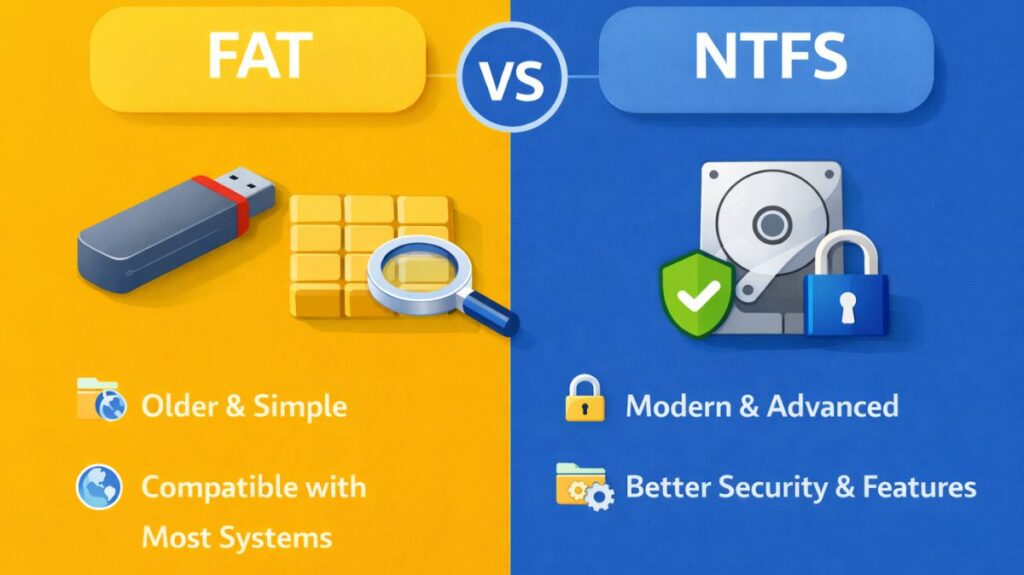
NTFS and FAT have different functions. FAT’s emphasis on compatibility and simplicity makes it appropriate for cross-platform use and detachable storage. Because it prioritises security, performance, and dependability, NTFS is perfect for contemporary operating systems and business settings. System compatibility, security needs, and storage capacity all play a role in the decision.
| Feature | FAT (File Allocation Table) | NTFS (New Technology File System) |
|---|---|---|
| Developed By | Microsoft | Microsoft |
| Year Introduced | FAT: 1977 (FAT32 later) | 1993 |
| File System Type | Simple and traditional file system | Modern and advanced file system |
| Default Usage | Removable storage devices | Windows system and internal drives |
| Maximum File Size | Limited (FAT32 supports up to 4 GB) | Very large file sizes supported |
| Maximum Partition Size | Limited compared to NTFS | Supports very large partitions |
| Security | No file or folder permissions | Supports file permissions and access control |
| Encryption Support | Not supported | Supported (Encrypting File System – EFS) |
| Journaling | Not available | Available (helps prevent corruption) |
| Data Recovery | Poor recovery options | Better recovery due to journaling |
| Performance | Good for small files and devices | Better performance for large files |
| Reliability | Less reliable, prone to corruption | More reliable and stable |
| Compression | Not supported | Supported |
| Disk Quotas | Not supported | Supported |
| Compatibility | Supported by almost all operating systems | Fully supported mainly on Windows |
| Use in Linux | Fully supported (read/write) | Supported (read/write with drivers) |
| Typical Use Cases | USB drives, memory cards, cameras | Windows OS drives, servers, enterprise systems |
In conclusion
Two significant file systems with different functions in computing are FAT and NTFS. While NTFS is a more sophisticated solution made for contemporary storage and security requirements, FAT is still useful due to its ease of use and universal compatibility. Users and administrators can choose the best file system for their particular use cases by being aware of their distinctions. NTFS is the recommended option for internal drives and operating systems that require dependability and cutting-edge functionality, whereas FAT is best suited for portable storage.
Also Read About XFS File System Commands And Ext4 Vs XFS File System