

What are system utilities in linux?
System utilities in Linux are specialized programs and commands used to manage, maintain, monitor, and optimize the operating system’s functions. They are primarily accessed via the command-line interface (CLI) and are fundamental for system administration, file management, and automating tasks.
These tools are made to do a particular job well, but they can be combined with piping and shell scripting to accomplish more complicated tasks. The util-linux project provides a core set of these tools, which are installed by default in the majority of distributions.
Evolution and History
The GNU Project and the Unix operating system are closely linked to the history of Linux utilities.
- Unix Origins (1960s–70s): Bell Labs developed early Unix OS utilities such as ls, grep, and sed.
- Richard Stallman started the GNU Project in 1983 with the goal of developing a free operating system that would resemble Unix. The project concentrated on creating necessary utilities (the “GNU Coreutils”) because the Linux kernel was not yet available.
- The Marriage (1991): Linus Torvalds did not have a user environment for the Linux kernel when it was first launched. GNU/Linux is the technical name for the GNU utilities that were transferred to the Linux kernel.
- Nowadays, competitors like BusyBox (for embedded systems) and Toybox (for Android) have surfaced to offer the same utility functions in smaller footprints, even if GNU is still the industry standard.
How Linux Utilities Work
In order to carry out protected activities, Linux utilities often interface with the Kernel Space while operating in User Space.
The Shell Request: The user enters a command into the terminal, such as mkdir my_folder.
System Calls: The tool calls the kernel via a System Call (such as mkdir()).
Kernel Execution: The kernel tells the hardware (the hard disc) to create the directory after confirming permissions.
Three common “streams” are used by utilities for communication:
- Standard Input (keyboard) is stdin (0).
- Standard Output (the screen) is denoted by stdout (1).
- Standard Error (error messages) is represented by stderr (2).
Why it is Important
System utilities for Linux are crucial because they:
- Give the entire system command without a graphical user interface.
- Turn on remote management (via SSH)
- Use shell scripts to enable automation.
- Are effective and lightweight.
- Are common to the majority of Linux distributions.
These tools are used by system administrators for:
- Troubleshooting
- Performance tuning
- Security management
- Server maintenance
Also Read About What Is Ext4 File System In Linux? Features And Advantages
Core Features
Modularity: Every tool functions as a building block. You can use grep to sort the results after searching for a term in a file.
Portability: These C-written tools can be compiled to operate on nearly any type of hardware, including supercomputers and Raspberry Pis.
Automation: They may be readily incorporated into Shell Scripts to automate repetitive server chores due to their command-line foundation.
Lightweight: The majority of basic utilities can operate on systems with less RAM because they are only a few kilobytes in size.
System utilities in linux with examples
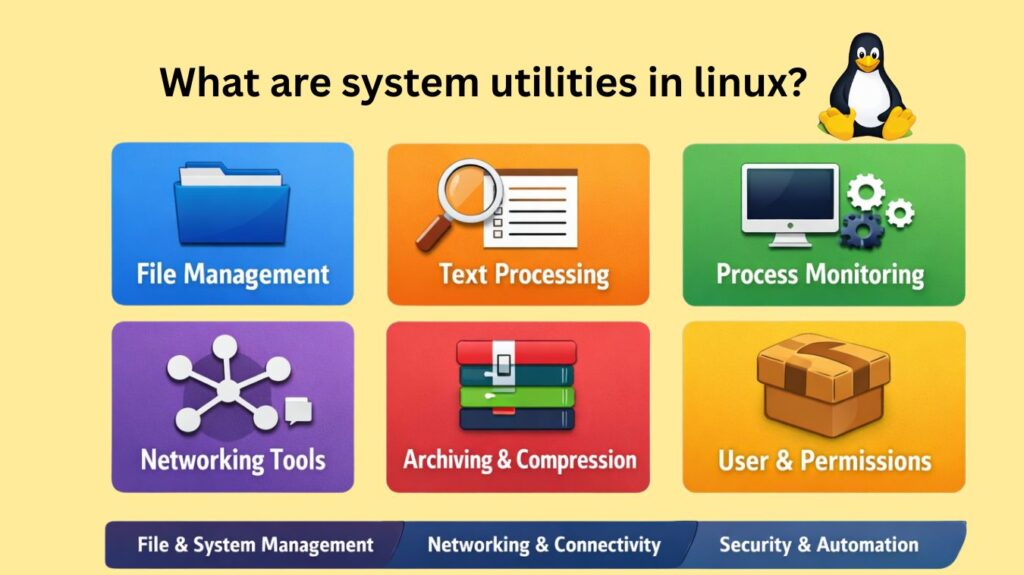
System utilities are generally categorized by the area of the system they manage:
| Category | Description | Example Commands |
| File Management | Tools to create, delete, and move files. | ls, cp, mv, rm, touch |
| Process Management | Monitoring and controlling running programs. | ps, top, htop, kill, nice |
| Text Processing | Searching and modifying text within files. | grep, awk, sed, cat, cut |
| Network Utilities | Configuring and troubleshooting connections. | ip, ping, netstat, ssh, dig |
| System Admin | Managing users, permissions, and disks. | sudo, chmod, chown, df, du |
| Package Management | Installing and updating software. | apt, dnf, pacman, yum |
File and Directory Management Utilities
These utilities help users navigate the filesystem and manage files and directories.
Common Commands
| Command | Description |
|---|---|
ls | Lists files and directories |
cd | Changes the current directory |
pwd | Displays the current working directory |
mkdir | Creates directories |
rmdir | Deletes empty directories |
cp | Copies files or directories |
mv | Moves or renames files |
rm | Deletes files or directories |
touch | Creates empty files or updates timestamps |
stat | Displays detailed file information |
Example
ls -l /home/userLists files with permissions, owner, size, and date.
Also Read About What Is The Difference Between Linux And Windows? Explain
Text Processing Utilities
Text processing utilities are one of Linux’s strongest features. They allow users to view, search, filter, and manipulate text data, including log files and command output.
Common Commands
| Command | Description |
|---|---|
cat | Displays file contents |
less | Paginates large files |
head | Shows first lines of a file |
tail | Shows last lines of a file |
grep | Searches for patterns |
wc | Counts lines, words, characters |
sort | Sorts text |
uniq | Removes duplicate lines |
cut | Extracts columns |
awk | Pattern scanning and processing |
sed | Stream editor for text transformation |
Example
grep "error" /var/log/syslogSearches for the word error in system logs.
System and Process Management Utilities
These utilities are used to monitor system health, manage running programs, and view hardware information.
Process Management
| Command | Description |
|---|---|
ps | Displays running processes |
top | Real-time process monitoring |
htop | Enhanced interactive process viewer |
kill | Terminates processes |
killall | Kills processes by name |
nice | Sets process priority |
uptime | Shows system running time |
System Information
| Command | Description |
|---|---|
uname | System and kernel info |
hostname | Displays system hostname |
free | Memory usage |
vmstat | Memory, CPU, IO stats |
lscpu | CPU architecture info |
lsblk | Block device info |
mount | Mount filesystems |
Example
topShows CPU, memory usage, and running processes in real time.
Also Read About System Library In Linux: Definition, Types And Examples
Disk and Storage Management Utilities
These utilities help manage storage devices, partitions, and disk usage.
Common Commands
| Command | Description |
|---|---|
df | Disk free space |
du | Disk usage |
mount | Mount filesystems |
umount | Unmount filesystems |
lsblk | Lists block devices |
blkid | Displays device UUIDs |
fsck | Filesystem check |
mkfs | Create filesystems |
Example
df -hShows disk usage in human-readable format.
Networking Utilities
Networking utilities are used to configure networks, test connectivity, and manage remote systems.
Common Commands
| Command | Description |
|---|---|
ip | Network interface configuration |
ifconfig | Legacy network configuration |
ping | Tests connectivity |
netstat | Network statistics |
ss | Socket statistics |
traceroute | Network path tracing |
ssh | Secure remote login |
scp | Secure file transfer |
curl | Data transfer from URLs |
wget | File downloading |
Example
ping google.comTests internet connectivity.
Also Read About Linux Check glibc Version: What Is glibc And Why It Matters
Archiving and Compression Utilities
These utilities help bundle files and reduce storage size.
Common Commands
| Command | Description |
|---|---|
tar | Creates archives |
gzip | Compresses files |
gunzip | Decompresses files |
zip | Zip archives |
unzip | Extracts zip files |
bzip2 | High compression |
xz | Very high compression |
Example
tar -czvf backup.tar.gz /home/userCreates a compressed backup archive.
Package Management Utilities
These utilities manage software installation and updates.
Common Package Managers
| Distribution | Utility |
|---|---|
| Ubuntu/Debian | apt, apt-get |
| RHEL/CentOS | yum, dnf |
| Arch Linux | pacman |
| openSUSE | zypper |
Example
sudo apt install nginxInstalls Nginx web server.
User and Permission Management Utilities
Linux is a multi-user OS, so managing users and permissions is critical.
Common Commands
| Command | Description |
|---|---|
useradd | Add new user |
usermod | Modify user |
userdel | Delete user |
groupadd | Create group |
passwd | Change password |
chmod | Change permissions |
chown | Change ownership |
id | Show user identity |
Example
chmod 755 script.shSets executable permissions.
Modern Alternatives
Many classic utilities have modern, feature-rich alternatives available for installation:
iphas largely replacedifconfigfor network interface management.ssis often preferred overnetstatfor displaying network statistics.batoffers syntax highlighting as a replacement forcat.ncduordustprovide more advanced disk usage analysis than the basicducommand.
Also Read About XFS File System Commands And Ext4 Vs XFS File System