

Perhaps the most well-known and approachable software ecosystem in the Linux world is package management based on Debian. It is the foundation for famous distributions like Ubuntu, Linux Mint, and Kali Linux. This system relies on the .deb file format and a sophisticated collection of tools designed to make installing software as easy as a single click or command.
What is debian package in linux?
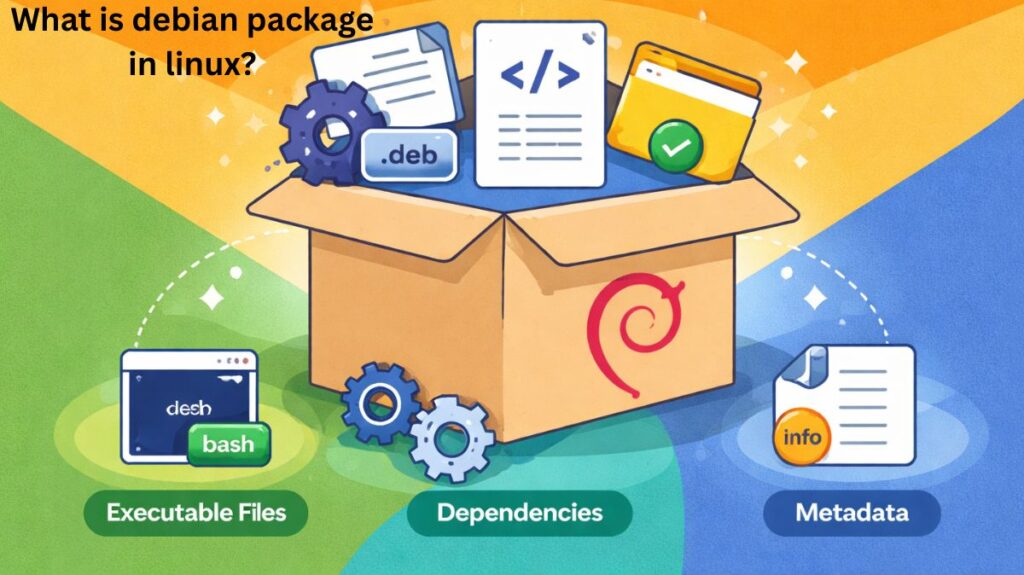
It is a system that uses DPKG (Debian Package) as its fundamental engine. Instead of manually putting files into system folders, software is bundled as a .deb archive. Included in this archive are:
- The application itself (binaries).
- Files for configuration.
- Metadata: A list of instructions that tells the system what other software is necessary for this program to run.
Components of Debian-Based Package Management
Systems built on Debian employ a “layered” management strategy. You can interact with software at three different levels:
Level 1: Low-Level (dpkg)
dpkg is the foundation. It handles individual .deb files on your hard drive.
- Strength: Direct and quick.
- Weakness: It lacks “intelligence.”
dpkgwill simply fail and inform you that something is missing if a package requires a library from the internet.
Example:
bash

sudo dpkg -i file.deb
Level 2: High-Level (APT)
APT (Advanced Package Tool) is what most users engage with. It is the “brain” that links to web Repositories (software stores).
- apt-get: The classic, robust version used for scripts.
Older tool, still widely supported.
Example:
bash

sudo apt-get install nginx
More script-friendly and predictable for automation.
- apt: The contemporary, easy-to-use version including color-coded text and progress bars.
The modern and recommended command-line tool.
Common uses:
bash

sudo apt update
sudo apt install firefox
sudo apt remove firefox
sudo apt upgrade- apt-cache
Used for searching and inspecting packages.
Example:
bash

apt-cache search python
apt-cache show vim- Feature: It automatically handles Dependency Resolution. APT will automatically locate and install all necessary graphics and sound libraries when you want to install a game.
Also read about What Is Linux Distributions (Distros)? Types And Features
Level 3: Graphical (Software Centers)
Tools like the Ubuntu Software Center or Synaptic give a visual interface for APT, making it look and feel like a mobile app store.
Important Files and Locations
| File | Purpose |
|---|---|
| /etc/apt/sources.list | Repository list |
| /var/lib/dpkg/ | Package database |
| /var/cache/apt/ | Downloaded packages |
| /usr/bin/ | Installed binaries |
Key Features
Repositories: Large, centralized servers hosted by the community or companies where software is tested and kept.
Repositories are defined in:
bash

/etc/apt/sources.list
Dependency Management: Dependency management keeps track of and installs shared libraries automatically, guaranteeing that no software remains “broken.”
PPA (Personal Package Archives): A special feature of Ubuntu-based systems is PPA (Personal Package Archives), which enables developers to host their own repositories and provide users with the most recent software versions.
Security: Packages are digitally signed and validated against a “Keyring” to verify the code hasn’t been altered by hackers.
Common Types & Distributions
Because Debian is “Open Source,” numerous alternative systems have been built on top of its package management:
- Ubuntu: The most frequently used Linux desktop and cloud OS.
- Kali Linux: Used by cybersecurity pros for penetration testing.
- Raspberry Pi OS: The standard OS for the Raspberry Pi credit-card-sized computer.
- Linux Mint: Well-known for providing Windows users with a seamless transition.
Uses of Debian Management
Cloud Computing: Because APT is so dependable, the majority of servers on AWS and Google Cloud run Ubuntu or Debian.
Beginner Computing: The “Software Center” is the best option for those moving from Windows or macOS because to its simplicity.
Embedded Systems: Robotics and smart home appliances leverage this lightweight technology.
Package Installation Process
When you run:
bash

sudo apt install vlc
This happens internally:
- APT checks repositories
- Finds the latest version
- Resolves dependencies
- Downloads packages
- Hands control to dpkg
- dpkg installs files
- Configuration scripts run
All of this happens automatically.
Also read about What Is The Difference Between Systemd And Systemctl?
Removing Packages
Normal Removal
bash

sudo apt remove nginx
Removes program but keeps config files.
Complete Removal
bash

sudo apt purge nginx
Removes program and all configs.
Cleaning Unused Packages
bash

sudo apt autoremove
Deletes orphaned dependencies.
Updating and Upgrading
Update Package List
bash

sudo apt update
Upgrade Installed Software
bash

sudo apt upgrade
Full System Upgrade
bash

sudo apt full-upgrade
Handles major changes and kernel updates.
Essential Commands
| Task | Command |
| Update the list of software | sudo apt update |
| Install a new program | sudo apt install [name] |
| Remove a program | sudo apt remove [name] |
| Clean up unused files | sudo apt autoremove |
| Update the whole system | sudo apt upgrade |
Also read about What Is RPM based Linux Systems? Features, Benefits & Uses
Advantages of Debian-Based Management
Huge Software Library: The Debian repository are some of the biggest in the world. You rarely need to look far for the software you need because almost all Linux applications are first distributed as a.deb package.
Superior Dependency Resolution: APT is well-known for its “intelligence.” It handles complex webs of shared libraries easily, guaranteeing that when you install one software, all the relevant background files are loaded in automatically without affecting other programs.
Easy to Use: The commands (apt install, apt upgrade) are simple and easy to understand. Additionally, it features the best graphical front-ends, including the Ubuntu Software Center, making it the top pick for newcomers.
PPA (Personal Package Archives): This capability allows developers to host their own software repositories. It allows customers a method to access the exact latest versions of software that might not yet be in the official, slower-moving Debian “store.”
System Stability: The “Debian Stable” branch is famed for its stability. Packages are tested for years before being included, making it a popular for servers that must never crash.
Safety and Verification: Every package is cryptographically signed for safety and verification. Your system will inform you immediately if a package’s “fingerprint” doesn’t match the official developer’s key, preventing malware insertion.
Disadvantages of Debian-Based Management
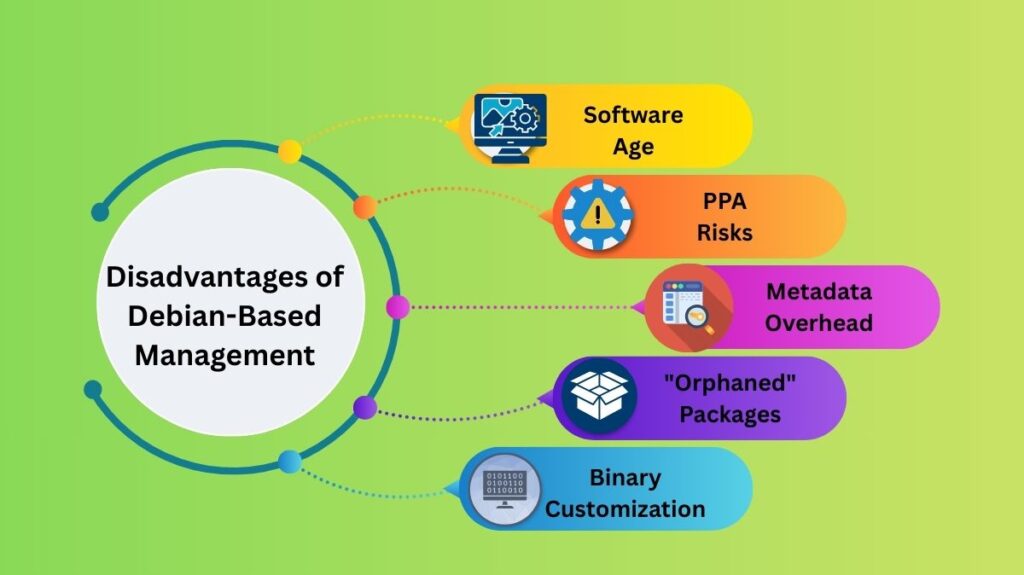
Software Age (The “Stable” Lag): Because Debian promotes stability, the software in the official repository can be fairly old. If you are a developer who wants the newest version of a language or tool, you sometimes have to rely on third-party PPAs or manual installs.
PPA Risks: Although helpful, PPAs have drawbacks. Adding too many third-party repositories can lead to “Version Skew,” when different repos argue over which version of a file should be installed, potentially damaging the system.
Metadata Overhead: Every time you run apt update, the system downloads a big list of all available applications. On slow internet connections or outdated hardware, this frequent reloading of the package database can feel sluggish.
“Orphaned” Packages: Debian systems tend to gather “junk” over time. When you delete an app, the “helper” files (dependencies) it brought with it often stay on your system. You have to remember to run apt autoremove occasionally to clean them up.
Binary Customization: Like RPM, Debian packages are pre-compiled for the “average” user. You cannot easily select to leave out particular parts of a program to reduce space or speed; you get the “one-size-fits-all” version.
Also read about Explain User And Group Management In Linux With Examples