

The AI revolution is based on Linux. Linux supplies the fundamental infrastructure for artificial intelligence, from the edge devices executing real-time computer vision to the supercomputers that train Large Language Models (LLMs).
What is Linux AI?
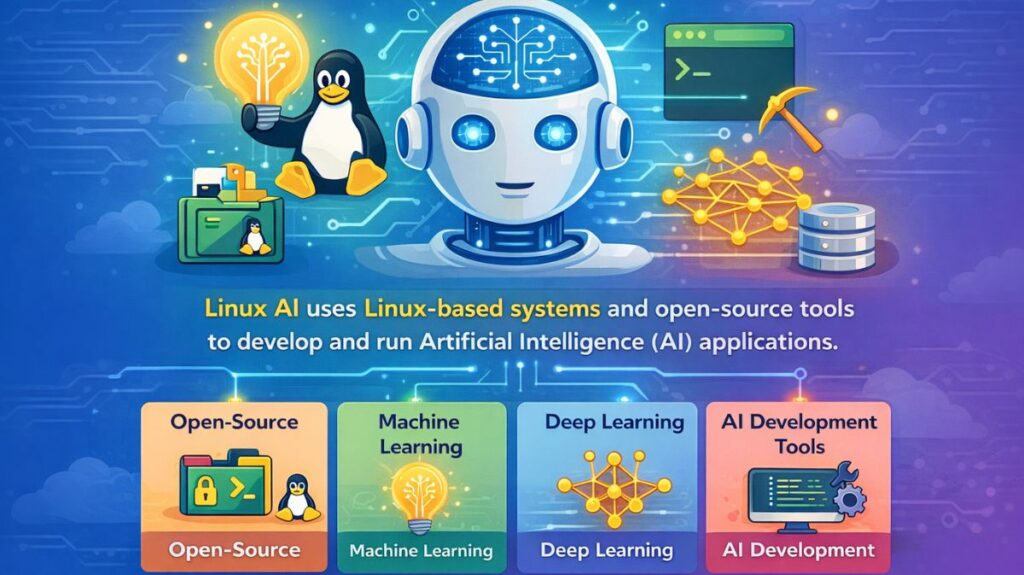
Linux is more than just an operating system in the context of artificial intelligence; it is the standard for development and deployment. Because AI necessitates complex mathematical calculations and specialized hardware (GPUs/TPUs), the Linux kernel is the only practical option for high-performance machine learning because it can communicate directly with hardware without needless “software bloat.”
The Role of Linux
- Hardware abstraction: It offers the drivers (such as NVIDIA CUDA) that let programs “talk” to GPUs.
- Resource Management: The kernel manages high-speed data transfers between RAM and the processor, preventing bottlenecks during model training.
- Scalability: It makes “Clustering,” in which hundreds of separate servers function as a single massive AI brain, possible.
Why is Linux used for AI?
Direct Hardware Access: Linux enables developers to optimize CPU and GPU utilization, in contrast to Windows or macOS.
Containerization: Kubernetes and Docker are built into Linux tools. They make it possible to bundle an AI model with its precise surroundings so that it functions consistently across all machines.
Package Management: Using apt or pacman, installing complicated AI dependencies (such as liblapack or libblas) only requires one command.
Community Support: The code for almost all significant AI research papers is made available for Linux settings.
Also read about Understanding Linux Use Cases With Examples and Commands
Common AI-Related Linux Commands
If you are working with AI on Linux, these commands are your daily bread and butter:
1. Monitoring GPU Resources
To see if your AI model is actually using your graphics card:
Bash

# For NVIDIA users: check GPU memory and temperature
nvidia-smi

# For a live, auto-updating view
watch -n 1 nvidia-smi
2. Managing Environments
AI projects often have conflicting library requirements.
Bash

# Create a virtual environment for a new AI project
python3 -m venv ai_env

# Activate the environment
source ai_env/bin/activate
3. Monitoring AI Processes
Check which AI script is consuming the most RAM or CPU:
Bash

# List only Python-based AI processes
ps aux | grep python

# See real-time system usage (or use 'htop' if installed)
top
Setting Up the AI Environment
Step 1: Update & Install Python
Bash

sudo apt update && sudo apt upgrade -y
sudo apt install python3-pip python3-venv git -y
Step 2: Install GPU Drivers (NVIDIA)
For AI, you need the CUDA toolkit to use your graphics card for math.
Bash

sudo apt install nvidia-driver-535 nvidia-utils-535
# Restart your computer after this
Step 3: Create a Virtual Environment
This prevents “version hell,” where one project’s libraries break another.
Bash

mkdir my_ai_project && cd my_ai_project
python3 -m venv ai_env
source ai_env/bin/activate
Step 4: Install AI Libraries
Bash

pip install numpy pandas matplotlib  # Basic data tools
pip install torch torchvision         # PyTorch (Deep Learning)
pip install tensorflow                # TensorFlow (Google's AI engine)
Also read about What is Bash in Linux? How Does Bash Work, And Functions
Common AI Applications on Linux
- LLM Hosting: Running local models (like Llama 3) using Ollama or vLLM.
- Computer Vision: Deploying real-time object detection on traffic cameras using OpenCV.
- Big Data Processing: Using Apache Spark to clean terabytes of data across a server cluster.
- Training Pipelines: Running PyTorch or TensorFlow scripts in the background
nohupso they don’t stop if you close the terminal.
What Linux distro is best for AI?
Pop!_OS: NVIDIA users should use Pop!_OS. Because it comes with pre-installed drivers, your graphics card can perform AI math right away.
Ubuntu: The industry norm. Ubuntu is the easiest to troubleshoot because the majority of AI lessons and tools are designed for it first.
Fedora AI: Excellent for scientists. Compared to Ubuntu, it provides the most recent versions of Python and AI libraries far more quickly.
Arch Linux: For professionals. Although it requires careful setup, it enables you to create a very “lean” system with no bloat.
Linux vs Others for AI
| Feature | Linux | Windows | macOS |
| GPU Acceleration | Industry Standard (CUDA/ROCm) | Good (WSL2) | Limited (Metal) |
| Server Scaling | Seamless | Difficult | Non-existent |
| Development Tools | Native / Integrated | Often Emulated | Native |
| Cost | Free / Open Source | Licensing Fees | High Hardware Cost |
Benefits for AI Users
Zero Cost: No license fees apply. “First-to-Market” Software: Nearly all AI research papers (from Meta, Google, or OpenAI) release their code for Linux first, allowing you to scale your AI project from one computer to 1,000 servers without having to pay for the operating system. You get the newest tech before anyone else.
Rock-Solid Stability: It may take weeks to train AI. Linux is built to function for months without requiring a reboot, so a forced upgrade won’t disrupt your training session.
Strong Automation: The entire “Data -> Train -> Deploy” process can be automated with Bash scripting, allowing the system to function while you sleep.
Security and privacy: Since it’s open-source, you can confirm exactly how your data is handled, which is a big benefit for sensitive AI projects.
Also read about Bash Scripting Cheat Sheet: Commands, Syntax, and Examples