

What is archiving and compression in Linux?
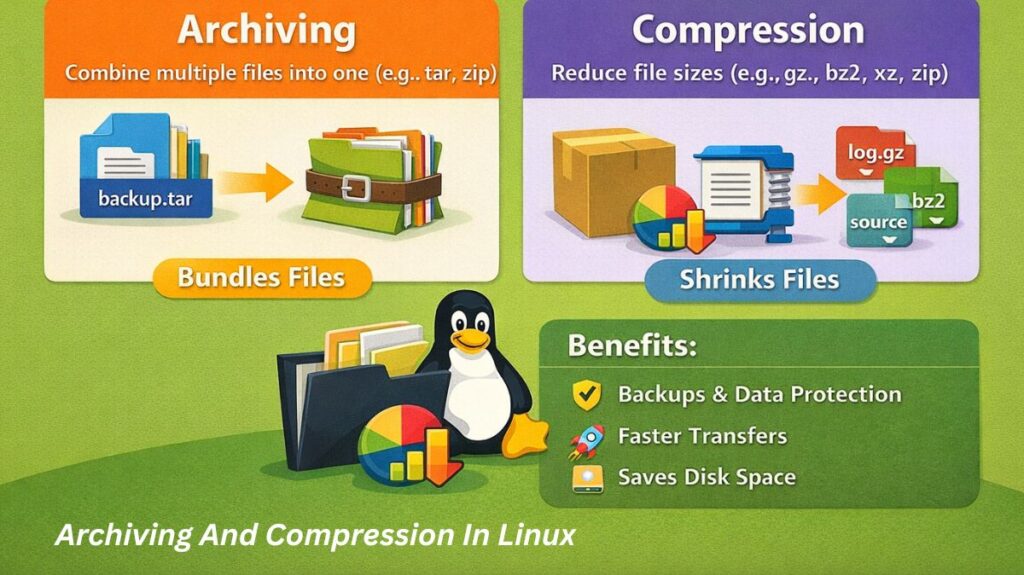
Compression and archiving are two separate but related procedures utilized in the Linux environment to effectively handle data. Compression shrinks the total amount of such material, whereas archiving combines several files into one. These tools will be necessary in 2026 for anything from software distribution to cloud backups.
What is archiving in Linux?
The process of combining several files and folders into a single file (commonly referred to as a “tarball”) is known as archiving. This maintains the original ownership, permissions, and file structure.
What is compression in Linux?
Compression is the process of reducing a file’s disk space by applying mathematical methods. Redundancies in the data are eliminated to achieve this.
Also read about What Is A Linux Firewall And Its Types, Tools & Security
Important Use Cases
Backups: Compressing a configuration folder (such as /etc) into a single file to store off-site.
Software Distribution: To guarantee that all required components remain together after download, the majority of Linux software is distributed.tar.gz or .tar.xz files.
Log Management: Log management is the process of automatically compressing outdated system logs so they don’t overload the hard disk.
Data Transfer: Using less bandwidth and time by shrinking a folder before delivering it over a network.
Types of Compression
The “best” type depends on whether you value speed or maximum space savings:
| Type | Extension | Characteristic | Use Case |
| Gzip | .gz | Fast, moderate compression. | Standard daily backups. |
| Bzip2 | .bz2 | Slower than Gzip, better compression. | Medium-sized data sets. |
| XZ | .xz | Slowest, highest compression ratio. | Distributing large software source code. |
| Zstd | .zst | Extremely fast with high ratios. | Real-time database backups. |
Archiving and compression command in linux with example
In the Linux ecosystem, managing disk space and transferring multiple files efficiently requires a solid grasp of compression and archiving. While these terms are often used interchangeably, they serve different purposes: Archiving bundles multiple files into one, while Compression reduces the overall file size.
Tar command in linux (The Archivist)
The tar (Tape Archive) A utility is the most common tool for bundling files. By itself, tar does not compress files; it simply “glues” them together into a single .tar file, often called a “tarball.”
Also read about What Is SSH In Linux? Commands And Security Explained
Common Flags:
-c: Create a new archive.-x: Extract an archive.-v: Verbosely list files processed (shows progress).-f: Specifies the filename of the archive.-z: Compresses the archive using gzip (resulting in.tar.gz).
Examples:
- Create a compressed archive:
tar -cvzf backup.tar.gz /home/user/documents - Extract a compressed archive:
tar -xvzf backup.tar.gz - List contents without extracting:
tar -tvf backup.tar.gz
Gzip and Gunzip command in linux (The Compressors)
gzip : It is the standard compression tool for Linux. Unlike the ZIP format used in Windows, gzip is designed to compress single files. If you try to gzip a folder, it will fail, which is why it is almost always used in combination with tar.
- Compress a file:
gzip large_file.txt(This replaces the original file withlarge_file.txt.gz). - Decompress a file:
gunzip large_file.txt.gz - Check compression ratio:
gzip -l large_file.txt.gz
Zip and Unzip command in linux (The Universal Format)
While tar.gz is the native Linux standard, zip is used for cross-platform compatibility with Windows and macOS. The zip command is unique because it performs both archiving and compression in a single step.
- Create a zip archive:
zip -r project.zip /home/user/project_folder(The-rflag is required to include subdirectories recursively). - Extract a zip file:
unzip project.zip - Extract to a specific directory:
unzip project.zip -d /tmp/output_folder
Also read about Cron Jobs in Linux: Syntax, Commands & Modern Alternatives
Practical Command Examples
Create a “Compressed Tarball”
This is the most common command used by Linux admins:
bash

tar -cvzf backup_2026.tar.gz /home/user/projects
(Breakdown: create, verbose, zip/gzip, file).
Extract an Archive
To unpack a file into the current directory:
bash

tar -xvzf backup_2026.tar.gz
Compress a Single Log File
bash

gzip system_audit.log
Tar vs gzip vs zip
| Feature | tar | gzip | zip |
| Primary Goal | Bundling files together. | Reducing file size. | Cross-platform compatibility. |
| Resulting Extension | .tar | .gz | .zip |
| Combines Files? | Yes. | No (Single files only). | Yes. |
| Compression? | No (Unless -z is used). | Yes. | Yes. |
Also read about What Are The Advanced Linux Performance Monitoring Tools?