

The industry standard for containerization is still Docker. It enables programmers to combine all of an application’s dependencies, libraries, and configuration files into a single unit known as a container. This guarantees that the program functions in the same manner on a production server as it does on a developer’s laptop.
What is Docker in Linux?
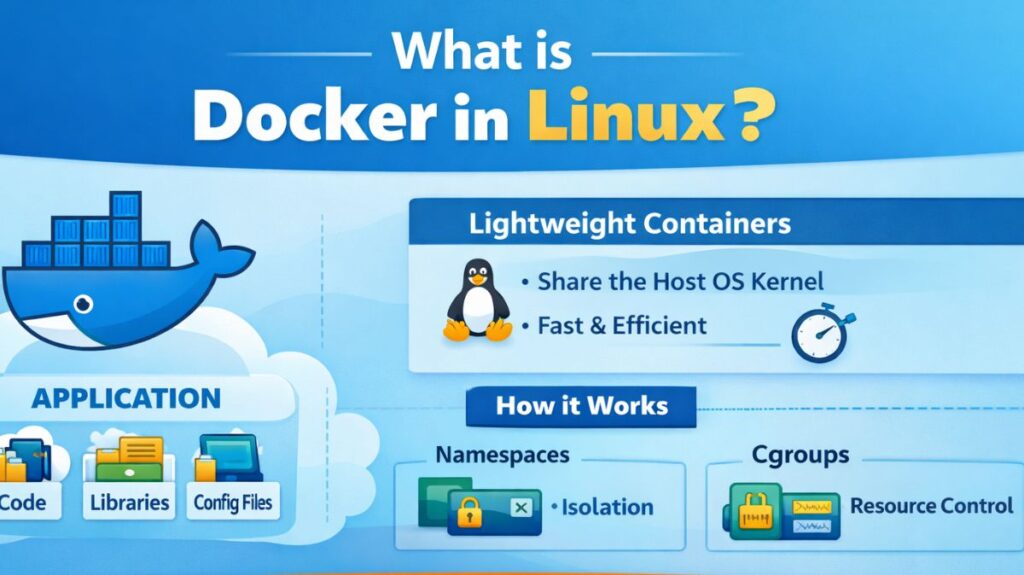
Applications can be automatically deployed within software containers using the open-source Docker framework. Docker containers share the host’s Linux kernel, which makes them extremely lightweight and quick to start, in contrast to virtual machines, which package a full operating system.
How it Works
Docker isolates processes using Linux kernel capabilities like Namespaces and Control Groups (cgroups).
- Namespaces: Provide the container’s “view” (hiding files, network interfaces, and other processes).
- Cgroups: Restrict the container’s access to resources (CPU, memory).
Important Features
- Portability: “Build once, run anywhere.”
- Applications operate in their own safe contexts of isolation.
- Scalability: Hundreds of containers can be started or stopped in a matter of seconds.
- Version Control: Because Docker images are versioned, rollbacks are simple.
- Quick Deployment: Because containers don’t boot an operating system, they launch in milliseconds.
Also read about What Is A Linux Container? How Do Containers Work On Linux?
Use Cases
- Microservices: Dividing a big application into smaller, standalone containers (such as a web server and a database).
- Code is automatically tested and deployed in a clean environment using CI/CD pipelines.
- Using a single command to set up a sophisticated database or tool (such as Redis or Postgres) without installing it on your host OS is known as local development.
- Running different versions of the same program (such as PHP 7.4 and PHP 8.2) on the same server without causing conflicts is known as multi-tenancy.
Common Commands with Examples
Working with Images
Before you run a container, you need an image.
- Download an image:
docker pull nginx - List images:
docker images - Build an image from a Dockerfile:
docker build -t my-app .
Working with Containers
Run a container (Interactive):
docker run -it ubuntu /bin/bash
Run a web server in the background (Detached):
docker run -d -p 8080:80 nginx
(This maps your computer’s port 8080 to the container’s port 80).
List running containers: docker ps
Stop a container: docker stop [container_id]
Remove a container: docker rm [container_id]
Maintenance
- Check logs:
docker logs [container_id] - Clean up unused data:
docker system prune
Also read about Linux Containers vs Virtual Machines The Core Differences
Linux Docker install
Prerequisites
Before starting, ensure your system is up to date and has the necessary tools to handle HTTPS-based repositories.
bash

sudo apt update
sudo apt install ca-certificates curl gnupg lsb-release
Setting Up the Repository
Docker requires an official GPG key to verify the authenticity of the software packages.
Step A: Add Docker’s GPG Key
bash

sudo mkdir -p /etc/apt/keyrings
curl -fsSL https://download.docker.com/linux/ubuntu/gpg | sudo gpg --dearmor -o /etc/apt/keyrings/docker.gpg
Step B: Set up the Repository
This command tells your system where to look for Docker updates.
bash

echo \
  "deb [arch=$(dpkg --print-architecture) signed-by=/etc/apt/keyrings/docker.gpg] https://download.docker.com/linux/ubuntu \
  $(lsb_release -cs) stable" | sudo tee /etc/apt/sources.list.d/docker.list > /dev/null
Installing Docker Engine
Now that the “path” to the software is set, you can perform the actual installation.
bash

sudo apt update
sudo apt install docker-ce docker-ce-cli containerd.io docker-compose-plugin
Verification
After the installation completes, verify that the Docker daemon is running correctly by executing the “Hello World” container.
bash

sudo docker run hello-world
If successful, Docker will download a tiny test image, run it in a container, and print a message confirming that your installation is working.
Also read about Linux Troubleshooting: Features, Types, And Best Practices
Post-Installation Steps (Optional but Recommended)
By default, you must use sudo Docker commands. To run Docker as a non-root user, add your user to the “docker” group.
bash

# 1. Create the docker group (if it doesn't exist)
sudo groupadd docker

# 2. Add your current user to the group
sudo usermod -aG docker $USER

# 3. Apply the changes (or log out and back in)
newgrp docker
Installation on Other Distributions
On Fedora / RHEL
bash

sudo dnf install -y dnf-plugins-core
sudo dnf config-manager --add-repo https://download.docker.com/linux/fedora/docker-ce.repo
sudo dnf install docker-ce docker-ce-cli containerd.io
sudo systemctl enable --now docker
On Arch Linux
Arch simplifies the process by including Docker in its official community repositories.
bash

sudo pacman -S docker
sudo systemctl enable --now docker
Managing the Docker Service
Common commands to control the background engine:
- Start Docker:
sudo systemctl start docker - Stop Docker:
sudo systemctl stop docker - Check Status:
sudo systemctl status docker - Start on Boot:
sudo systemctl enable docker
Summary
| Component | Purpose |
docker-ce | The core Docker engine (Community Edition). |
docker-ce-cli | The command-line tool used to talk to the engine. |
containerd.io | The runtime that manages the container lifecycle. |
docker-compose | Plugin for managing multi-container applications. |
Also read about What is Linux Virtualization? Types, Tools, and Use Cases
Linux Docker Desktop Alternatives
A number of high-performance, open-source alternatives to Docker Desktop on Linux provide comparable graphical user interfaces or more straightforward container management without the burden of a background daemon.
Podman Desktop
- Daemonless: It is more secure than Docker because it doesn’t need a background process running as root.
- Compatibility: The majority of commands and images function exactly the same, making it a “drop-in” substitute for Docker.
- Kubernetes Ready: Offers integrated support for building and testing “Pods” for Kubernetes locally.
Rancher Desktop
- Engine Selection: Gives you a choice between the normal moby (Docker) engine and containerd.
- Bundled Kubernetes: Creates a local K3s cluster for you automatically.
- Cross-Platform: Offers a unified user interface when switching between Windows, macOS, and Linux.
Portainer
- Web-Based: It offers a robust web user interface for system management and operates as a lightweight container in and of itself.
- Centralized Control: Using a single dashboard, several distant Docker or Kubernetes environments may be managed.
- Using a visual editor, Visual Stacks makes it easier to deploy complicated “Docker Compose” files.
Colima
- Minimalist: This command-line program is performance-focused and lacks a complex graphical user interface.
- Resource-efficient: Compared to full desktop applications, it uses extremely less RAM and CPU.
- Flexible: Easily supports both containerd and Docker runtimes.
| Alternative | License | Best Feature | GUI? | Rootless? |
| Podman Desktop | Open Source | Daemonless & Secure | Yes | Yes |
| Rancher Desktop | Open Source | Kubernetes Focus | Yes | No |
| Colima | Open Source | High Performance/Lightweight | No | Yes |
| Portainer | Freemium | Multi-server Management | Yes (Web) | Optional |
How to Switch (Quick Start)
If you are moving from Docker to Podman, the transition is simple. Most Linux distributions have it in their official repositories
bash

# Ubuntu/Debian
sudo apt install podman podman-desktop

# Fedora
sudo dnf install podman podman-desktop

# Create the alias to keep your muscle memory
alias docker=podman
Docker vs Virtual Machines (Types)
It is important to understand the structural difference between these two technologies:
| Feature | Docker (Containers) | Virtual Machines (VMs) |
| OS | Shares the Host OS Kernel. | Each has its own Guest OS. |
| Size | Megabytes (MB). | Gigabytes (GB). |
| Start Time | Milliseconds. | Minutes. |
| Efficiency | High (Low overhead). | Lower (High overhead). |
Also read about What Are The Advanced Linux Performance Monitoring Tools?