

Real Time Linux (rt linux)
Real-Time Linux serves as a link between a regular operating system and the high-speed demands of robotics, aerospace, and industrial automation in the field of 2026 systems engineering. A typical Linux system emphasizes “fairness” (giving each software a turn), whereas Real-Time Linux emphasizes determinism (ensuring that a certain task occurs at a precise moment).
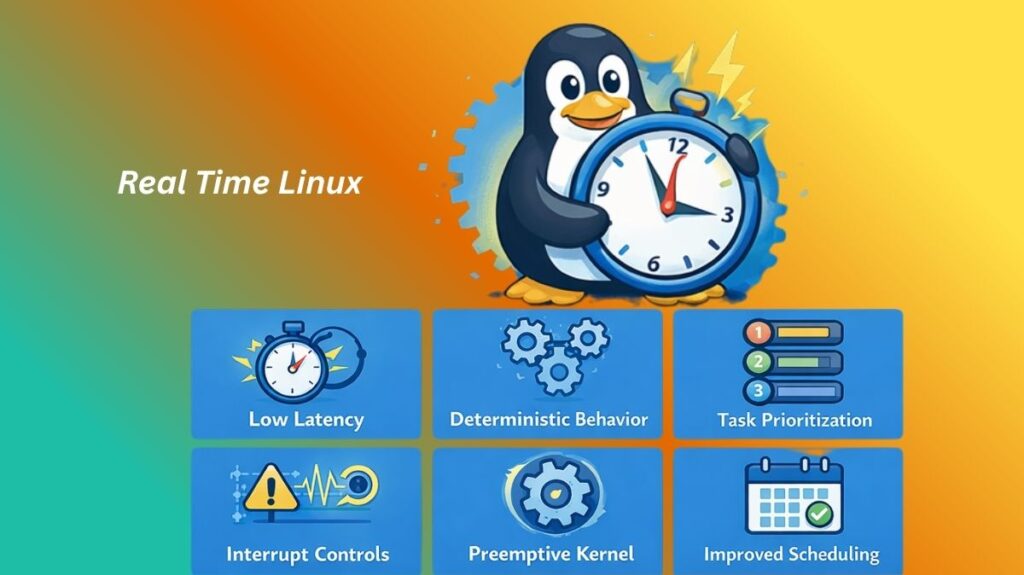
What is RT in Linux?
The Linux kernel has been altered to guarantee deterministic reaction times in Real-Time Linux. If a process in a “Hard Real-Time” environment takes 2.1 milliseconds when it should take 2 milliseconds, the system has failed. High-priority tasks are always guaranteed to “preempt” (interrupt) lower-priority ones quickly in Real-Time Linux.
Also read about What are Device Drivers in Linux? Types, Examples, Commands
RT Linux architecture
Some functions in a typical Linux kernel are “atomic” or “non-preemptible.” This implies that a high-priority activity (such as a robot arm hitting a limit switch) must wait if the kernel is occupied updating a file system. This architecture is radically altered by RT Linux.
The PREEMPT_RT Approach: The most popular architecture is the PREEMPT_RT Approach. Nearly all of the Linux kernel is transformed into “preemptible” code by it. Traditional “spinlocks” that cause jobs to wait are replaced with “sleeping mutexes.” When a high-priority task comes up, the kernel can halt its current work in the middle of a sentence and transfer the CPU to the urgent task.
Threaded Interrupts: Hardware interrupts instantly take over the CPU in a conventional Linux system. Interrupts are converted into ordinary threads in RT Linux. This enables you to prioritize your “Motion Control” thread over the “USB Disk” interrupt.
Priority Inheritance: An essential architectural solution to “Priority Inversion.” The kernel temporarily “boosts” low-priority tasks to speed up their completion and liberate resources for high-priority jobs.
Key Features
- Deterministic Latency: You are able to forecast precisely how long a task will take to begin.
- High-Resolution Timers: Provide scheduling accuracy at the nanosecond level.
- Configurable Priorities: Certain processes can be given a priority between 1 and 99 by developers.
- Low Latency: Significantly lowers the “jitter” (variance) in the time it takes to complete tasks.
Types of Real-Time Linux
There are two main ways to achieve real-time performance:
| Type | Description | Examples |
| Patch-based (Single Kernel) | A set of patches applied directly to the standard Linux kernel. | PREEMPT_RT |
| Dual-Kernel (Microkernel) | A tiny real-time kernel runs the hardware, and Linux runs as a “task” on top of it. | Xenomai, RTAI |
Also read about Linux for Edge Computing: Features, Benefits, and Examples
Applications
- Autonomous vehicles use radar and LiDAR data processing to make millisecond braking judgments.
- Industrial Robotics: Making sure a robotic arm stops precisely at the right point to prevent a collision.
- High-frequency trading is the practice of making financial transactions in which a microsecond difference can result in millions of dollars.
- Audio Processing: Making sure buffer processing never slows to avoid “pops” or “clicks” on professional digital audio workstations.
Commands & Practical Examples
Measuring Latency with Cyclictest
This is the first thing an engineer does to verify a Real-Time system:
Bash

# Run a latency test on all CPU cores with high priority
sudo cyclictest -l1000000 -m -n -p99 -t- -p99: Sets the priority to 99 (highest).
- -m: Locks memory to prevent “paging” (which causes delays).
Changing Process Priority (chrt)
You can force an existing program to run with Real-Time priority:
bash

# Start a program with 'Round Robin' real-time scheduling and priority 80
sudo chrt -r 80 ./my_robotic_app
Checking Kernel RT Status
To see if your current kernel actually has the RT patches enabled:
bash

uname -v | grep -i "PREEMPT RT"
Real-Time Linux Distributions
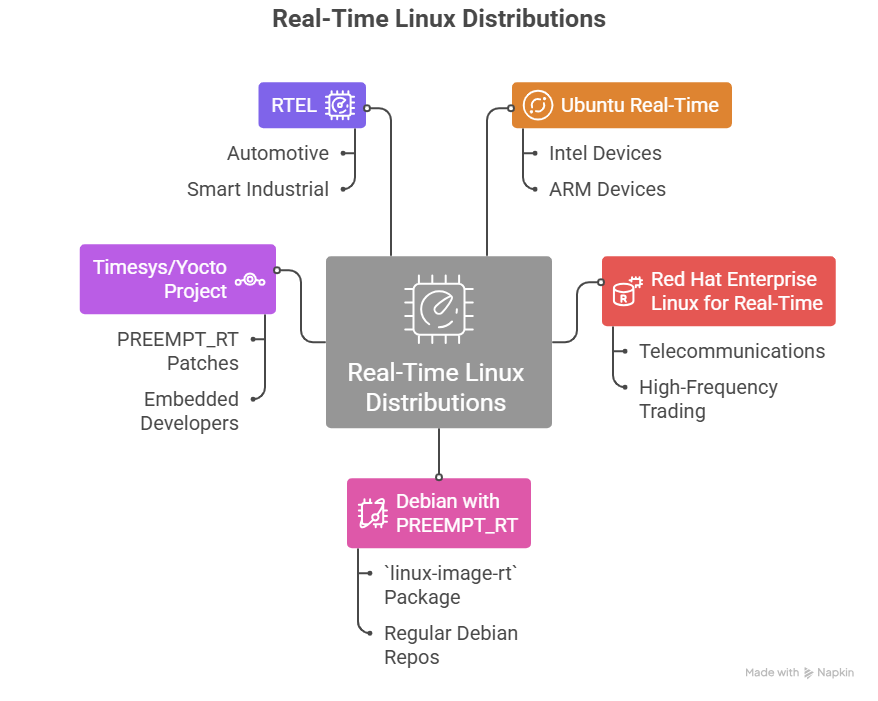
Unlike Ubuntu, you don’t often “download” an RT Linux ISO. Alternatively, you can utilize a vendor-specific build or add modifications to a standard kernel.
Ubuntu Real-Time: An official Real-Time kernel tailored for Intel and ARM devices is now available from Canonical. For “Edge” computing, it is well-liked.
Red Hat Enterprise Linux (RHEL) for Real-Time: It is an enterprise-grade, hardened version utilized in telecommunications and high-frequency trading.
Debian with PREEMPT_RT: For a reliable, open-source RT environment, many engineers install the linux-image-rt package using the regular Debian repos.
Timesys/Yocto Project: With the PREEMPT_RT patches, embedded developers can “bake” their own unique RTOS (Real-Time Operating System) from scratch with the Yocto Project.
RTEL (Real-Time Edge Linux): It is frequently utilized in automotive and smart industrial environments where 5G synchronization is necessary.
Also read about What is Linux Virtualization? Types, Tools, and Use Cases
What is the difference between Linux RT and RTOS?
When comparing Linux RT (Real-Time Linux) and a traditional RTOS (Real-Time Operating System) like FreeRTOS, QNX, or VxWorks, the main distinction lies in their heritage. Linux RT is a general-purpose OS modified for speed, while an RTOS is a specialized tool built from the ground up for precision.
| Feature | Linux RT (e.g., PREEMPT_RT) | Traditional RTOS (e.g., FreeRTOS, QNX) |
| Architecture | Monolithic: Large kernel containing drivers, file systems, and network stacks. | Microkernel or Nano-kernel: Minimal core; most services run as separate tasks. |
| Determinism | Soft to Firm Real-Time: Very low latency, but occasionally suffers from “jitter.” | Hard Real-Time: Guarantees a response within a strict, predictable time limit. |
| Footprint | Large: Requires Megabytes of RAM and powerful CPUs (ARM, x86). | Tiny: Can run on Kilobytes of RAM and simple microcontrollers (MCUs). |
| Boot Time | Seconds: Even optimized versions take a few seconds to initialize. | Milliseconds: Almost instantaneous “power-on to operational” state. |
| Development | Complex/Rich: Access to standard Linux libraries, Python, and C++. | Specialized: Usually programmed in C or Assembly with specific APIs. |
| Hardware Support | Extensive: Supports almost any modern peripheral (Wi-Fi, GPUs, USB). | Limited: Drivers must often be written manually for specific hardware. |
| Safety Certification | Difficult: Hard to certify due to the massive, ever-changing code base. | High: Often pre-certified for medical, aero, or automotive safety (ISO 26262). |
Advantages and Disadvantages
Advantages
- For systems that are vital to safety (such as brakes and medical pumps), guaranteed timing is essential.
- Reliability: Prevents your primary application from being slowed down by low-priority background processes, such as a system update.
- Standardized: You may make use of the same Linux libraries and tools that you are familiar with.
Disadvantages
- Decreased Throughput: The system’s overall “total work done” per second is somewhat less than that of regular Linux since it spends more time switching processes.
- Complexity: “Race Conditions” and “Deadlocks” are far more difficult to debug in real time.
- Hardware Sensitivity: Delays may be reintroduced because not all hardware drivers are “RT-aware.”
How to Test for Real-Time Performance
If you are logged into a Linux machine and want to see if it’s actually “Real-Time,” use these commands:
Check the Kernel Version:
bash

uname -a
# Look for "PREEMPT_RT" in the string. If it's not there, it's not Hard Real-Time.
Measure Jitter (The “Cyclictest”):
This is the standard way to prove a system is deterministic.
bash

sudo cyclictest -l1000000 -m -n -p99 -t1
Summary Strategy
If you are building a Web Server, stay with Standard Linux; it’s faster for heavy data lifting. If you are building a Drone or a Laser Cutter, you must use RT Linux to ensure the hardware never misses a beat due to a background system update.
RT Linux vs Linux
| Feature | Linux | Real-Time Linux (RT) |
| Primary Goal | Throughput: Process as much data as possible over time. | Determinism: Guarantee a response within a fixed deadline. |
| Scheduling | Completely Fair Scheduler (CFS). Tries to give everyone a turn. | Fixed-priority preemptive scheduling. The highest priority always wins. |
| Latency | Variable (Jitter). Usually low, but can spike randomly. | Fixed (Low Jitter). Hard limits on how long a task can be delayed. |
| Interrupts | Handled immediately, can block user tasks. | Threaded and prioritized like any other process. |
| Use Case | Web servers, Desktops, and General computing. | Medical devices, Flight controllers, and industrial CNC. |
Also read about Linux Quantum Computing: Tools, Distros, and Applications