

We covered variables and data handling, and conditional statements in shell scripting in detail in this blog.
Variables and Data Handling
Shell scripting uses logic and variables to manage data, enabling you to automate complicated processes. The basis of efficient automation is knowing how the shell handles data, whether you are working with text or doing mathematical computations.
1. Declaring Variables
In shell scripting, variables are untyped, meaning you don’t need to specify if a variable is an integer or a string.
- Syntax:
VARIABLE_NAME=value - Strict Rule: There must be no spaces around the equals sign (
=). - Accessing: Use the
$sign to reference the stored value.
#!/bin/bash

name="govindhtech"
version=3.0
echo "Running $name version $version"
2. Reading User Input
To make scripts interactive, you can capture input from the user during execution using the read command.
- Basic Prompt:
read variable_name - With a Message: Use the
-pflag to display a prompt on the same line. - Silent Input: Use the
-sflag for sensitive data like passwords (it hides the characters as you type).
#!/bin/bash

read -p "Enter your username: " username
read -s -p "Enter your password: " password
3. Arithmetic Operations
By default, the shell treats variables as strings. To perform math, you need specific syntax. The most modern and common method is using double parentheses $((...)).
Supported operations include addition (+), subtraction (-), multiplication (*), division (/), and modulo (%).
#!/bin/bash

num1=10
num2=5

sum=$((num1 + num2))
product=$((num1 * num2))

echo "Sum: $sum, Product: $product"
Note: Standard shell arithmetic only supports integers. For floating-point (decimal) math, tools like bc are required.
Also Read About Difference Between Shell And Environment Variables In Linux
4. String Operations
Shell scripting provides powerful built-in ways to manipulate text without needing external tools.
- String Length:
${#variable} - Concatenation: Simply place variables next to each other:
full="$first $last" - Substring Extraction:
${variable:offset:length} - Search and Replace:
${variable/pattern/replacement}
5. Arrays in Shell Scripting
Arrays allow you to store multiple values in a single variable. While basic sh does not support arrays, bash and zsh do.
Defining an Array
Arrays are defined using parentheses, with elements separated by spaces:
files=(“data.txt” “backup.zip” “script.sh”)
Accessing Elements
- Single Element:
${files[0]}(Arrays are zero-indexed). - All Elements:
${files[@]} - Array Length:
${#files[@]}
Adding Elements
To append a new item:
files+=(“new_log.txt”)
Summary Table
| Feature | Syntax Example |
| Declaration | count=10 |
| User Input | read -p "Name: " user_name |
| Math | result=$((5 + 2)) |
| Length | ${#string_var} |
| Array Access | ${my_array[2]} |
Also Read About How To Use Shell Command In Linux & Basic Shell Commands
Conditional Statements in shell scripting
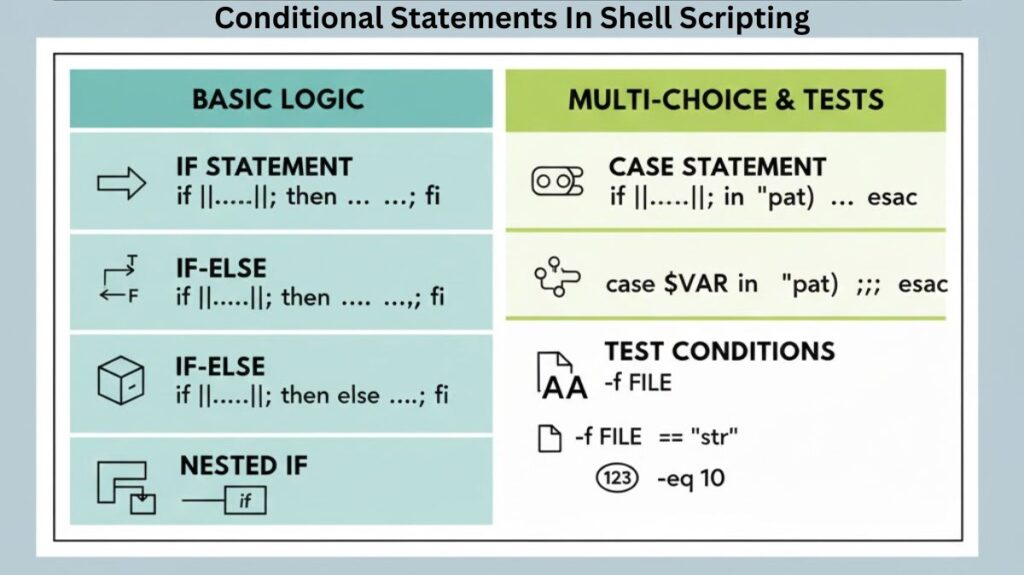
Conditional statements serve as the decision-makers in shell scripting logic. They enable a script to determine whether a condition is true or false by evaluating particular criteria and selecting several execution paths.
Test Conditions (The Foundation)
Before a script can make a decision, it must perform a “test.” In Bash, this is typically handled by the [[ ... ]] or [ ... ] syntax. These brackets evaluate an expression and return an exit status of 0 (true) or 1 (false).
Common Comparison Operators
- String:
==(equals),!=(not equals),-z(is empty). - Integer:
-eq(equal),-ne(not equal),-gt(greater than),-lt(less than). - File:
-f(is a file),-d(is a directory),-x(is executable).
The if Statement
The if statement is the most basic control structure. If the condition inside the brackets is met, the code within the then block is executed.
#!/bin/bash

if [[ $status == "up" ]]; then
    echo "The service is running."
fi
The if-else and elif Structure
When you need to handle multiple outcomes, you use else for a fallback option and elif (else if) for additional specific conditions.
#!/bin/bash

if [[ $user_age -ge 18 ]]; then
    echo "Access granted."
elif [[ $user_age -gt 13 ]]; then
    echo "Limited access granted."
else
    echo "Access denied."
fi
Nested if Statements
A nested if is simply a conditional statement placed inside another. This allows for complex, multi-layered validation.
#!/bin/bash

if [[ -d "./logs" ]]; then
    if [[ -f "./logs/app.log" ]]; then
        echo "Log file found in logs directory."
    fi
Note: While useful, over-nesting can make scripts difficult to read. Often, using logical operators like && (AND) or || (OR) is preferred.
There are three primary operators used to combine conditions:
| Operator | Logic | Meaning |
&& | AND | True only if both conditions are true. |
! | NOT | Inverts the result (True becomes False). |
Also Read About Explain Different Types Of Linux Shells In Operating System
Using the AND (&&) Operator
Use this when a specific action should only occur if multiple requirements are met.
Example: Checking if a user is an admin and the file exists.
#!/bin/bash

if [[ $USER == "admin" && -f "/etc/config_file" ]]; then
    echo "Admin confirmed and config file found. Proceeding..."
fi
Using the OR (||) Operator
Use this when you have multiple “triggers” for a single action. If any one of the conditions is met, the code runs.
Example: Checking if the file extension is .jpg or .png.
#!/bin/bash

if [[ $ext == "jpg" || $ext == "png" ]]; then
    echo "This is a supported image format."
fi
The case Statement
The case statement is a powerful alternative to long if-elif chains. It compares a single variable against several patterns and executes the block associated with the first match.
#!/bin/bash

case $extension in
    "jpg" | "png")
        echo "This is an image file."
        ;;
    "txt")
        echo "This is a text file."
        ;;
    *)
        echo "Unknown file type."
        ;;
esac)marks the end of a pattern.;;marks the end of a specific case block.*)serves as the default “catch-all” case.
Overview of decision logic
| Structure | Best Used For… |
if | A single true/false check. |
if-else | Choosing between two distinct paths. |
elif | Checking multiple specific ranges or criteria. |
case | Matching one variable against many fixed options. |
Also Read About Role Of Shell In Linux And Kernel vs Shell vs Terminal