

Types of Linux Shells
An application that serves as a conduit between the user and the Linux operating system is called a Linux shell. It receives user-typed commands, decodes them, and then sends them to the kernel for execution. Various shells were created over time to satisfy various user requirements, including customization, speed, scripting, and interactivity.
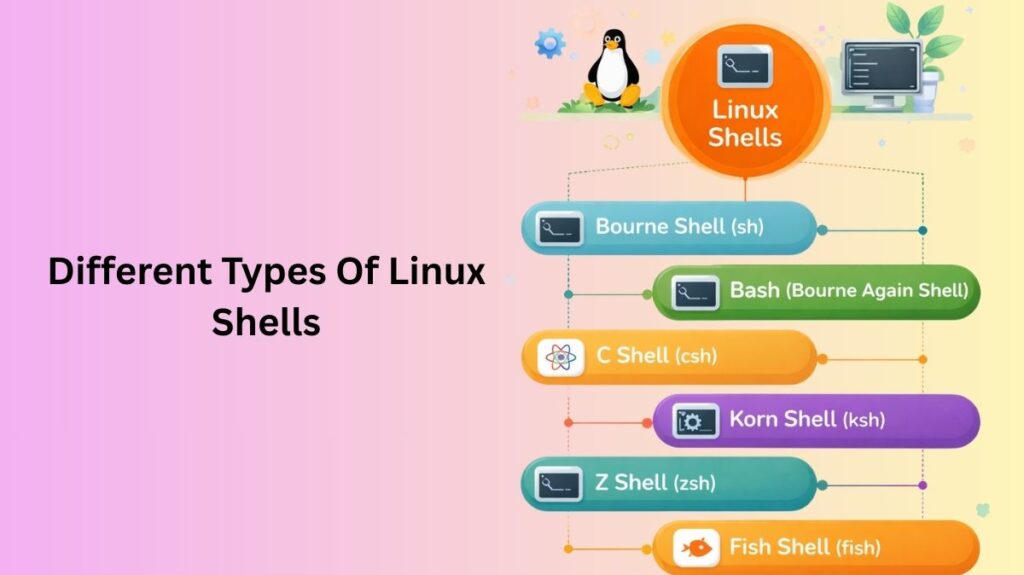
Bourne Shell (sh)
One of the earliest shells on Unix and Linux systems is the Bourne Shell, or sh for short. Stephen Bourne created it at AT&T Bell Laboratories. This shell is lightweight and mostly concentrates on scripting and simple command execution. The Bourne shell syntax remains significant today since it was used in many early system scripts. It is nevertheless quite portable despite lacking sophisticated features like auto-completion and command history. Sh is a basis for shell scripting because it is compatible with the majority of contemporary shells.
Important points:
- Easy and quick
- Perfect for simple scripting
- Extremely portable across Unix platforms
Bash (Bourne Again Shell)
The default shell on the majority of Linux distributions, bash is the most popular Linux shell. The term “Bourne Again Shell” refers to the fact that it was created as an enhanced form of the Bourne shell. Many sophisticated features of Bash include job control, tab completion, command history, and strong scripting capabilities. Beginners will find it easy to use, and system administrators will find it powerful enough.
Important points:
- The default shell on the majority of Linux systems
- Enables sophisticated scripting
- Powerful and easy to use
Also Read About Role Of Shell In Linux And Kernel vs Shell vs Terminal
C Shell (csh)
The syntax of the C Shell was modeled after that of the C programming language. This makes it simpler to use and comprehend for programmers who are already familiar with C. Earlier than many other shells, it added practical features like aliases and command history. However, due to its uneven scripting behavior, it is not frequently advised for scripting. These days, academic or legacy settings are where it is primarily utilized.
Important points:
- Syntax akin to that of the C programming language
- Excellent for interactive use
- Not as dependable for scripting
Korn Shell (ksh)
The Bourne and C shells’ characteristics are combined in the Korn shell. It was created by David Korn and is renowned for having excellent scripting capabilities. Advanced programming concepts including arrays, arithmetic operations, and functions are supported by Ksh. Its performance and scripting dependability make it a popular choice for commercial and enterprise Unix environments.
Important points:
- Strong scripting capabilities
- Combines the benefits of csh with sh
- Frequently found in business systems
Z Shell (zsh)
The Z Shell is a contemporary shell that expands upon the characteristics of the Korn and Bash Shells. It is well-liked by developers and quite adaptable. Advanced auto-completion, spelling correction, theming, and plugin support are all offered by Zsh. Frameworks such as Oh My Zsh make it simple for users to improve look and productivity. Developers and power users really like it.
Important points:
- Extremely adaptable
- Superior auto-completion
- Well-liked for contemporary growth
Fish Shell (fish)
Simplicity and user experience were key considerations in the creation of the Fish Shell (Friendly Interactive Shell). Rather than scripting, it emphasizes interactive use. Features like syntax highlighting, real-time command recommendations, and simple configuration without complicated setup are all provided by Fish. However, some conventional shell scripts might not function in Fish because it is not entirely POSIX-compliant.
Important points:
- Incredibly easy to use
- Great for novices
- Unsuitable for conventional scripting
Also Read About Most Commonly Used C Standard Library Functions On Linux
Shell Comparison
| Shell | Best For… | Scripting Friendly? |
| sh | System recovery / Minimalist | Yes (Standard) |
| Bash | General use / Universal scripting | Yes (Default) |
| Zsh | Power users / Customization | Yes |
| Fish | Beginners who want easy UI | No (Custom syntax) |
Default Shell Selection
When a user account is created, the system assigns a default shell (usually /bin/bash). This is stored in the /etc/passwd file. Every time you open a terminal or log in via SSH, this specific shell program is launched.
Checking and Changing Your Shell
If you want to move from Bash to Zsh or Fish, here is how you do it.
How to Check your Current Shell
You can see which shell is currently running by printing the 0 parameter:
Bash
echo $0To see all shells installed on your system:
Bash
cat /etc/shellsHow to Change your Default Shell
The chsh (change shell) command is used for this.
To switch to Zsh:
Bash
chsh -s /bin/zsh
To switch back to Bash:
Bash
chsh -s /bin/bash
Note: You will usually need to log out and log back in for the change to take effect.
Also Read About What Are System Utilities In Linux? Commands With Examples