

What is shell scripting for DevOps?
Shell scripting enables DevOps engineers to create scripts that automate software package installation, system configuration, network connection setup, and file and directory management. Because less manual labor is needed to do these jobs, time is saved and efficiency is increased.
Shell scripting for devops engineer
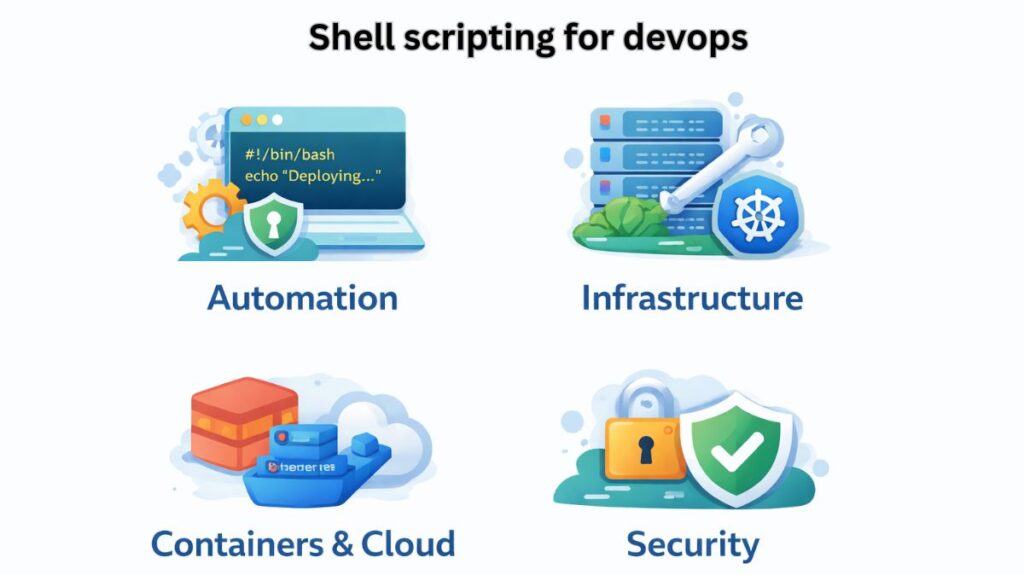
Although high-level technologies such as Terraform, Ansible, and Kubernetes do the hard lifting, the fundamental instructions that automate cloud instances, CI/CD pipelines, and local environments are shell scripts. For a DevOps engineer, proficiency in shell scripting (typically Bash) is essential for bridging the gap between developers and infrastructure.
The “Strict Mode” for DevOps
Production-grade scripts must be robust. A single failed command in a deployment script can lead to a “half-deployed” state that breaks your application. Every DevOps script should start with these flags:
#!/bin/bash
set -euo pipefail-e: Exit immediately if a command exits with a non-zero status.-u: Exit if an undefined variable is referenced (prevents typos).-o pipefail: If any command in a pipe fails, the whole pipe fails (not just the last command).
Also Read About Difference Between Shell And Environment Variables In Linux
Integration with CI/CD Pipelines
In modern DevOps, you rarely run scripts manually. They live inside YAML files in tools like GitHub Actions, GitLab CI, or Jenkins.
Key Use Cases:
- Pre-flight Checks: Verifying that the correct version of Node.js or Python is installed before starting a build.
- Artifact Management: Renaming, compressing, and uploading build folders to an S3 bucket or Artifactory.
- Dynamic Tagging: Creating Docker image tags based on the Git commit hash:
IMAGE_TAG=$(git rev-parse --short HEAD).
Automation for Docker & Kubernetes
Shell scripting is the primary way to manage the lifecycle of containerized applications.
- Entrypoint Scripts: Often used to run database migrations or inject environment variables before starting the main application process inside a container.
- Cluster Management: Automating the rotation of Kubernetes pods or cleaning up unused “Evicted” pods across namespaces.
Example: Cleanup script for Kubernetes
# Delete all pods in 'Failed' or 'Evicted' state
kubectl get pods --all-namespaces | grep -E 'Evicted|Failed' | awk '{print $2 " --namespace=" $1}' | xargs -L1 kubectl delete pod
Cloud CLI Automation
DevOps engineers use the AWS, Azure, or Google Cloud CLI to automate infrastructure that isn’t yet managed by Terraform.
- Cost Management: A script that runs every Friday evening to shut down “Dev” environment EC2 instances to save money over the weekend.
- Security Audits: Generating a list of all IAM users who haven’t rotated their access keys in the last 90 days.
Also Read About Loops In Shell Scripting For Automation And Task Management
Essential Command Toolkit
To be effective in DevOps, you must master these “Power Utilities”:
| Tool | DevOps Purpose |
jq | Parsing and manipulating JSON (essential for API responses). |
yq | Manipulating YAML files (Kubernetes manifests, CI/CD configs). |
grep / awk | Searching logs and extracting specific data columns. |
curl | Interacting with REST APIs for webhooks or health checks. |
rsync | Efficiently syncing files between local and remote servers. |
Scripting vs Orchestration
| Feature | Shell Scripting | Configuration Management (Ansible/Terraform) |
| Philosophy | Imperative (Do this, then that) | Declarative (This is the desired state) |
| Speed | Extremely fast to write and run | Slower, requires tool installation |
| Scale | Hard to maintain for large infra | Designed for massive scale |
| Best For | Glue code, quick fixes, build logic | Provisioning servers, managing clo |
Best Practices for DevOps Scripts
In order to guarantee that scripts are “production-ready,” DevOps engineers adhere to following criteria:
Use set -euo pipefail: This prevents “silent failures” in a pipeline by guaranteeing that the script ends instantly if any command fails.
Environment Variables: Passwords should never be hardcoded. Make use of variables that the CI/CD secret manager injects, such as $DB_PASSWORD.
Idempotency: Writing scripts with idempotency prevents issues when they are run twice (e.g., check if a directory exists before creaAting it).
Shell scripting for devops interview questions
Shell scripting questions in a DevOps interview often cover anything from simple syntax to intricate, scenario-based automation. In addition to writing code, interviewers want to see that you can securely automate infrastructure and troubleshoot production difficulties.
Also Read About Process Management In Shell Scripting: Commands & Examples
Fundamental Concepts
Q: What is the significance of the Shebang (#!) line?
A: The shebang is the first line of the script (e.g., #!/bin/bash). It tells the kernel which interpreter to use to execute the script’s code. Without it, the script might run using the user’s default shell, leading to unexpected behavior if specific bash features are used.
Q: How do you check if the previous command was successful?
A: You use the special variable $?. It stores the exit status of the last command.
0: SuccessNon-zero: Failure (usually 1-255)
Q: What is the difference between $* and $@?
A: Both represent all command-line arguments. However:
$*: Treats all arguments as a single string (word).$@: Treats each argument as a separate quoted string. This is generally safer for loops.
Practical Scripting Scenarios
Q: Write a script to monitor disk usage and send an alert if it exceeds 80%.
A: “`bash
#!/bin/bash
THRESHOLD=80
USAGE=$(df / | grep / | awk ‘{ print $5 }’ | sed ‘s/%//’)
if [ “$USAGE” -gt “$THRESHOLD” ]; then
echo “Alert: Disk usage is at ${USAGE}%” | mail -s “Disk Space Alert” admin@example.com
fi
**Q: How would you automate the cleanup of logs older than 7 days?**
**A:** Use the `find` command with the `-mtime` flag:
```bash
find /var/log/app -type f -name "*.log" -mtime +7 -exec rm -f {} \;
Q: How do you handle secrets (like API keys) in a shell script?
A: Never hardcode them.
- Use Environment Variables injected by your CI/CD tool (GitHub Secrets, Jenkins Credentials).
- Use a secret manager (AWS Secrets Manager or HashiCorp Vault) and fetch them at runtime.
- Ensure the script file permissions are restricted (
chmod 600).
Also Read About Shell Scripting Advanced Examples & Optimizing Shell Scripts
Debugging and Robustness
Q: How do you debug a shell script?
A: * Add set -x at the top of the script to print each command before execution.
- Run the script as
bash -x script.sh. - Use
shellcheck(a static analysis tool) to find syntax errors and bad practices.
Q: What does set -e, set -u, and set -o pipefail do?
A: This “Unofficial Bash Strict Mode” makes scripts much more robust:
set -e: Exit immediately if a command fails.set -u: Exit if an undefined variable is used (prevents typos).set -o pipefail: Returns the exit code of the first command in a pipe that fails, rather than the last one.
Advanced DevOps Questions
Q: Explain how you use shell scripts in a CI/CD pipeline.
A: Shell scripts act as the “glue.” They are used for:
- Build Phase: Running
npm installormvn clean install. - Testing Phase: Executing test suites and parsing results.
- Deployment: Using
rsyncto move files orkubectlcommands to update a Kubernetes deployment.
Q: A Docker container keeps restarting. How do you troubleshoot this using the shell?
- Check logs:
docker logs <container_id>. - Inspect the exit code:
docker inspect <container_id> --format='{{.State.ExitCode}}'. - If it stays up briefly, exec into it:
docker exec -it <container_id> /bin/bashto check environment variables and file permissions.
Quick Reference Table
| Question Topic | Key Command/Concept |
| Check File Existence | if [ -f "$FILE" ]; then |
| Loop through Files | for file in *.log; do ... done |
| Background Process | command & |
| Find and Replace | sed -i 's/old/new/g' file.txt |
| Process Management | `ps aux |
Also Read About File Handling In Shell Scripts: Read, Writing Files In Linux