

Loops in Shell Scripting
Loops are essential shell scripting elements that let you run a section of code repeatedly. They are crucial for automating repetitive processes like processing several files, keeping an eye on system resources, or iterating over data sets.
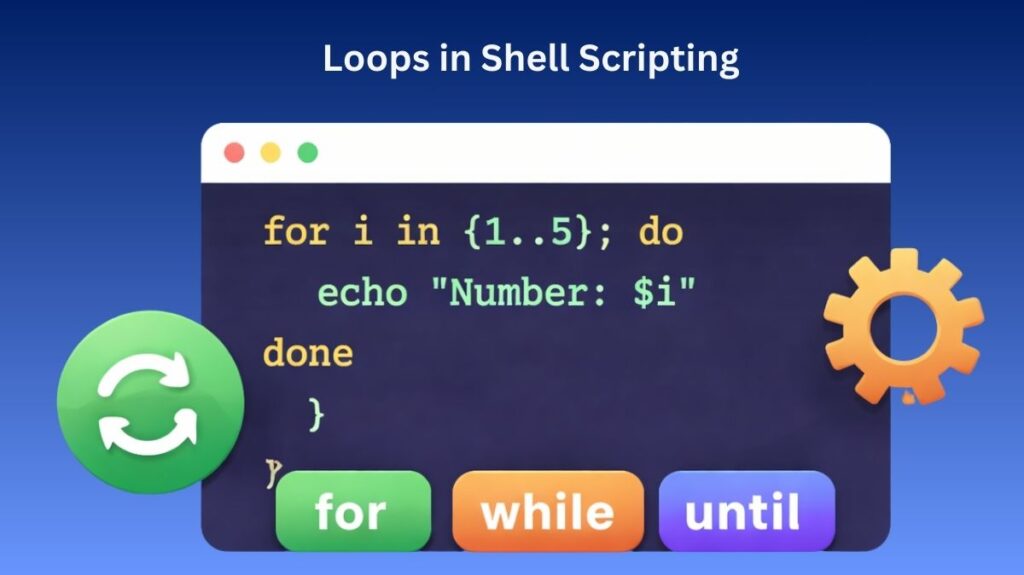
The for Loop
The for loop is typically used when you know in advance how many times you want to execute a statement or when you are iterating over a specific list of items (like a set of strings or a range of numbers).
Common Syntax Patterns
- List-based:
for item in apple banana cherry; do ... done - Range-based:
for i in {1..5}; do ... done - C-style:
for ((i=0; i<10; i++)); do ... done
Example: Iterating through files in a directory.
Bash
for file in *.txt; do
    echo "Processing $file..."
    mv "$file" "${file%.txt}.bak"
done
Also Read About What Is A Linux Shell? And Different Types Of Shell In Linux
The while Loop
A while loop continues to execute as long as a specified condition remains true. It is ideal for situations where you don’t know exactly how many iterations will be needed (e.g., reading a file line-by-line).
Example: Counting down from five.
Bash
count=5
while [[ $count -gt 0 ]]; do
    echo "T-minus $count"
    count=$((count - 1))
done
echo "Blast off!"
The until Loop
The until loop is the logical opposite of the while loop. It repeats a block of code until a specific condition becomes true (meaning it runs as long as the condition is false).
Example: Waiting for a specific file to be created.
Bash
until [[ -f "config.ready" ]]; do
    echo "Waiting for configuration..."
    sleep 2
done
echo "Configuration detected. Starting system."
Loop Control: break and continue
Sometimes you need to alter the standard flow of a loop based on an internal condition.
break: Immediately terminates the entire loop and moves to the next part of the script.continue: Skips the remainder of the current iteration and jumps back to the start of the next loop cycle.
Example: Skipping an item and exiting early.
Bash
for i in {1..10}; do
    if [[ $i -eq 3 ]]; then
        continue  # Skip number 3
    fi
    if [[ $i -eq 7 ]]; then
        break     # Stop the loop entirely at 7
    fi
    echo "Number: $i"
done
Also Read About Explain Different Types Of Linux Shells In Operating System
Loop Types
| Loop Type | Execution Logic | Best Use Case |
for | Iterates over a defined set or range. | Processing a list of files or known items. |
while | Runs as long as the condition is True. | Reading input or waiting for a status change. |
until | Runs as long as the condition is False. | Retrying a command until it succeeds. |
Enhancing Loop Efficiency
It is frequently helpful to utilize loops in conjunction with the sleep command to execute activities in the background or to reduce CPU spikes while working with huge datasets or system-intensive tasks.
Functions in Shell Scripts
Functions in shell scripting let you combine a block of code into a single, reusable unit. Using functions greatly saves code duplication, increases script modularity, and facilitates debugging.
Defining and Calling Functions
A function must be defined before it can be invoked in a script. There are two common ways to declare a function in Bash.
- Syntax A:
function_name () { ... } - Syntax B:
function function_name { ... }
To call a function, you simply write its name as a command. Do not use parentheses when calling the function.
Bash
# Definition
greet_user() {
    echo "Welcome to the system automation script!"
}

# Call
greet_user
Passing Arguments to Functions
Functions do not use named parameters in the definition (like function(a, b)). Instead, they use positional parameters, just like the script itself.
$1,$2, …: Represent the first, second, and subsequent arguments.$@: Represents all arguments passed to the function.$#: Represents the total number of arguments passed.
Example:
Bash
show_info() {
    echo "Hello $1, you are a $2."
}

show_info "Alice" "Developer"
Returning Values
Shell functions do not return data types (like strings or integers) in the traditional sense. Instead, they handle “returns” in two ways:
Exit Status (return)
The return command sends back an exit code (0-255). A 0 usually indicates success, while any non-zero value indicates an error.
Bash
check_file() {
    if [[ -f "$1" ]]; then
        return 0
    else
        return 1
    fi
}
Also Read About What Are System Utilities In Linux? Commands With Examples
Returning Data (echo)
To return actual data, you echo the result inside the function and capture it using command substitution $(...).
Bash
get_sum() {
    echo $(( $1 + $2 ))
}

result=$(get_sum 10 20)
echo "The total is $result"
Scope of Variables
By default, all variables in a shell script are global. If you modify a variable inside a function, it changes for the entire script. To prevent this, use the local keyword.
| Variable Type | Keyword | Scope |
| Global | None | Accessible everywhere in the script. |
| Local | local | Exists only within the function. |
Example:
Bash
var="Global"

my_func() {
    local var="Local"
    echo "Inside function: $var"
}

my_func
echo "Outside function: $var"
The output will show “Local” inside the function, but remain “Global” outside.
Summary
- [ ] Definition: Use
name() { ... }. - [ ] Calling: Just use the name; no parentheses.
- [ ] Arguments: Access via
$1,$2. - [ ] Scope: Always use
localfor internal function variables to avoid bugs. - [ ] Return: Use
echofor data andreturnfor success/failure status.
Also Read About Linux Architecture Layers: Kernel, Shell, And Hardware