

Shell script compiler shc
To turn shell scripts into executable binaries, Linux and Unix-like systems require a specialized tool called the Shell Script Compiler (SHC). Although it is frequently called a “compiler,” its main purpose is to obfuscate and encrypt source code to avoid unintentional alteration or casual examination.
SHC does not create a standalone machine-code binary from scratch. Instead, it acts as a “wrapper” that packages your script into a C program.
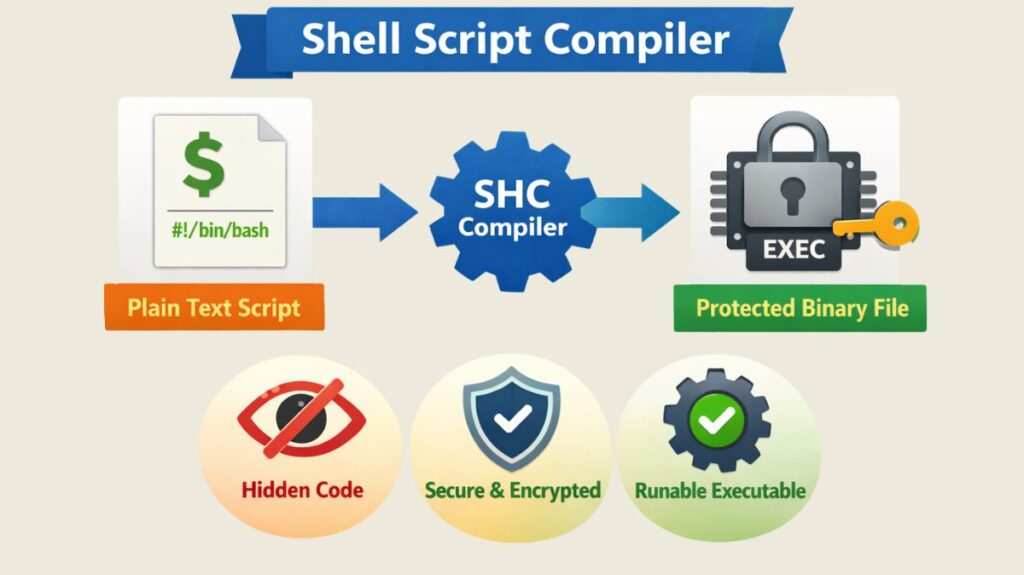
How SHC Works
- C Source Generation: SHC takes your shell script (e.g.,
script.sh) and generates a corresponding C source file (script.sh.x.c). This C file contains the original script encrypted using the RC4 stream cipher. - Binary Compilation: SHC then calls the system’s C compiler (usually
gcc) to compile that C source into a stripped binary executable (script.sh.x).
Also Read About Shell Scripting Error Handling Examples And Debugging Tools
Features and Options
SHC provides several flags to customize the security and behavior of the generated binary:
| Option | Purpose |
-f <file> | Specifies the input shell script to be compiled. |
-e <date> | Sets an expiration date (dd/mm/yyyy). The script will refuse to run after this date. |
-m <msg> | Defines a custom message to display when the script expires. |
-r | “Relax” mode; makes the binary more portable so it can run on different systems with the same OS. |
-v | Verbose mode; shows detailed output during the compilation process. |
-U | Makes the binary “untraceable,” attempting to prevent tools like strace or ptrace from viewing its execution. |
Installation and Basic Usage
On most Debian-based systems (like Ubuntu), you can install SHC via the package manager:
Bash

sudo apt update
sudo apt install shc
Basic Example:
- Create a script:
echo 'echo "Hello World"' > hello.sh - Compile it:
shc -f hello.sh - Run the binary:
./hello.sh.x
You will notice three files:
hello.sh: Your original readable script.hello.sh.x.c: The intermediate C code.hello.sh.x: The final executable binary.
Also Read About Process Management In Shell Scripting: Commands & Examples
How to Use the SHC “Compiler”
If you want to try “compiling” your script, follow these steps:
Compile Your Script
Assume you have a script named myscript.sh. Run the following command:
Bash

shc -f myscript.sh
Resulting Files
SHC will generate two new files:
myscript.sh.x.c: The intermediate C source code.myscript.sh.x: The compiled binary executable.
To run your new “compiled” script:
Bash

./myscript.sh.x
Security and Performance Considerations
While SHC is excellent for preventing unauthorized changes, it is not a “bulletproof” security tool.
Security Limits: Advanced users can still extract the original script. Since the binary must decrypt the script at runtime to execute it, tools like strace or specialized memory dumpers can sometimes capture the plain-text script as it is passed to the shell interpreter.
Performance: There is zero performance gain. In fact, a compiled SHC binary is slightly slower than the original script because the system must first decrypt the code before running it.
Portability: Binaries compiled on one version of Linux (e.g., Ubuntu 22.04) may fail on another (e.g., CentOS 7) due to differences in system libraries (GLIBC). Always use the -r flag if you plan to distribute the binary.
Also Read About Shell Scripting Advanced Examples & Optimizing Shell Scripts
SHC vs Native Scripts
| Feature | Native Shell Script | SHC Binary |
| Source Visibility | Plain text (Anyone can read) | Hidden (Encoded/Encrypted) |
| Modifiability | High (Anyone can edit) | Low (Binary must be re-compiled) |
| Execution Speed | Standard | Slightly slower (due to decryption) |
| Expiration Logic | Manual logic required | Built-in via -e flag |
Benefits of SHC
Source Code Obfuscation: The main benefit of source code obfuscation is that it conceals your script’s plain-text functionality. This prevents casual users from understanding crucial logic or hardcoded paths.
Tamper Prevention: It’s harder to accidentally or intentionally modify a line of code and break the script by changing it into a binary.
Expiration Logic (-e): SHC lets you specify a “kill date.” This is perfect for sharing test versions of internal tools or scripts that shouldn’t be utilized past a specific project deadline.
Custom Expiry Messages (-m): You can specify precisely what the user sees after the script expires, including contact details or polished feedback.
Trace Prevention (-U): This “untraceable” flag aims to prevent system debugging tools such as ptrace or strace from observing the instructions throughout their execution.
Professional Distribution: Compared to distributing a .sh text file, delivering a binary executable (.x) frequently appears more “packaged” and professional.
Drawbacks of SHC
Not a Real Binary: The result is merely a “wrapper.” At runtime, the code must be decrypted by the binary and returned to a shell interpreter. This implies that the original shell (such as /bin/bash) must still be installed on the target system.
Reversible Security: SHC employs the rather feeble RC4 encryption. The original plain-text script can be retrieved from binaries using unshc by a skilled attacker or developer. Private API keys and root passwords should not be placed there.
Portability Issues: Due to glibc dependency, a binary compiled on a modern Ubuntu machine will not work on an older RHEL or CentOS system. The script must often be compiled on the deployment OS.
Zero Performance Gain: Because the CPU must decrypt the script before it can be executed, SHC actually adds a small overhead in comparison to C or Go, where compilation speeds up the code.
False Sense of Security: A lot of people utilize SHC as a “vault.” In actuality, it merely prevents “honest” users and “script kiddies,” not skilled hackers, because the decryption key is essentially contained within the binary itself.
Antivirus Flags: Some contemporary antivirus and EDR (Endpoint Detection and Response) systems may flag SHC binaries as suspicious or “PUPs” (Potentially Unwanted Programs) since malware authors frequently utilize SHC to conceal dangerous scripts.
Shell script compiler online
Here is a fundamental difference between an Online Interpreter (which runs your code to show results) and a Binary Compiler (which encrypts your script into a .x executable).
Most websites that call themselves “Bash Compilers” are actually interpreters. If you need to turn a script into a binary using only a web browser, your best approach is to use a Cloud IDE that provides a real Linux terminal.
Also Read About Shell Script Security And Use Cases For Shell Scripting
The Best “Cloud Terminals” for SHC Compilation
These sites give you a full virtual machine. You can install the shc utility inside their terminal to create your binaries.
- Replit: The most popular choice. It provides a terminal where you can use package managers like
nixoraptto install compilation tools. - Gitpod: Provides a full VS Code interface in the browser. It is excellent for DevOps engineers who need a professional environment to compile scripts for infrastructure.
- Webminal: A “GNU/Linux Online Terminal” specifically designed for practicing Linux commands and script compilation.
How to Compile Online (Step-by-Step)
If you use a tool like Replit, you don’t just click a “Run” button to compile. You must use the terminal pane on the right:
Open the Terminal in your Cloud IDE.
Install the SHC tool:
Bash

# On Replit/Nix environments
nix-env -iA nixpkgs.shc
Compile your script:
Bash

c -f my_script.sh -o my_binary
Download: Right-click the newly created my_binary file in the file explorer and download it to your computer.
Online Shell Tools
| Website | Function | Best For |
| OneCompiler | Interpreter | Quick logic testing and “Hello World.” |
| ShellCheck | Linter/Debugger | Finding security holes and syntax bugs. |
| Tutorialspoint | Virtual Terminal | Learning Linux commands and file management. |
| JDoodle | IDE | Simple scripts with interactive user input. |
Also Read About File Handling In Shell Scripts: Read, Writing Files In Linux