

What is a Linux Container?
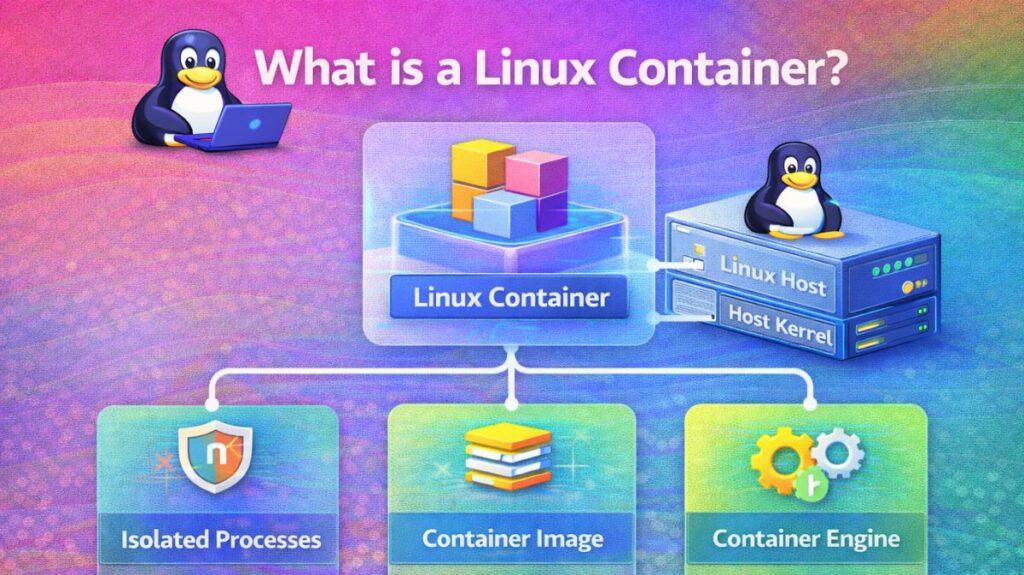
A collection of one or more processes that are separated from the rest of the system is called a Linux container. Linux containers are portable and consistent from development to testing to production since all the files needed to run them are supplied from a single image.
The common software deployment unit is a Linux container (LXC/LXD, Docker, Podman). Extreme efficiency and portability are made possible by containers, which virtualize the operating system itself as opposed to Virtual Machines (VMs), which virtualize a whole hardware stack.
How does a Linux container work?
Fundamentally, a Linux container is a standard Linux process that has been separated and constrained using particular Linux kernel characteristics rather than a “thing” like a virtual machine.
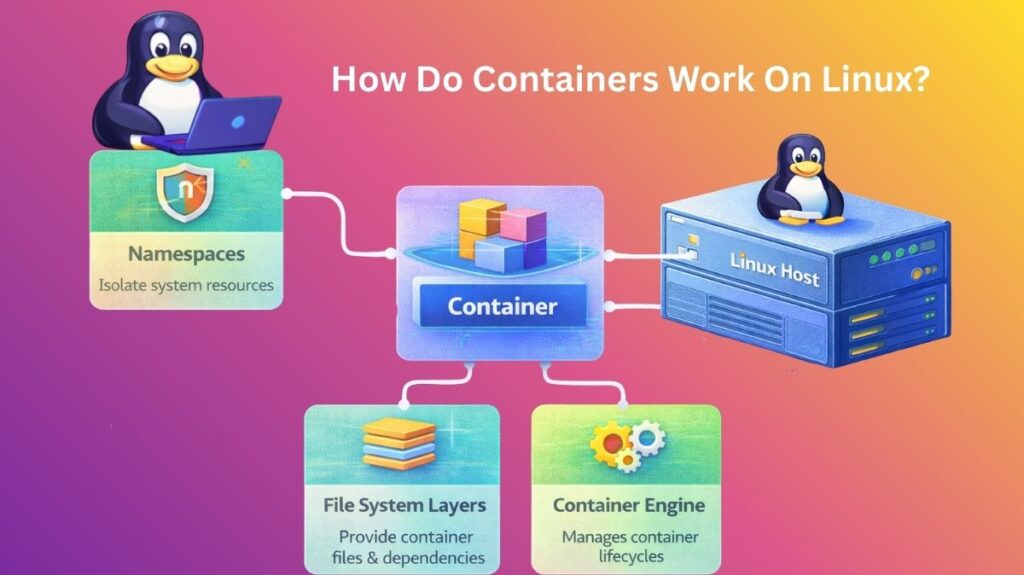
A container simply deceives a process into believing it is operating on its own private computer rather than mimicking hardware. Namespaces and Control Groups (Cgroups) are the two main methods of accomplishing this.
Namespaces
- The isolation is provided via namespaces. An abstraction is used to convey the idea that a process has its own global system resource.
- Process believes it is PID 1 (the first process on the system), even if the host has PID 1245.
- NET Namespace: Containers have IP addresses and routing tables, unlike hosts.
- MNT Namespace: The host’s files are not visible to the container, but it can see its own file system (such as
/etcor/var). - The container can have its own hostname in the UTS Namespace.
Also read about How To Change Hostname In Linux Permanently Command Line
Cgroups and Control Groups
Cgroups restrict the actual capabilities of the process, but namespaces conceal things from it. Without Cgroups, a single container may use all of the RAM to run a hefty script and crash the host.
- Memory Limits: Guarantees that a container doesn’t have more RAM than 512 MB.
- CPU Shares: When the server is busy, it prioritizes which containers receive CPU time.
- I/O Limits: Prevents a container from making the hard drive slower for other users.
The Union File System (The “Layers”)
They employ a Union File System (UnionFS) to make containers lightweight. Every time a container is started, a 2GB operating system is not copied; instead, “Layers.”
- Lower Layers: Read-only layers, such as an Ubuntu image.
- Upper Layer: The container stores its unique data in this thin, readable layer.
- Efficiency: You can save a ton of disk space by running ten containers based on the same Ubuntu image, all of which share the identical read-only files.
The Container Engine (The “Manager”)
It utilizes an engine like Docker, Podman, or LXC because manually setting Namespaces and Cgroups is difficult.
- Request: You execute docker run.
- Pull: The image (the layers) is captured by the engine.
- Setup: The engine instructs the Linux kernel to establish the Cgroups and Namespaces.
- Execute: Within that segregated environment, the engine launches the application.
Also read about Important Hostname Files In Linux Explained With Examples
The Role of Containers in Modern Tech
An application’s “wrapper” is provided by containers. They combine the code, dependencies, and configurations into a single image that can be used on a large cloud provider like AWS, a local server, or a developer’s laptop, and operates the same.
What is the purpose of their use?
Efficiency: The host’s Linux kernel is shared by containers. As a result, they can start in milliseconds instead of needing to “boot up” an operating system.
Isolation: A container using Linux Namespaces appears to be a stand-alone system, yet it is unable to view or impede other containers running on the same host.
Resource Control: By hard-limiting a container to, say, precisely 512MB of RAM and 10% CPU, you can use Cgroups to keep a single application from bringing down the entire server.
Consistency: Since the container, the “machine,” is relocated with the code, “It worked on my machine” is no longer a problem.
Linux Container Commands (Podman/Docker)
Because it is “daemonless” and doesn’t require root privileges, Podman is becoming more and more popular in safe DevOps environments, even if Docker is the most well-known.
| Action | Command | DevOps Context |
| Pull Image | podman pull nginx | Downloads a pre-configured OS/App template. |
| Run Container | podman run -d -p 80:80 --name web nginx | Starts a web server in the background (-d) on port 80. |
| List Running | podman ps | Shows all active containers and their status. |
| Exec Command | podman exec -it web /bin/bash | “Enters” the running container to run commands inside it. |
| View Logs | podman logs -f web | Streams the application output for debugging. |
| Resource Stats | podman stats | Real-time CPU/Memory monitoring for all containers. |
| Cleanup | podman system prune -a | Deletes all stopped containers and unused images. |
Also read about Understanding Containers vs Virtual Machines In Detail
Real-World Applications
Microservices: Dividing a massive “Monolith” application into 20 tiny containers (Search, Payment, and Login) that interact with one another using APIs.
CI/CD Build Agents: Launch a container to execute tests, compile code, and then immediately destroy it when finished.
Database Versioning: Database versioning allows you to run different MySQL or PostgreSQL versions on the same server without having to deal with port or dependency problems.
Cloud-Native Applications: Managing thousands of these containers over a cluster of Linux servers with Kubernetes.
Setting Up the Environment
To practice with containers, the modern standard is to use Podman (which is CLI-compatible with Docker but more secure).
Step 1: Installation (Ubuntu/Debian)
Bash

sudo apt update
sudo apt install -y podman
Step 2: Running Your First Microservice
It will run an Apache web server as a container:
Bash

# Start the container
podman run -dt -p 8080:80/tcp docker.io/library/httpd

# Verify it is running
curl http://localhost:8080
Step 3: Creating Your Own Image (The Dockerfile)
Create a file named Dockerfile:
Dockerfile

FROM alpine:latest
RUN apk add --no-cache python3
COPY ./app.py /app/
CMD ["python3", "/app/app.py"]
Build it with: podman build -t my-python-app .
What’s the difference between Docker and Containers?
With the shift to “pluggable” container engines in 2026, the distinction is more crucial than ever.
Linux Containers (The Technology): Any process that the Linux kernel isolates is referred to by this general name. Kernel features like Cgroups (resource limitations) and Namespaces (isolation) are used to do this. If you know how to use Linux, you can make a container by hand using just the unshare and chroot commands and no other software.
Linux Containers are the foundation for Docker (The Platform), a commercial suite of tools. It didn’t create containers; rather, it made them accessible to the typical developer by offering a CLI, a common image format, and a means of sharing those images (Docker Hub).
Also read about Linux DevOps Commands Cheat Sheet With Practical Examples
| Feature | Linux Containers (LXC/Generic) | Docker (The Ecosystem) |
| Philosophy | System-centric. Behaves like a lightweight Virtual Machine. | Application-centric. Designed to run one single process/app per container. |
| Architecture | Direct interaction with the Linux Kernel. | Uses a “Daemon” (dockerd) to manage container lifecycles. |
| Portability | Harder to move between different Linux distros. | “Build once, run anywhere” (High portability via Images). |
| Complexity | High. Requires manual networking and storage setup. | Low. Automates networking, volumes, and image builds. |
| Standard | Uses LXC/LXD or raw kernel primitives. | Uses containerd and follows OCI (Open Container Initiative) standards. |
The “Docker is Not Linux” Nuance
It’s a popular misperception that Docker is the container. Docker is actually a “wrapper.”
The following actions are taken by Docker behind the scenes when you run docker run nginx:
- The Nginx image is pulled from a registry.
- Builds a writeable layer over the picture.
- Creates a new Namespace and Cgroup by calling the Linux kernel.
- Transfers the execution to
runc, a lower-level runtime.
Note for 2026: Podman is currently being used by many DevOps teams in place of Docker. Podman is more secure for rootless situations because it is “Docker-compatible” and doesn’t need a background daemon.
When to Use Which?
Use Raw Linux Containers (LXC/LXD) if:
- A “System Container” such as an entire Ubuntu environment running on a different Linux host must be used.
- SSH, Cron, and Web Server are among the services you wish to run in a single container.
- You are constructing low-latency, high-performance infrastructure where the overhead of the Docker daemon is intolerable.
Use Docker (or Podman/Kubernetes) if:
- A contemporary Microservices architecture is being constructed by you.
- Integration with CI/CD pipelines (Jenkins, GitHub Actions) is required.
- You want other developers to be able to share your application environment with ease.
- You intend to use Kubernetes to scale your application.
Also read about What Is A Linux Shell? And Different Types Of Shell In Linux