

We spoke about what the Linux XFS file system is in this blog. Benefits, Drawbacks, Use Cases, XFS File System Commands, XFS Journaling File System, ext4 vs xfs file system, and how XFS works internally.
What is xfs file system in linux?

XFS is a high-performance file system used in Linux operating systems, especially in environments where speed, scalability, and reliability are very important. Originally, Silicon Graphics (SGI) created it to help systems that processed massive volumes of data. It was later incorporated into the Linux kernel and made open source. XFS is frequently utilised in cloud platforms, enterprise servers, and data-intensive applications because to its design.
XFS file system full form
XFS doesn’t have a simple “full form” but stands for a <<< X-File-System, a high-performance, journaling file system originally from Silicon Graphics (SGI), known for large file support and scalability in Linux, used widely by distributions like Red Hat. Another context is CEN/XFS (Extensions for Financial Services), an interface for banking devices (ATMs, EFTPOS).
How XFS Works Internally
By arranging data and metadata to facilitate parallel access, XFS is made to effectively manage disc storage. Dividing the file system into several separate areas known as allocation groups is one of its fundamental concepts. Multiple processes can read and write data simultaneously without waiting for one another since each allocation group maintains its own space and metadata. On contemporary multi-core systems, this design makes XFS incredibly efficient.
Additionally, XFS tracks file locations and free space using sophisticated data structures like B+ trees. Even when the file system grows significantly, these structures enable quick searching and updating.
XFS journaling file system
As a journaling file system, XFS logs metadata modifications before putting them on the disc. This journal can be used by XFS to rapidly restore consistency in the event of a system crash or power outage. Comparing this to file systems that do not journal, recovery time is greatly decreased. It is crucial to remember that XFS only stores metadata and not actual file data. This design decision maintains high dependability while enhancing performance.
Also Read About Linux Architecture Layers: Kernel, Shell, And Hardware
Benefits of XFS
High performance is one of XFS’s main benefits, particularly when handling huge files. Because XFS reduces fragmentation and facilitates parallel input/output operations, it is very beneficial for applications that read or write huge amounts of data. Large backups, database access, and video processing all become more faster as a result.
Scalability is yet another significant benefit. Large file systems and individual files can be handled by XFS without seeing a drop in performance. Because XFS maintains its effectiveness as storage needs increase, it is frequently utilised in cloud and enterprise settings.
Additionally, XFS offers quick crash recovery. File system inspections following a crash are typically completed quickly due to its journaling technology. This lessens downtime and speeds up the process of systems returning to normal operation.
Online activities like expanding the file system and defragmenting files while the system is operating are also supported by XFS. This is essential for production servers because it enables managers to grow and maintain storage without stopping services.
Drawbacks of XFS
The inability of XFS to reduce the size of a file system after it has been built is a major drawback. For instance, the extra space cannot be recovered without backing up data, recreating the file system, and restoring the data if an administrator builds an XFS partition of 2 TB and then determines that only 1 TB is required. Because of this, preparation is crucial prior to XFS deployment.
Another drawback is that, in contrast to some other file systems, such as ext4, there are less alternatives for data recovery. Data recovery from an XFS file system may be more challenging if significant corruption results from hardware failure. For this reason, when utilising XFS, having dependable backups is crucial.
Additionally, systems with low resources or very small storage devices are not the best fit for XFS. Its sophisticated functionality and information structures are not meant for a small footprint, but for performance and scale. Simpler file systems may therefore function better in embedded or tiny contexts.
Also Read About What Is The Difference Between Linux And Windows? Explain
XFS Use Cases
Business Servers
Enterprise servers that prioritise scalability, performance, and uptime frequently employ XFS. Large databases, application logs, and user data are frequently handled by these systems. Even with high utilisation, XFS guarantees that such workloads are handled effectively.
Systems for databases
Large files are created by databases, which also often read and write data. Because of its extent-based allocation and parallel I/O features, XFS performs exceptionally well under certain workloads. Database performance is enhanced and fragmentation is decreased as a result.
Platforms for Media and Streaming
XFS is very helpful for media servers that store and stream huge audio and video files. Fast access and delay-free streaming are made possible by XFS’s optimisation for big sequential files.
Virtualized and Cloud Environments
Storage requirements in cloud systems are always changing. Expanding storage without disrupting services is made simple by XFS’s support for online file system growth. It is a good option for cloud infrastructure because of its adaptability.
Archival and Backup Systems
Backup systems frequently handle long-term storage and highly massive files. XFS is appropriate for backup and archive applications due to its capacity to effectively handle massive data volumes.
Ext4 vs xfs file system
While both are journaling file systems, they excel in different environments.
| Feature | Ext4 (Fourth Extended Filesystem) | XFS (Extents File System) |
| Max File Size | 16 TB | 8 EB (Exabytes) |
| Max Volume Size | 1 EB | 8 EB |
| Performance | Faster with small files and SSDs. | Superior for large files and high I/O. |
| Scalability | Limited by single-threaded design. | Highly parallel (Allocation Groups). |
| Shrinking | Supported (Offline). | Not Supported. |
| Best Use Case | Desktops, laptops, small servers. | Database servers, media storage, big data. |
Also Read About What Is Ext4 File System In Linux? Features And Advantages
XFS file system commands
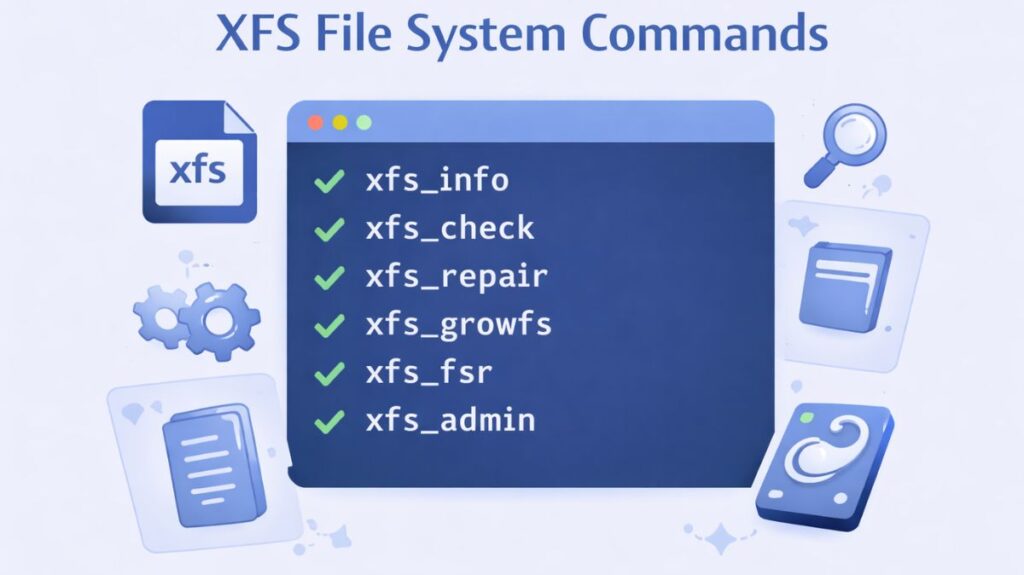
Create XFS File System
mkfs.xfs /dev/sdXMount XFS File System
mount /dev/sdX /mntCheck XFS File Syst
xfs_repair /dev/sdXGrow XFS File System
xfs_growfs /mountpoint(Note: XFS can grow but cannot shrink.)
In conclusion
XFS is a robust and well-established Linux file system designed for scalability and performance. Large files, frequent I/O operations, and high availability needs are all supported by its architecture. In server and enterprise environments, its advantages greatly exceed its disadvantages, despite certain limits, such as the inability to reduce the size of file systems. For contemporary Linux systems, XFS offers a dependable and effective storage option when properly designed and utilized.