

What Is Debian?
Debian is a versatile, stable, and secure OS used for everything from personal laptops (browsing, development) and desktops to powerful servers (web, database, cloud), scientific computing, embedded systems (routers, IoT), and as a foundation for other distros like Ubuntu, prized for its reliability, extensive packages, and free, open-source nature. Its flexibility with stable/testing/unstable branches and broad hardware support makes it suitable for diverse needs, from minimal installations to enterprise environments.
Debian is made to be both universal and adaptable. It is one of the most adaptable Linux distributions today, supporting thousands of apps and running on a variety of hardware architectures.
History of Debian
Ian Murdock made the initial announcement about Debian in 1993. Long-term maintenance was challenging since Linux distributions were frequently maintained by one person or small teams at the time. According to Ian Murdock, Debian is a distribution that is freely created by a community while adhering to well-defined guidelines and methodical development procedures.
Ian and his wife Debra’s names were combined to create the name “Debian.” Debian has become into one of the most reputable Linux projects over time. It served as a model for many other distributions with its social contract and stringent rules for free software. Debian is still being actively developed today and forms the foundation of other well-known Linux variants, such as Ubuntu.
Architecture
The architecture of Debian is renowned for being modular, with four separate layers:
- Hardware: It can run on nearly any platform, including IBM System Z, RISC-V, ARM, and x86.
- Kernel: Mostly utilizes the Linux kernel, however for some server requirements, it offers a variant that uses the FreeBSD kernel (Debian GNU/kFreeBSD).
- The Engine (APT/dpkg): The system’s primary component is the engine (APT/dpkg). APT (Advanced Package utility) takes care of the “shopping list” of dependencies so you don’t have to, while the dpkg utility handles the.deb files.
- Desktop/User Layer: GNOME, KDE Plasma, Xfce, or even no desktop at all are your options.
Types
You don’t simply “get Debian”; instead, you select a philosophy:
Stable: The rock is stable. It makes use of outdated software that has undergone years of testing. This is for systems or servers that cannot crash.
Testing: The compromise. It is unexpectedly stable enough for many everyday users and has more recent software (such as the impending Debian 14 “Forky”).
Unstable (Sid): The “bleeding edge.” The most recent code lands here first. Although strong, it is brittle.
Also Read About Input and Output Handling in Linux Explained with Examples
Features of Debian
Stability is a hallmark of Debian. Software packages are extensively tested before distribution. This lowers the possibility of unexpected behavior and system crashes.
With the aid of programs like APT, Debian also offers a robust package management system. Software installation, updating, and removal are made easy and dependable by this approach. Debian’s software repository contain tens of thousands of packages for almost every application.
Free software is another Debian attribute. While includes optional non-free components where appropriate, the project follows strict guidelines to ensure users have access to free software.
Debian pros and cons
| Pros | Cons |
| Total Freedom: Strictly adheres to free software principles. | Steep Learning Curve: Not as “hand-holding” as Ubuntu or Mint. |
| Rock-Solid Stability: It can run for years without needing a reboot. | Older Packages: The “Stable” version often uses software that’s 1–2 years old. |
| Lightweight: Uses very little RAM and CPU by default. | Manual Driver Setup: You might need to manually install Wi-Fi or NVIDIA drivers. |
| Security: Dedicated team for rapid security patches. | Installer Complexity: The advanced installer has many menus that can confuse beginners. |
Debian use cases
- Production, Apache, database, network/storage, and cloud servers.
- Desktop/Laptop: Home usage, internet browsing, software development (stable environment), academics, and those needing a personalized, stable system.
- Developers utilize it for its robust software development environment.
- Universities, research groups, and high-performance computers like security and open-source.
- Its lightweight, configurable, and multi-architecture compatibility benefits routers, IoT devices, and industrial controllers.
- Ubuntu, Knoppix, and Tails use Foundation for Other Distros.
Command-Style Installation
The official installer now includes “non-free firmware” by default, making it considerably simpler to install Debian 13 “Trixie” from a USB in 2026.
Step 1: Get the USB ready
- Download the LTS ISO from Debian.org.
- Use Rufus or balenaEtcher to flash a 4GB+ USB device.
Step 2: Boot
- Reboot after USB connection.
- F12 or Del opens the boot menu.
- Select “Graphical Install.”
Step 3: The Wizard
- Select language and region.
- Name your computer “Debian-Workstation”.
- If you leave the root password empty, Debian will give your regular user sudo access. For novices, this is considerably simpler!
- Select “Guided – use entire disk” when partitioning for a fresh start.
- Software Selection: In this section, select the desktop program of your choice (such as GNOME) and “Standard system utilities.”
Step 4: Completing
The GRUB boot loader installation will be requested by the installer. After selecting Yes, pick your hard drive. After you’re done, remove the USB and restart.
Also Read About How Linux Works And Why Linux Is Important For Developers
Examples of Debian
Examples of Debian include its use in major tech companies (like IBM and HP), its extensive package ecosystem (such as web servers and development tools), its use as a stable operating system for servers and desktops, its derivatives (like Ubuntu and Kali), its command-line capabilities (apt, grep, and man), and its use as a foundational system for many Linux distributions and devices.
Packages and Software (Instances of What It Runs)
- Web services: Nginx and Apache (commonly used for web hosting).
- Desktop environments include XFCE (for user interfaces), KDE Plasma, and GNOME.
- Development: Python, Perl, and GCC (scripting languages and compilers).
- Tools: LibreOffice (office suite), VLC (media player), and GIMP (image editing).
Command Line Examples (Linux Commands)
apt install <package>: Software is installed with apt install (e.g., apt install firefox).dpkg -i <package.deb>: Installing a local package file is done with dpkg -i .man <command>: Displays a command’s help (e.g., man ls).grep "text" file: “text” file: Looks for text in a file (grep “error” log.txt, for example).
Derived Distributions (Debian-based Systems)
- Two very well-liked desktop/server distributions are Ubuntu and Mint.
- Kali Linux: For penetration testing and security audits.
- For the Raspberry Pi single-board computers, there is Raspberry Pi OS (formerly known as Raspbian).
Examples of Usage (Debian Users)
- Servers: Well-liked for their reliable server environments (IBM, IONOS).
- Enterprise: Used in a variety of ways by businesses such as IBM, HP, and Dell.
- Foundation: Provides the framework for numerous additional Linux operating systems.
Also Read About Process Management In Shell Scripting: Commands & Examples
Debian vs Ubuntu
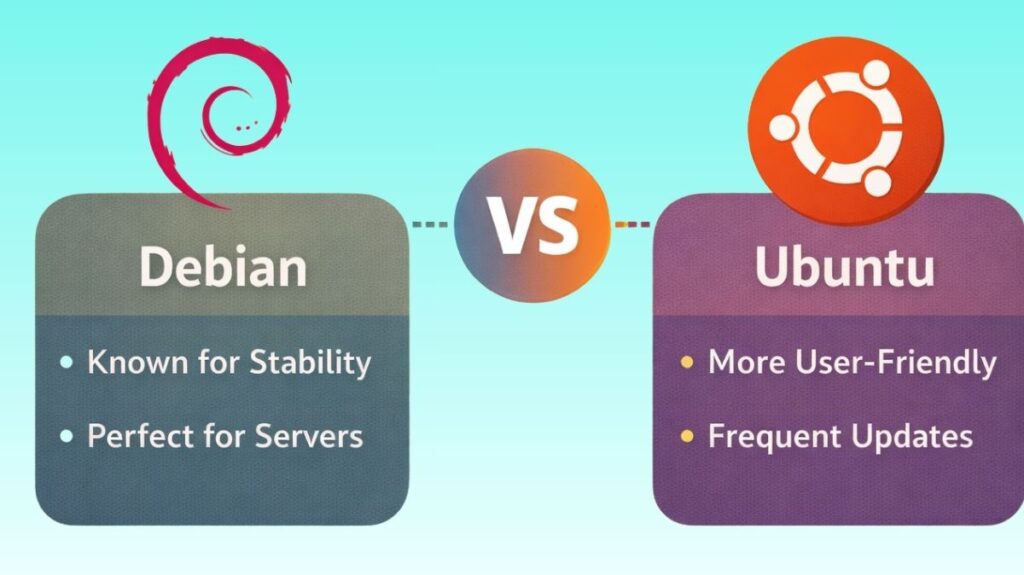
Stability vs. New Features
- Debian “Stable”: Famous for its “frozen” state. Software versions rarely change after Debian is released. This makes it ideal for servers or PCs you never want to break. The drawback? Your software may be 2 years old.
- Ubuntu releases “Interim” versions every six months and LTS every two years. To get the latest GNOME, LibreOffice, or gaming drivers.
The “Snap” Debate
It remains the biggest divide in 2026.
- Ubuntu promotes Snaps. Although easy to update, they start slowly and consume more storage space.
- Debian uses APT traditionally. Though faster and leaner, the official repo doesn’t have all apps. Flatpak is manually installed by Debian users who desire current programs.
Desktop Experience
- Debian offers “Vanilla” environments. GNOME on Debian looks clean, basic, and empty, as intended.
- Ubuntu greatly customizes its desktop. Left-side dock, custom icons, and “Ubuntu fonts.” It feels polished out of the box.
Support and Community
- Ubuntu Pro offers premium help and a huge starter forum with answers to all your questions.
- Volunteers back Debian. In a Debian forum, the answer may be “read the manual,” because the community expects you want to know how and why.
Also Read About What Is A Linux Shell? And Different Types Of Shell In Linux
| Feature | Debian (The “Universal” OS) | Ubuntu (The “User” OS) |
| Philosophy | 100% Community-driven & Democratic | Backed by a company (Canonical) |
| Stability | Rock-solid (The industry standard) | Very stable, but prioritizes “newness” |
| Software | Conservative (Version 1.0 might stay 1.0) | Newer (Features over “frozen” code) |
| Installation | Functional, utilitarian, more choices | Polished, “hand-holding,” fast |
| Package Format | Strictly .deb | .deb + Snaps (Mandatory for some) |
| Hardware | Great for old & specialized gear | Best for brand-new laptops & GPUs |
Debian vs ubuntu which is better?
Choose Debian if:
- Building a server or home lab.
- You want Canonical out of your OS as a privacy purist.
- You have an ancient laptop with 4GB RAM (Debian is lighter).
- The layout of a “set it and forget it” system should never change.
Choose Ubuntu if: