

What is Kali Linux?
Kali Linux is an operating system based on Linux designed for computer security professionals. Ethical hackers, security analysts, system auditors, and students studying cybersecurity are the primary users. Kali Linux is primarily focused on security testing, in contrast to standard operating systems that prioritize daily activities like browsing, gaming, or office work.
Kali Linux is a toolbox operating system, to put it simply. All of the tools required for security testing are available after installation, eliminating the need to install them one at a time.
How Does It Work?
The way Kali operates is by creating a “Ready-to-Go” atmosphere. It would take days to download, assemble, and configure hacking tools on a conventional operating system. All you have to do on Kali is launch a terminal and enter the name of the utility.
The Kali Operation’s “Lifecycle”:
Utilizing many pre-installed tool categories, a professional utilizing Kali usually follows these steps:
- Reconnaissance (information gathering): Nmap scans a network to find open “ports” and linked devices.
- Vulnerability Analysis: Nikto is used to find “holes” or vulnerabilities in open ports, such as outdated software.
- Exploitation (The “Hack”): Using the Metasploit Framework, you run a “payload” a piece of code that grants you control over the target system as soon as a vulnerability is discovered.
- Post-Exploitation and Reporting: Using Kali’s reporting templates, you document vulnerabilities so the client can address them after using tools to determine what data can be stolen.
Kali Linux history
- 2006: BackTrack, which was based on Slackware, was its original name.
- 2013: BackTrack was renamed Kali Linux after being entirely rebuilt on Debian.
- Today: Offensive Security upholds it as the industry standard for cybersecurity.
| Distribution | Year Founded | Based On | Original Goal |
| Fedora | 2003 | Red Hat Linux | To be a “bleeding edge” innovation platform. |
| Ubuntu | 2004 | Debian | To make Linux accessible to the average person. |
| CentOS | 2004 | RHEL | To provide a free, stable version of RHEL. |
| Kali Linux | 2013 | Debian (BackTrack) | To provide a pre-loaded “hacking” toolkit. |
Fundamental Idea
The foundation of Kali Linux is the idea of “Offense for Defense.” Secure networks require network breaking skills. Kali prioritizes security audits over office productivity and user-friendliness in every line of code.
Non-Standard Default: In the past, Kali functioned as a “root-only” system to grant tools complete hardware access. It switched to a non-privileged user paradigm in recent years to enhance local security while maintaining “root” access for experts.
Minimalist Background: Kali disables numerous background services used by normal operating systems, such as auto-DHCP and superfluous trackers, to avoid interfering with important network searches.
The Internal Structure of Kali Linux
The internal structure of Kali Linux is similar to that of the majority of Linux systems.
- The kernel, which is at the lowest level, manages hardware like the CPU, RAM, storage, and network devices. Programs can interface with the system through system libraries and core services, which are located above the kernel.
- The actual security tools are placed on top of that layer. These tools are organized into many categories, including forensic analyzis, wireless attacks, network analysis, password testing, and exploitation.
- Kali is stable and modular because to its tiered construction. It is possible to upgrade tools without disrupting the system as a whole.
Also Read About CentOS Features And Differences Between CentOS vs Ubuntu
The Toolkit: More than 600 Tailored Applications
Kali’s pre-installed library is its real strength. Kali offers security software pre-installed and arranged according to the Cyber Attack Lifecycle, eliminating the need for manual searching and compilation.
| Category | Key Tools | Purpose |
| Information Gathering | Nmap, Dmitry | Mapping networks and finding open ports. |
| Vulnerability Analysis | Nikto, OpenVAS | Scanning for known security flaws. |
| Wireless Attacks | Aircrack-ng, Kismet | Monitoring and breaking Wi-Fi encryption. |
| Web Applications | Burp Suite, OWASP-ZAP | Testing websites for SQLi or XSS. |
| Exploitation Tools | Metasploit, BeEF | Executing payloads to gain system access. |
| Forensics | Autopsy, Binwalk | Recovering deleted data and analyzing files. |
Key Features
As the decade progresses, Kali has changed to satisfy the demands of contemporary hardware and cloud computing:
- Kali NetHunter: An Android mobile version of Kali that enables HID keyboard assaults and “pocket” penetration testing.
- Researchers may work in public places without drawing attention to their “hacker” tools thanks to the special feature known as “Undercover Mode,” which instantly changes the Kali desktop to seem just like Windows 10/11.
- Forensic Mode: A boot setting that eliminates operating system communication with a target computer’s hard drive, protecting court evidence.
- Wide Architecture Support: WSL, ARM, and AWS/Azure native images are available.
Who Should Use Kali?
Kali carries a lot of responsibility and has a challenging learning curve.
Ideal For:
- Authorized “Bug Bounty” programs are carried out by ethical hackers.
- Network administrators examine infrastructure vulnerabilities.
- Students preparing for CEH or OSCP certifications.
Not Recommended for:
- Daily Use: Avoid private email, business, and gaming with Kali. If used as a primary OS, its security makes it vulnerable to web attacks.
- Absolute Beginners: If you’ve never used Linux terminals, try Ubuntu or Mint before Kali.
Getting Started: The Safe Way
It is against the law to use Kali against any network that you do not control or have written authorization to test due to its potent tools.
Virtualization: Installing Kali in a Virtual Machine (VM) such as VMware or VirtualBox is the most effective method of learning. By doing this, your experiments remain separate from your primary PC.
Live Boot: A USB stick can be used to run Kali in its entirety. This enables you to utilize your toolbox on any piece of hardware covertly and carry it in your pocket.
The “Sudo” Habit: Most tools require sudo since Kali 2020.1. Become familiar with the command line as soon as possible!
Important Caution
Kali Linux is not a toy; it is a professional tool.
Legality: It is against the law and may result in criminal charges to use Kali tools against a network or device that you do not own or have written permission to test.
Safety: To ensure that your experiments remain isolated and do not damage your primary computer, it is advised to run Kali inside a virtual machine (such as VirtualBox).
Kali Linux advantages and disadvantages
| Advantages | Disadvantages |
| Instant Arsenal: Over 600 pre-installed tools (Nmap, Metasploit, Wireshark). | Steep Learning Curve: Not beginner-friendly; requires solid Linux command-line knowledge. |
| Security Optimized: Custom kernel patched for wireless injection and advanced network sniffing. | Unsafe for Daily Use: Not intended for productivity; lacks defensive hardening out of the box. |
| Multi-Platform: Runs on everything from AWS Cloud and VMs to Raspberry Pi and Android (NetHunter). | Hardware Issues: Can have compatibility problems with modern NVIDIA drivers or specific Wi-Fi cards. |
| Forensic Mode: Boot option that never touches the host hard drive, preserving digital evidence. | Fragile Repositories: Adding non-Kali repositories (like Steam or Ubuntu PPAs) frequently breaks the system. |
Who Actually Uses Kali Linux
The primary users of Kali Linux are:
- Penetration testers that examine business systems
- Students studying cybersecurity
- Administrators of systems
- Researchers looking into vulnerabilities
- Governmental and military organizations
Additionally, it is utilized in security training courses and certification programs such as OSCP and CEH.
Also Read About What Is Linux Distributions (Distros)? Types And Features
Kali Linux vs Fedora
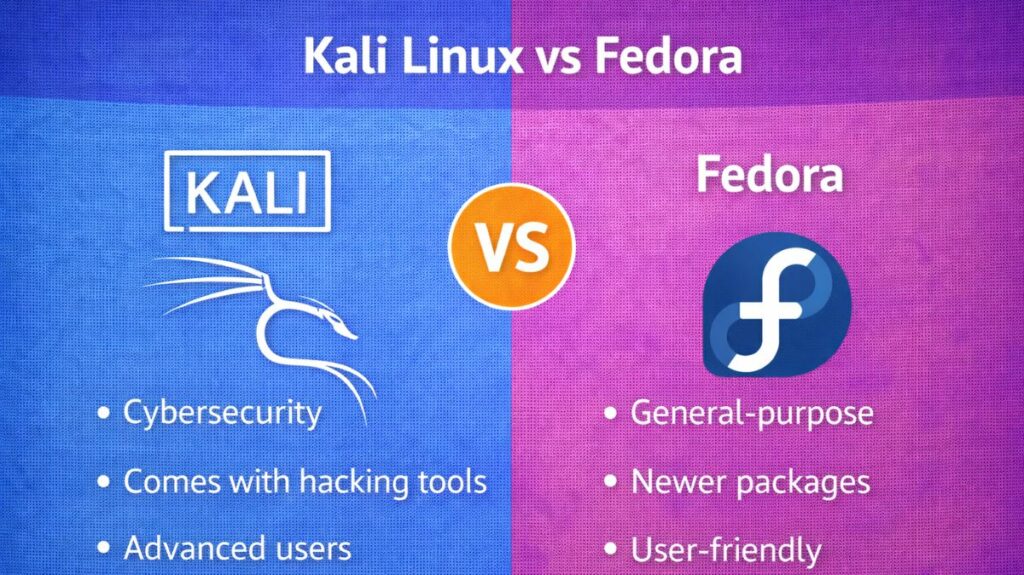
| Feature | Kali Linux | Fedora (Workstation) |
| Focus | Offensive Security (Attacking) | Development & Innovation (Building) |
| Base | Debian (Stable/Testing) | Independent (Upstream for RHEL) |
| User Mode | Specialized (Root-capable tools) | Standard User (Security-hardened) |
| Stability | Moderate (Tool-focused updates) | High (Latest stable kernels) |
| Daily Driver? | No (Specialized Toolkit) | Yes (Excellent for work/coding) |
Installation Guide
The “Virtual” Way (Advised)
- Most pros run Kali as a VM because it’s unstable as a primary OS.
kali.org. offers pre-built VirtualBox and VMware images.- Enter the
.ovafile into your virtualization software. - Give at least 4GB RAM and 2 CPUs.
- Login with default credentials (
kali/kali) and change them instantly withpasswd.
The Hacker’s Pocket “Live USB” Method
- Download Live ISO from official site.
- Windows Rufus or Linux
ddcan flash a 16GB+ USB device. - Boot from USB. Use Kali on any computer without leaving a trace or altering the host hard disk.
Full “Bare Metal” Install
- Boot from USB and choose Graphical Install.
- Follow Language, Keyboard, and Network prompts.
- “Guided – Use Entire Disk” partitioning wipes your drive.
- Select your Desktop Environment (Xfce is default and most reliable).
Essential First Commands
Once installed, open a terminal and run these to get started:
- Update the system:
sudo apt update && sudo apt full-upgrade -y - Change your password:
passwd - Enter Undercover Mode:
kali-undercover(Makes your desktop look like Windows 10/11 for stealth).
Also Read About What Is Linux Kernel? Why It Is Important And Its Components