

MBR vs GPT partition difference
Because it establishes the structure of a storage device and the arrangement of data, partitioning is one of the most basic ideas in operating systems. Before an operating system can store files, a hard disk or SSD must be partitioned. GUID Partition Table (GPT) and Master Boot Record (MBR) are modern partitioning standards. Although these two approaches accomplish the same goal, they are very different in terms of design, dependability, and limits.
Disk administration, system installation, and performance optimization all depend on an understanding of the distinction between MBR and GPT.
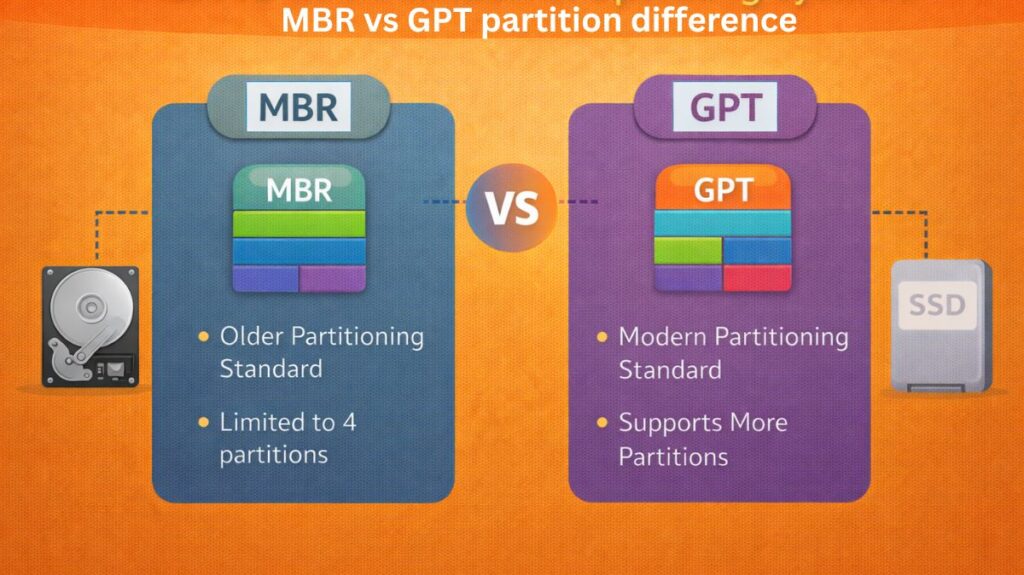
What is MBR (Master Boot Record)?
The older and more conventional partitioning system, known as MBR, was first used in the early days of personal computers. The master boot record, which is the disk’s first sector, contains partition information. The bootloader and the partition table, which indicates to the operating system where each partition starts and finishes, are both located in this tiny space.
MBR has a number of inherent limitations because it was first created when storage volumes were quite modest. Because it employs 32-bit addressing, the largest disk size it can manage is limited to roughly 2 terabytes. Under MBR, any storage space that exceeds this cap cannot be used appropriately.
The fact that MBR only allows four primary partitions is another drawback. One of them has to be changed into an extended partition so that more logical partitions can be made inside if the user requests more partitions. Although this workaround works, it is less adaptable and adds complexity.
Also Read About Difference Between BIOS And UEFI In Modern Computers
What is GPT (GUID Partition Table)?
As a component of the UEFI (Unified Extensible Firmware Interface) standard, GPT is a contemporary partitioning system. It was developed to take the place of MBR and get rid of its technical limitations.
GPT is significantly more dependable than MBR since it keeps several copies of the partition information on the disk. Backup partition tables enable the recovery of important data even in the event that a portion of the disk becomes corrupted.
Because GPT use 64-bit addressing, it can accommodate incredibly huge disks. Theoretically, GPT can handle storage capacities much larger than those of existing technology, estimated in zettabytes. GPT is therefore perfect for contemporary systems and future-proof.
The fact that GPT permits many partitions without complicated structures is another important benefit. By default, the majority of systems support at least 128 partitions, all of which are generated directly without the need for logical or extended partitions.
Boot Process in MBR and GPT
- The BIOS firmware reads the master boot record to start the boot process in an MBR-based system. The operating system is then loaded by the bootloader that is kept there.
- UEFI firmware manages the boot process in GPT-based systems. UEFI reads boot files from a unique partition known as the EFI System Partition (ESP) rather than depending on a single boot sector. This approach is quicker, safer, and more adaptable.
Additionally, Secure Boot, which guards against malicious boot-level attacks by confirming digital signatures prior to operating system loading, is supported by UEFI with GPT.
Also Read About Linux Boot Process Step By Step And Interview Questions
Reliability and Data Safety
- All partition data is kept in one place by MBR. Damage to this region could result in the loss of the entire disk structure, which would make data recovery very challenging.
- By keeping several copies of the partition data in several places, GPT enhances this. Checksums are also used to identify corruption. Data security is greatly enhanced by this design, which also makes GPT far more reliable than MBR.
GPT is unquestionably the safer option for systems that need to be highly reliable, such servers or corporate settings.
Compatibility Considerations
- MBR is still extensively compatible with older operating systems and hardware. MBR is frequently needed for booting systems with outdated BIOS firmware.
- In contrast, UEFI firmware is necessary for GPT to fully support boot. While very ancient systems might not support UEFI, the majority of current computers do. Additionally, certain older operating systems are unable to boot from GPT disks.
MBR is therefore still utilized in settings where backward compatibility is required.
Performance and Modern Usage
- For daily use, the speed difference between MBR and GPT is negligible in real-world performance. However, because of its more effective firmware architecture, GPT provides quicker boot times when paired with UEFI.
- GPT is preferred for system drives by contemporary operating systems like Windows 10, Windows 11, Linux variants, and macOS. GPT is nearly usually used with large-capacity disks, SSDs, and NVMe storage.
These days, MBR is primarily restricted to compatibility-based setups, tiny drives, and older systems.
Also Read About Ubuntu Operating System: History, Features And Advantages
How to Check Your Current Table in Linux
By opening the terminal and entering the following, you can easily determine which scheme your disk is using:
sudo fdisk -l
Find the row of the Disklabel type:
dosmeans you are using MBR.gptmeans you are using GPT.
As an alternative, search for the Partition Table field using sudo parted -l.
MBR vs GPT which is better
- If you want a more secure and reliable system, have a recent computer (made after 2012), or use a drive larger than 2 TB, go for GPT. It is a necessary standard for both current Linux distributions and Windows 11.
- If you are using very old 32-bit hardware or archaic operating systems (like Windows XP) that do not support UEFI, you should only use MBR.
MBR vs GPT difference table
| Feature | MBR (Master Boot Record) | GPT (GUID Partition Table) |
|---|---|---|
| Full Form | Master Boot Record | GUID Partition Table |
| Introduced | Early 1980s | Early 2000s (with UEFI) |
| Disk Size Limit | Supports up to 2 TB | Supports very large disks (theoretical limit in zettabytes) |
| Partition Limit | Maximum 4 primary partitions | Supports 128 or more partitions |
| Extended Partitions | Required to create more than 4 partitions | Not required |
| Firmware Support | Works with BIOS | Works with UEFI |
| Boot Method | Uses single boot sector | Uses EFI System Partition |
| Reliability | Low (single partition table) | High (multiple backup tables) |
| Data Protection | No built-in protection | Uses checksums to detect corruption |
| Recovery | Difficult if corrupted | Easier due to backups |
| Security | No secure boot support | Supports Secure Boot |
| Compatibility | Works on very old systems | Requires modern systems |
| Default in Modern OS | Rarely used now | Default in modern systems |
| Future Proof | No | Yes |
| Recommended For | Legacy systems | Modern desktops, servers, SSDs |
In conclusion
Although they represent distinct technical eras, MBR and GPT both have the same fundamental purpose of organizing disk storage. MBR’s straightforward architecture and stringent constraints are reminiscent of the early days of computing. With its scalability, dependability, and security, GPT embodies the demands of contemporary computing.
For systems in use today, GPT is the obvious winner. Larger disks, more partitions, enhanced corruption protection, and smooth UEFI firmware integration are all supported. As technology develops, MBR’s importance continues to diminish, yet it still exists mostly for compatibility reasons.
Practically speaking, there isn’t much of an excuse not to use GPT if your system supports it. It is more compatible with the hardware of today and the storage requirements of the future.
Also Read About Linux Installation Step By Step For Beginners Complete Guide