

What is Linux package management?
Package management in Linux is the systematic process of installing, updating, configuring, and removing software packages using specialized tools called package managers. These tools automate the complex task of handling dependencies, retrieving software from centralized repositories, and ensuring system integrity, which simplifies software administration compared to manual compilation and installation.
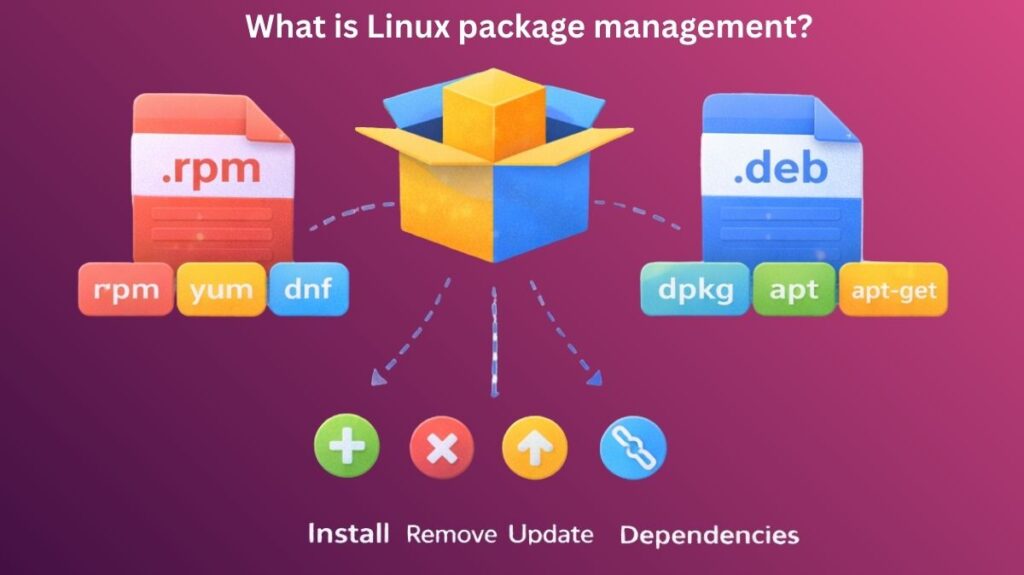
Core Concepts of Package Management
- Packages:
A package is a bundled software item that includes:
- Program files
- Configuration files
- Documentation
- Dependency information
- Repositories: A repository is a centralized online storage area where packages are maintained. Linux distributions have official repositories that are tested and safe.
- Dependencies: Dependencies are additional libraries or tools required for a program to perform properly. Package managers automatically install missing dependencies.
- Metadata: Metadata provides package name, version, size, description, and dependencies.
Why Package Management Is Important
The following reasons make package management crucial:
- Saves time by automating deployments
- Avoids clashes with software
- Ensures system stability
- Keeps software updated
- Improves security through verified sources
Users would have to download, configure, and compile each application by hand in the absence of package management.
Also read about Ubuntu Operating System: History, Features And Advantages
Package Management System Types
Linux employs two main package management families:
- RPM-based systems
- Debian-based systems
RPM-based Systems (Red Hat, Fedora, CentOS)
RPM is Red Hat Package Manager. Red Hat-based distributions use it.
rpm Command
The rpm tool works directly with .rpm files.
Common uses:
- Install packages
- Remove packages
- Query installed software
- Verify package integrity
Example:
bash

rpm -ivh package.rpm
This installs an RPM package manually.
Limitations of rpm:
- Does not automatically resolve dependencies
- Requires manual handling of missing libraries
yum (Yellowdog Updater Modified)
yum is a higher-level package manager that works on top of rpm.
Features:
- Automatically resolves dependencies
- Downloads packages from repositories
- Handles updates easily
Example:
bash

yum install firefox
dnf (Dandified Yum)
dnf is the modern replacement for yum.
Advantages over yum:
- Faster performance
- Better dependency resolution
- Lower memory usage
Example:
bash

dnf update
Also read about Red Hat Enterprise Linux Advantages And Disadvantages
Debian-Based Package Management
Debian-based systems use .deb packages.
dpkg Command
dpkg is the low-level package tool.
Functions:
- Install
.debfiles - Remove packages
- List installed software
Example:
bash

dpkg -i package.deb
Limitations:
- Does not handle dependencies automatically
apt (Advanced Package Tool)
apt is the most popular package manager in Debian systems.
Features:
- Installs packages from repositories
- Resolves dependencies
- Updates system software
- Removes unused packages
Example:
bash

apt install nginx
apt-get
apt-get is the older version of apt and still widely used.
Example:
bash

apt-get upgrade
Difference between apt and apt-get:
aptis more user-friendlyapt-getis more script-oriented
Feature Comparison
| Feature | RPM / DNF (Red Hat) | DPKG / APT (Debian/Ubuntu) |
| File Extension | .rpm | .deb |
| Low-level tool | rpm | dpkg |
| High-level tool | dnf (formerly yum) | apt (formerly apt-get) |
| Configuration | /etc/yum.repos.d/ | /etc/apt/sources.list |
| Dependency handling | Automatic via DNF | Automatic via APT |
Also read about What Is Debian? And Debian Vs Ubuntu Which Is Better?
Installing Packages
Installing software is simple using package managers.
Examples:
RPM-based:
bash

dnf install httpd
Debian-based:
bash

apt install apache2
Removing Packages
Removing software also removes associated files.
Examples:
RPM-based:
bash

dnf remove httpd
Debian-based:
bash

apt remove apache2
To remove configuration files too:
bash

apt purge apache2
Updating Packages
Keeping packages updated ensures security and performance.
Update entire system:
RPM-based:
bash

dnf update
Debian-based:
bash

apt update && apt upgrade
Also read about What Is CentOS Operating System? CentOS Pros And Cons
Advanced Package Management Features
1. Searching for Packages
bash

apt search docker
dnf search docker
2. Viewing Package Information
bash

apt show nginx
dnf info nginx
3. Cleaning Cache
Removes downloaded package files:
bash

apt clean
dnf clean all
Managing Dependencies
Linux stability’s “secret sauce” is dependency management.
Shared Libraries: Most Linux programs use shared code. Instead of every app having its own copy of a library, they all share one system-wide version.
Conflict Resolution: By locating a compatible version or isolating the apps, the package management makes sure the system doesn’t crash if two apps require different versions of the same library.
Benefits of Package Management
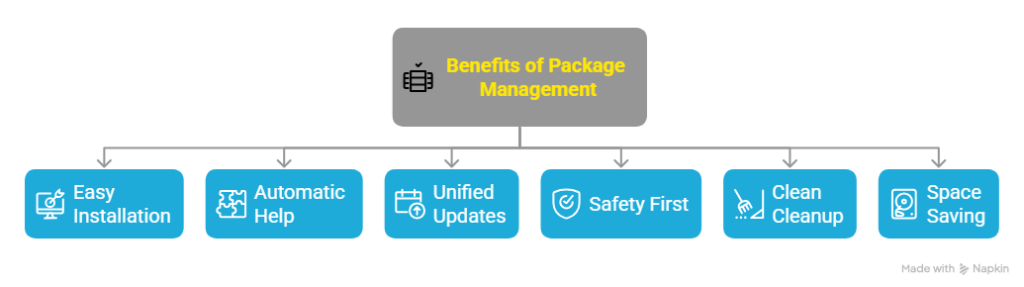
- Easy Installation: You may install software with one simple command instead than browsing the internet for download links.
- Automatic Help: It automatically discovers and installs all the extra “helper” files (dependencies) that a program requires to run.
- Unified Updates: You can update every single app on your computer at the same time with just one click or command.
- Safety First: Software comes from official, reliable sources that are tested for viruses and stability.
- Clean Cleanup: When you delete an app, the package manager removes all its hidden files so your computer stays orderly.
- Space Saving: Different programs can share the same background files, which saves capacity on your hard drive.
Conclusion
One of Linux’s best features is package management. It streamlines program installation, preserves system stability, and provides security. Package managers offer a strong and effective method of controlling software, whether using dpkg and apt on Debian systems or rpm and dnf on Red Hat systems. Linux systems would be challenging to scale and maintain without package management.
Also read about What Is Fedora Linux? Benefits & Drawbacks, Fedora vs Ubuntu