

What is the SELinux policy?
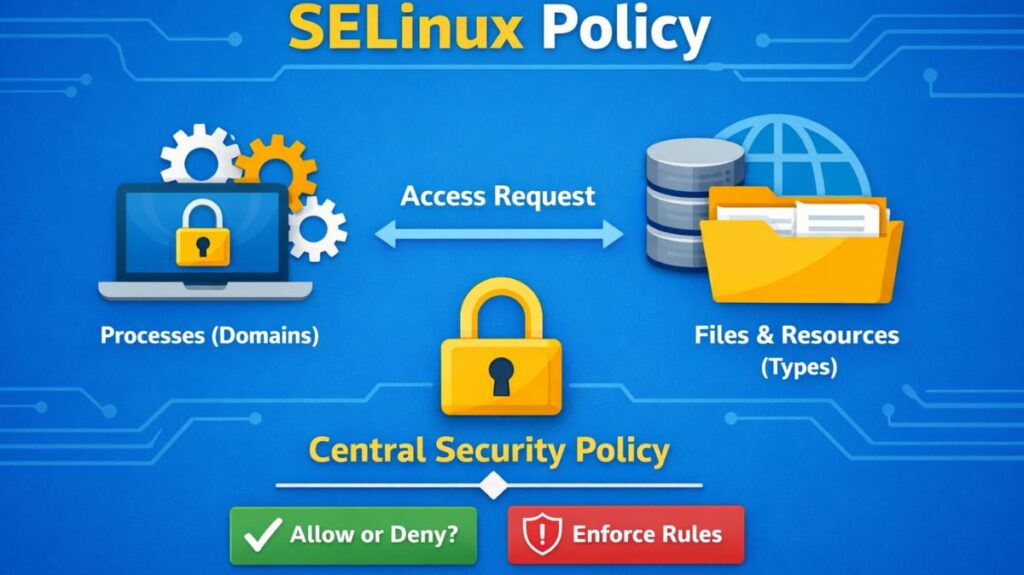
A Linux system’s SELinux policy is a collection of security guidelines that specify how users, files, and processes can communicate. It is a component of the Linux kernel’s built-in security system, Security-Enhanced Linux.
Mandatory Access Control (MAC) is enforced by SELinux policy, in contrast to conventional permission systems. This implies that predetermined rules rather than merely file ownership are used to determine access.
The Core Policy Components
A policy is built from three main types of source files, often referred to as the Policy Source Structure:
.te(Type Enforcement): The heart of the policy. It contains the actualallowrules and type declarations (e.g.,allow httpd_t user_home_t:file read;)..if(Interface): Similar to a header file in C. It defines “templates” or “macros” so other policies can easily request access to this application’s resources..fc(File Context): A list of regular expressions that map file paths to security contexts (e.g.,/var/www(/.*)? system_u:object_r:httpd_sys_content_t:s0).
Modern distributions (RHEL, Fedora, Ubuntu) use a Modular Policy. You don’t write one giant file; you use modules.
| Component | Extension | Description |
| Type Enforcement | .te | The main file containing the allow rules and type declarations. |
| Interface File | .if | Contains “macros” so other modules can easily interact with this one. |
| File Contexts | .fc | Defines which paths on the disk get which labels. |
The Syntax of a Policy Rule
Almost all interaction in an SELinux policy follows a specific “Sentence” structure:
allow [Source Type] [Target Type] : [Class] { [Permissions] };
- Source Type (Domain): Usually the process (e.g.,
httpd_t). - Target Type: The resource being accessed (e.g.,
httpd_log_t). - Class: The kind of object (e.g.,
file,directory,tcp_socket). - Permissions: The specific action (e.g.,
read,write,getattr,append).
Also read about What Is SELinux In Linux? Architecture, Modes And Commands
SELinux policy types
Depending on your security needs, you choose a “flavor” of policy to load:
| Policy Type | Description | Best Use Case |
| Targeted | Only specific “targeted” network services (like Apache or SSH) are confined. Everything else runs “unconfined.” | Standard Servers (Default in RHEL/CentOS). |
| Strict | Every single process, including user shells and scripts, is confined. | High-Security Systems where no process is trusted. |
| MLS (Multi-Level) | Adds a “Sensitivity” layer (Public, Secret, Top Secret). | Government/Military environments. |
| Minimum | A stripped-down version of Targeted that only protects a few critical daemons to save memory. | IoT / Embedded devices. |
Policy Booleans: The “On/Off” Switches
Because recompiling a binary policy is difficult, SELinux includes Booleans. These are pre-written policy rules that you can turn on or off instantly without a reboot.
- Example:
httpd_can_network_connect - Logic: By default, the web server is blocked from making outgoing network connections. If your website needs to talk to a database on another server, you just toggle the boolean:
setsebool -P httpd_can_network_connect on
How a Policy is Compiled
SELinux policies aren’t read as text by the kernel. They go through a build process:
- Source Code: Human-readable
.te,.if, and.fcfiles. - Compilation: The
checkmoduletool converts them into a private module (.mod). - Packaging: The
semodule_packagetool turns it into a policy package (.pp). - Loading: The
semodule -icommand loads the binary into the kernel’s memory.
Also read about How to Install SELinux on RHEL, CentOS, Ubuntu And Fedora
Troubleshooting Policy Denials
If the policy is blocking something it shouldn’t, you use Audit2Allow. This tool reads the error logs and automatically writes the policy code needed to allow that specific action.
ausearch -m AVC -ts recent | audit2allow -M my_custom_fix
Primary Configuration & Policy Path
All SELinux configuration resides under the /etc/selinux/ directory.
| File/Directory | Description |
/etc/selinux/config | The most important file. Controls the SELinux mode (enforcing, permissive, or disabled) and the policy type (targeted, mls). |
/etc/sysconfig/selinux | Usually a symbolic link to /etc/selinux/config. Modifying either achieves the same result. |
/etc/selinux/targeted/ | The default directory for the “targeted” policy. It contains the actual binary policy files and context definitions. |
Policy & Context Definitions
These files define how the system should label files and processes by default.
Contexts
- Path:
/etc/selinux/targeted/contexts/files/file_contexts - What it does: This is a large text file containing regular expressions that map file paths to their default security contexts.
- Example entry:
/var/www(/.*)? system_u:object_r:httpd_sys_content_t:s0
Local Customizations
- Path:
/etc/selinux/targeted/contexts/files/file_contexts.local - What it does: When you use
semanage fcontextto add a permanent label to a directory, it is stored here. This file is checked during arestoreconoperation.
Compiled Policy
- Path:
/etc/selinux/targeted/policy/policy.[version] - What it does: This is the binary version of the entire security policy that is loaded into the kernel at boot. You cannot read this with a text editor.
Also read about Linux Security Features, Tools, And Why Linux Is Secure
Logging and Runtime Files
These aren’t “policy files” per se, but they are where the policy’s effects are recorded or managed.
Audit Logs (The “Paper Trail”)
- Path:
/var/log/audit/audit.log - Importance: This is the first place to look for Access Vector Cache (AVC) denials. Every time SELinux blocks something, an entry is created here.
The SELinux Virtual Filesystem
- Path:
/sys/fs/selinux/ - What it does: Similar to
/proc, this is a virtual filesystem used by the kernel to expose SELinux information to userspace tools. For example,/sys/fs/selinux/enforceshows1if the system is in enforcing mode.
Creating Custom SELinux Policy
- Identify denial from audit log
- Generate policy module
- Compile module
- Install module
Example:
bash

ausearch -m avc -ts recent
audit2allow -a -M mymodule
semodule -i mymodule.pp
Advantages and disadvantages of SELinux Policy
| Feature | Advantages (Pros) | Disadvantages (Cons) |
| Access Control | Granular Security: Provides Mandatory Access Control (MAC). Even if a process is compromised as “root,” it is restricted to its specific domain. | Complexity: The policy language is difficult to learn. Writing custom policies requires deep knowledge of the application’s behavior. |
| Threat Mitigation | Privilege Escalation Prevention: Limits the “blast radius” of a vulnerability (e.g., a web server exploit cannot be used to read SSH keys). | Troubleshooting Overhead: Errors are often cryptic. It is the first thing admins disable when a service fails, which creates a security gap. |
| System Integrity | Data Labeling: Files are protected by labels. Even if permissions are accidentally set to 777, SELinux can still block unauthorized access. | Performance Impact: There is a slight kernel overhead for checking the Access Vector Cache (AVC) on every system call (typically < 5%). |
| Standardization | Default Safety: Modern distributions come with “Targeted” policies that protect high-risk services out of the box. | App Compatibility: Many third-party or custom-built applications do not ship with SELinux policies, requiring manual intervention. |
| Auditability | Detailed Logging: Provides a clear audit trail (audit.log) of every attempted unauthorized access, helping in forensic analysis. | Log Noise: Misconfigured applications can flood audit logs with hundreds of “denied” messages, making it hard to find real threats. |
Also read about Best Linux Security Distro: Qubes, Tails, Whonix, And More