

Linux Use Cases
Linux has developed into the fundamental architecture of the contemporary digital world. Because of its open-source nature, security, and adaptability, it is the standard for everything from the biggest supercomputers to the tiniest microchips in the world.
Here is a summary of the main use cases for which Linux is currently used.
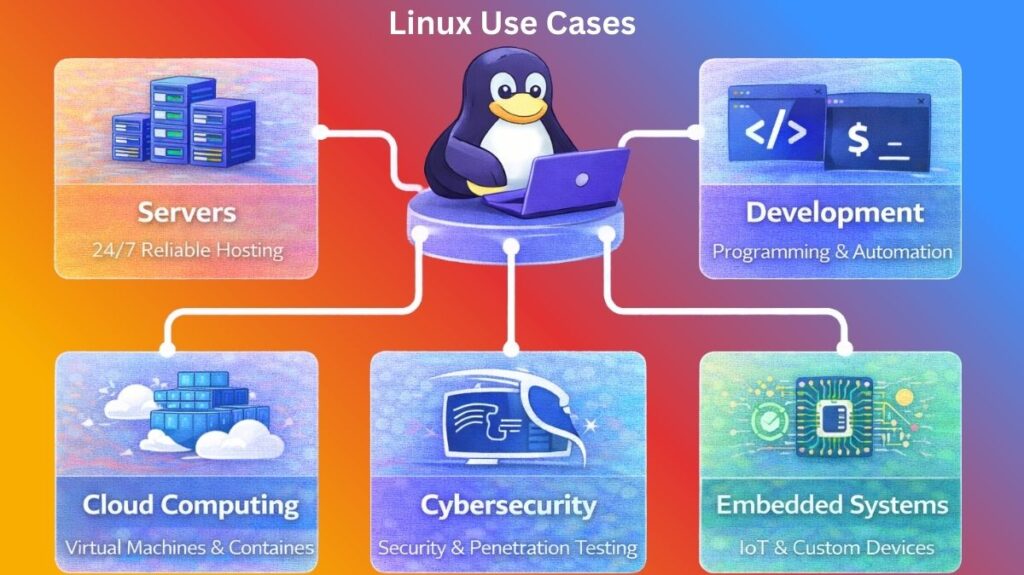
Linux for Servers
In server contexts, Linux is the industry standard. Because of its “headless” design, which enables it to function without a monitor or graphical user interface, it may use all of its hardware resources to provide data.
Role: Offering a reliable, high-performing environment for operations around-the-clock.
Why it’s used: It has no license fees, provides excellent uptime (many servers run continuously for years), and enables enormous growth.
Examples:
- Web hosting is the process of powering the LAMP stack (Linux, Apache, MySQL, and PHP) so that websites may be served.
- Database management: storing corporate data using PostgreSQL or MongoDB.
- File Sharing: File sharing between Windows and Linux networks is facilitated by Samba.
Server administrators use Linux to manage services, monitor systems, and control users.
Check system status
bash

top
Shows running processes and CPU usage.
Check disk usage
bash

df -h
Displays available disk space.
Start or stop a service
bash

sudo systemctl start nginx
sudo systemctl stop nginx
Restart a service
bash

sudo systemctl restart apache2
View server logs
bash

journalctl -xe
Check open network ports
bash

ss -tuln
Also read about What Is The Difference Between Linux And Windows? Explain
Linux for Developers
Because Linux has a transparent environment, most software developers choose it. The OS’s source code is available to you, and the Terminal command line is a first-class citizen.
Function: Offering a highly scriptable and adaptable work environment.
Why it’s used: Its native support for almost all programming languages, integrated compilers, and robust package managers that facilitate library installation are the reasons it is employed.
Examples:
- Version Control: Running Git locally to manage code changes.
- Automation: Automating repetitive coding activities or system setups with Bash scripts.
- Web development: Replicating a production environment on a local laptop with Docker on Linux.
Developers use Linux for coding, version control, and package management.
Check the installed compiler
bash

gcc --version
Compile a C program
bash

gcc program.c -o program
Run the Python program
bash

python3 app.py
Install packages
bash

sudo apt install git
bash

sudo yum install git
Clone a Git repository
bash

git clone https://github.com/user/project.git
Build a Docker container
bash

docker build -t myapp .
Linux for Cloud Computing
“The Cloud” brings up Linux. Linux is used by providers such as AWS, Azure, and Google Cloud Platform to run the virtual machines and containers that house the world’s applications.
Role: Overseeing container orchestration and virtualization.
Why it’s used: Because of its modularity, “JeOS” (Just enough Operating System) may be loaded with just the necessary components to keep the cloud instance quick and light.
Examples:
- Containerization: Packaging an application with all its dependencies using Docker.
- Orchestration: Managing thousands of Linux-based containers in a cluster with Kubernetes.
- Using virtual machines to host the backend of a mobile application, such as Ubuntu or Amazon Linux instances.
Cloud engineers manage containers, virtual machines, and cloud infrastructure.
Run a container
bash

docker run -d -p 80:80 nginx
List running containers
bash

docker ps
Check container logs
bash

docker logs container_name
Manage Kubernetes pods
bash

kubectl get pods
Check server uptime
bash

uptime
Monitor system resources
bash

htop
Also read about What Is A Linux Container? How Do Containers Work On Linux?
Linux for Cybersecurity
Both the “Blue Team” (defenders) and “Red Team” (attackers/testers) use Linux as their main platform. It provides fine-grained control over system memory and network hardware that other operating systems lack.
Function: Offering a sophisticated forensic analysis and penetration testing platform.
Why it’s used: The kernel supports sophisticated packet sniffing and injection, and special distributions come pre-configured with thousands of security tools.
Examples:
- Using Kali Linux to identify weaknesses in a company’s WiFi network is known as penetration testing.
- Network auditing involves mapping out all of the active devices on a network using Nmap on a Linux terminal.
- Incident Response: Reverse-engineering malware using Remnux to comprehend its operation.
Scan open ports
bash

nmap 192.168.1.1
Check logged-in users
bash

who
View login history
bash

last
Monitor network traffic
bash

tcpdump
Check firewall status
bash

sudo ufw status
View authentication logs
bash

cat /var/log/auth.log
Linux for Embedded Systems
The Linux kernel is ideal for specialized hardware with limited memory and power since it may be reduced to a few megabytes.
Function: Acting as dedicated hardware devices’ “firmware” or brain.
Why it is used: It can be tailored to support particular, non-standard processors and is very efficient.
Examples:
- Smart Home Technology: Your Nest thermostat, router, or smart TV likely runs a customized Linux kernel.
- Automotive: Linux powers the infotainment systems of Tesla and other contemporary cars.
- Robotics: Linux is used to operate sensors, motors, and cameras on the Arduino and Raspberry Pi platforms.
Embedded Linux is used in IoT devices, routers, and small hardware systems.
Check system information
bash

uname -a
View running processes
bash

ps aux
Check memory usage
bash

free -h
Monitor hardware devices
bash

lsusb
Check CPU information
bash

lscpu
View device files
bash

ls /dev
Also read about Journalctl In Linux: Commands, Examples, and Cheat Sheet
Summary
| Use Case | Important Commands |
|---|---|
| Servers | systemctl, journalctl, df, ss, top |
| Developers | gcc, git, python3, apt, docker |
| Cloud Computing | docker, kubectl, htop, uptime |
| Cybersecurity | nmap, tcpdump, who, last |
| Embedded Systems | uname, free, ps, lsusb, lscpu |
Linux Use Cases summary
| Use Case | Popular Distribution | Key Tool |
| Server | Ubuntu Server / RHEL | Nginx / Systemd |
| Developer | Fedora / Arch Linux | Git / VS Code |
| Cloud | Amazon Linux / Debian | Docker / K8s |
| Cybersecurity | Kali Linux | Metasploit / Nmap |
| Embedded | Yocto / Alpine Linux | BusyBox |