

What is text processing in Linux?
It is the process of manipulating data streams with tiny, specialized CLI (Command Line Interface) tools. The Unix philosophy, which these tools adhere to, is “Do one thing and do it well.” You can build robust data-processing pipelines that can process millions of lines of text in a matter of seconds by joining these tiny tools with Pipes (|).
Important Use Cases
- Log analysis is the process of looking for 404 errors or hacking attempts in thousands of lines of web server logs.
- Configuration management is the process of automatically changing hostnames or IP addresses in hundreds of configuration files.
- Data cleaning is the process of reformatting a “messy” CSV file in order to import it into a database.
- System Monitoring: Seeing just the processes that are important to you by filtering the output of system commands (such as ps or netstat).
- Report generation is the process of compiling system utilization information into an understandable format.
Types of text processing in Linux
- Searching (Pattern Matching): Locating a particular text or identifying intricate patterns with Regular Expressions (Regex).
- Search and replace: Changing text throughout a file or stream.
- Extraction (Slicing): Removing particular characters, fields, or columns from a line.
- Sorting and deduplication: Arranging information numerically or alphabetically and eliminating duplicate items.
- Formatting is the process of altering a text’s visual structure (e.g., converting a space-separated list into a tab-separated table).
Text processing commands in Linux with examples
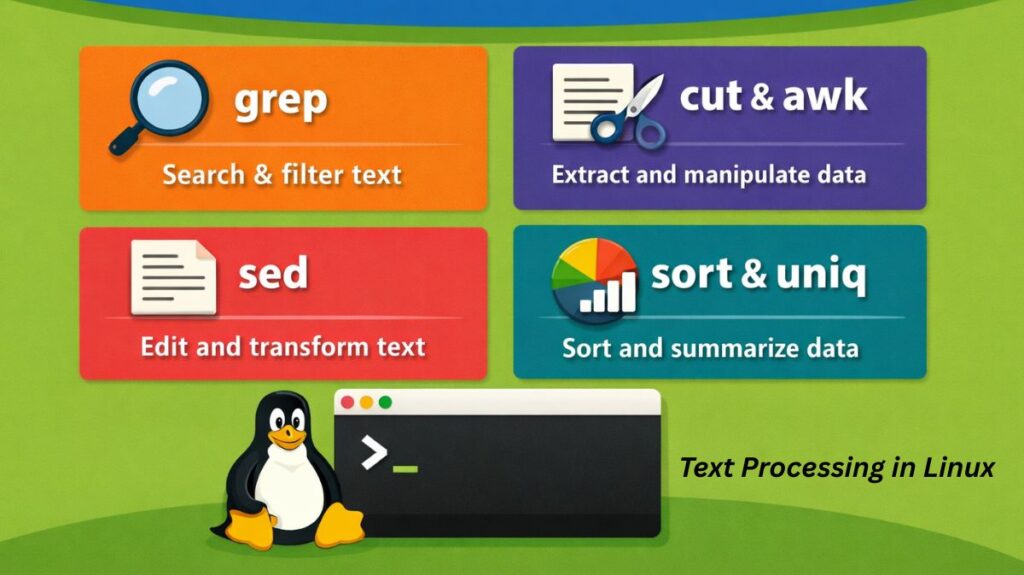
In 2026, the ability to process and transform text data directly from the terminal remains one of the most powerful skills for a Linux administrator or developer. Whether you are searching through gigabytes of logs or reformatting a CSV file, these “Big Three” commands grep, awk, and sed along with utility commands like cut, sort, and uniq forms the backbone of Linux data manipulation.
Also read about How To Open Terminal In Linux? And Linux Terminal Command
grep: The Search Engine
grep (Global Regular Expression Print) is used to find specific patterns or strings within files or command output.
- Basic Search:
grep "error" logfile.txt - Case-Insensitive:
grep -i "user" auth.log - Recursive Search:
grep -r "TODO" ./projects/ - Invert Match (Show lines without the pattern):
grep -v "success" results.txt
Example: grep -i "failed" /var/log/auth.log (Finds all failed login attempts, ignoring case).
awk: The Pattern Scanner and Processor
awk : It is more than just a command; it is a complete programming language designed for processing columns and rows of data. It is the go-to tool for extracting specific fields from a text file.
- Print the first and third columns:
awk '{print $1, $3}' data.csv - Search and Print:
awk '/Manager/ {print $2}' employees.txt(Finds lines with “Manager” and prints the second word). - Calculations:
awk '{sum += $2} END {print sum}' sales.txt(Adds up all numbers in the second column).
Example: awk '{print $1, $3}' file.txt (Prints only the first and third columns of a document).
sed: The Stream Editor
sed : It is used to transform text on the fly. Its most common use case is “Search and Replace” without opening the file in a text editor.
- Simple Replace (First occurrence):
sed 's/old/new/' file.txt - Global Replace (All occurrences):
sed 's/old/new/g' file.txt - Delete a line:
sed '3d' file.txt(Deletes the third line). - In-place Edit:
sed -i 's/localhost/127.0.0.1/g' config.conf(Saves the changes directly to the file).
Example: sed -i 's/Port 22/Port 2222/g' sshd_config (Changes the SSH port in a file instantly).
Utility Commands: cut, sort, and uniq
These tools are often used in “pipes” (|) to clean up and organize data before or after using the bigger tools.
cut: Cutting Out Columns
Similar to awk but simpler. It uses a delimiter (like a comma or space) to extract parts of a line.
cut -d',' -f2 file.csv(Extracts the 2nd field using a comma as the delimiter).
Also read about What Is The GNOME Terminal In Linux? GNOME-Terminal Uses
sort: Organizing Data
Arranges lines in a specific order (alphabetical by default).
sort file.txtsort -n file.txt(Sorts numerically).sort -r file.txt(Sorts in reverse).
uniq: Removing Duplicates
This command only works on sorted data. It removes or counts repeated lines.
sort file.txt | uniq(Shows only unique lines).sort file.txt | uniq -c(Counts how many times each line appears).
Putting It All Together (The Power of Pipes)
The true power of Linux text processing comes from combining these tools. Imagine you want to find the top 5 most frequent IP addresses hitting your web server:
Bash

cat access.log | awk '{print $1}' | sort | uniq -c | sort -nr | head -n 5
The breakdown:
cat: Reads the log.awk: Grabs only the first column (IP addresses).sort: Puts identical IPs next to each other.uniq -c: Groups identical IPs and counts them.sort -nr: Sorts the counts numerically from highest to lowest.head -n 5: Shows you the top 5 results.
Also read about Basic Disk Management Commands In Linux With Examples
Summary
| Command | Primary Purpose | Best Used For… |
grep | Searching | Finding a needle in a haystack (strings/regex). |
awk | Column Processing | Handling tables, CSVs, and math on data. |
sed | Text Substitution | Mass search-and-replace in config files. |
cut | Slicing | Extracting specific fields by delimiter. |
sort | Ordering | Organizing list data alphabetically or numerically. |
uniq | Deduplication | Finding unique items or counting occurrences. |
Setting Up
The beauty of Linux text processing is that no setup is required. These tools are part of the coreutils or grep/sed/gawk packages, which are pre-installed on every Linux distribution (Ubuntu, Fedora, Arch, Kali, etc.) by default.
To verify you have them, you can check their versions:
bash

grep --version
sed --version
awk --version
Which Tool to Use?
| Task | Recommended Tool |
| Search for a word | grep |
| Simple Find & Replace | sed |
| Extract Column 2 from a table | awk or cut |
| Alphabetize a list | sort |
| Count duplicate lines | uniq -c |
| Convert spaces to tabs | tr |
Also read about Linux Package Management Commands: APT, DNF, And YUM