

Introduction to Manjaro Linux
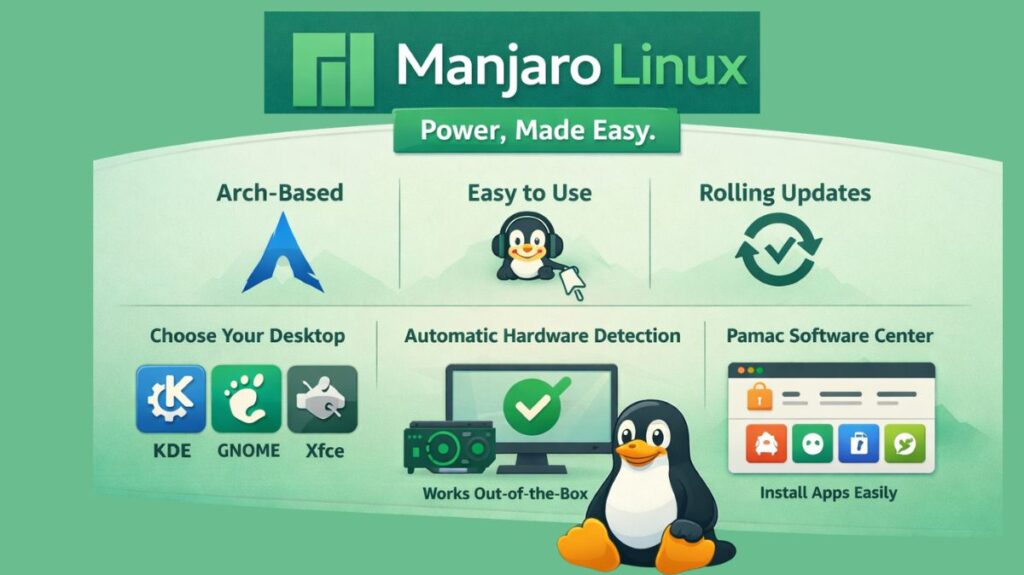
Based on Arch Linux, Manjaro Linux is an easy-to-use Linux distribution. With a considerably simpler installation method and improved stability for regular users, it was designed to provide the strength and versatility of Arch. Manjaro streamlines the process by offering pre-configured desktop environments, automated hardware recognition, and graphical system utilities, whereas Arch Linux is notorious for being complicated and requiring manual setup.
Because Manjaro uses a rolling release strategy, updates are made to the system regularly without requiring users to reinstall the most recent versions. Manjaro, in contrast to Arch, somewhat postpones upgrades in order to assess their stability. For novices and experts who desire cutting-edge software free from frequent system failures, this makes Manjaro more dependable.
History
In 2011, Roland Singer and Guillaume Benoit launched Manjaro for the first time. Making Arch Linux user-friendly for regular users who didn’t want to deal with laborious manual installation procedures was the aim.
Manjaro became one of the most widely used Linux distributions over time. Today, thousands of people from all around the world support it, and a community-driven development team keeps it up to date.
Manjaro is renowned for striking a balance between state-of-the-art software and useful stability.
The fundamental idea: “Cascading Stability”
Manjaro’s distinctive approach to updates is its greatest asset. Manjaro employs a buffer system, whereas pure Arch pushes software updates as soon as they are made available:
- Unstable: For testers, synced with Arch.
- To find significant bugs, testing was conducted for a few days.
- Stable: Only gets to your PC if the community verifies that it won’t damage your system.
Despite being much more recent than Ubuntu or Mint, Manjaro is far more dependable than other Arch-based systems because of this wait, which often lasts one to two weeks.
The Three Official Editions (2026)
In 2026, the current release is Manjaro 26.0 “Anh-Linh.” It focuses on the transition to Wayland as the default display technology.
| Edition | Desktop Environment | Vibe |
| Plasma Edition | KDE Plasma 6.5 | Highly modern, flashy, and extremely customizable. |
| GNOME Edition | GNOME 49 | Clean, mobile-like, and distraction-free. |
| Xfce Edition | Xfce 4.20 | The “Old Reliable.” Best for performance and X11 support. |
For customers who still utilize older “X11” software or particular historical workflows, Manjaro suggests the Xfce Edition, while Plasma and GNOME have nearly completely switched to Wayland in 2026.
Killer Features of 2026
MHWD (Manjaro Hardware Detection)
It’s Manjaro Hardware Detection, or MHWD, which is their “secret sauce.” Before you even complete the installation, it automatically checks your computer and installs the precise drivers you require, including proprietary NVIDIA drivers.
Pamac (The Software Manager)
Often regarded as the best graphical user interface (GUI) in Linux, Pamac (The Software Manager) lets you manage official packages, Flatpaks, Snaps, and the AUR all in one window.
Kernel Manager
With just one click, Manjaro makes switching between “LTS” (Stable) and “Bleeding Edge” kernels a breeze. In 2026, Kernel 6.18 LTS is default.
NVIDIA 590+ Support
Turing (RTX 20 series) and more contemporary GPUs can perform best with the latest NVIDIA 590 driver stack.
Also read about What Is Linux Kernel? Why It Is Important And Its Components
Advantages and Disadvantages
Advantages
- Arch User Repository (AUR) is the world’s largest software collection.
- Simple Installation: Installs Calamares using the graphical installer, which is as simple as Windows.
- Gaming Ready: It is possibly the best “work-and-play” Linux distribution because it comes pre-configured with Steam, Proton, and the NVIDIA Assistant.
Disadvantages
- The “Manjaro Delay”: The two-week package wait time is disliked by certain Arch purists.
- NVIDIA Legacy Issues: Users must manually upgrade to “Legacy” drivers as of 2026 because the most recent drivers no longer support very old GPUs (GTX 10xx and older).
- Because Manjaro packages are two weeks behind Arch, there may be times when an AUR package expects a system file that Manjaro does not yet have, which might lead to a brief “conflict.”
Package Management in Manjaro
Manjaro uses Pacman, the same package manager as Arch Linux.
Common commands:
- Install:
sudo pacman -S package - Remove:
sudo pacman -R package - Update:
sudo pacman -Syu - Search:
pacman -Ss name
Manjaro also provides Pamac, a graphical package manager that allows installing software with one click.
Manjaro vs arch linux vs ubuntu
| Feature | Ubuntu 26.04 | Manjaro 26.0 | Arch Linux |
| Philosophy | “It just works.” | “Power, made easy.” | “Do it yourself.” |
| Update Style | Fixed (Major updates every 2 years). | Rolling (Buffered for stability). | Rolling (Bleeding edge). |
| Package Manager | APT (Uses Snaps by default). | Pamac (GUI) / Pacman. | Pacman (Command line only). |
| Difficulty | Beginner | Intermediate | Expert |
| Control | Standardized by Canonical. | Pre-tuned for you. | 100% manual. |
Which one should you choose?
- Choose Ubuntu if you are a student or professional who needs 100% reliability and zero setup time.
- Choose Manjaro if you are a gamer or power user who wants the newest tools but doesn’t want to spend all day in a terminal.
- Choose Arch Linux if you want to learn exactly how a computer works and want a system perfectly tailored to your hardware.
Installation Process
Manjaro uses the Calamares Installer, which is graphical and simple.
Among the steps are:
- Select a language and an area
- Choose a keyboard layout
- Disk partitioning (manual or automated)
- Make an account for yourself
- Set up the system
Typically, the complete procedure takes less than twenty minutes.
Also read about What Is GRUB Bootloader? Linux Boot Process And Commands
Manjaro linux system requirements
While the system can boot on less, these are the specs needed for a functional desktop experience:
- Processor: 1 GHz or faster 64-bit CPU (Dual-core recommended).
- Memory (RAM): 2 GB (4 GB highly recommended for the installer to run smoothly).
- Storage: 30 GB of free hard drive space.
- Graphics: HD-capable graphics card and monitor.
- Internet: Broadband connection (required for the “Online” installer and updates).
Requirements by Desktop Edition
The “flavor” of Manjaro you choose significantly impacts how much power you need.
| Edition | Recommended RAM | Recommended CPU | Best For |
| Xfce | 2 GB – 4 GB | Dual-core | Older laptops and speed enthusiasts. |
| KDE Plasma | 4 GB – 8 GB | Quad-core | Modern PCs and users who want “eye candy.” |
| GNOME | 4 GB – 8 GB | Quad-core | Workstations and touch-screen devices. |
| Gaming Edition | 16 GB+ | Octa-core + Dedicated GPU | High-end gaming and streaming. |
Manjaro Linux Download
Official Website
Always download from the official site:
https://manjaro.org/download/
Choose one edition:
- Xfce (lightweight – best for old PCs)
- KDE Plasma (modern and customizable)
- GNOME (clean and simple)
ISO size is around 2–3 GB.
Verify the Download (Recommended)
After downloading, verify the ISO file:
bash

sha1sum manjaro-xfce-24.0.0.iso
Compare the output with the checksum on the website.
Create Bootable USB (Install Media)
On Linux
Using dd (most reliable):
bash

sudo dd if=manjaro.iso of=/dev/sdX bs=4M status=progress && sync
Replace /dev/sdX with your USB drive (like /dev/sdb).
On Windows
Use:
- Rufus
- Balena Etcher
Just select ISO → Select USB → Flash.
Boot into Manjaro Installer
- Restart PC
- Press F2 / F12 / DEL / ESC
- Select USB device
- Choose Boot with open source drivers (recommended)
Manjaro Installation Process (GUI)
Manjaro uses Calamares Installer.
Steps:
- Language & region
- Keyboard layout
- Disk:
- Erase disk (fresh install)
- Install alongside Windows (dual boot)
- Create user account
- Click Install
Done in 10–20 minutes.
Also read about Linux Boot Process Step By Step And Interview Questions
Manjaro linux commands
First Boot – Essential Commands
After installation, open terminal:
Full System Update
bash

sudo pacman -Syu
Install basic software
bash

sudo pacman -S firefox vlc git neofetch
Enable AUR (Arch User Repository)
Install AUR helper:
bash

sudo pacman -S yay
Example:
bash

yay -S google-chrome
Driver Management (Important)
Check available drivers:
bash

mhwd -l
Auto install best driver:
bash

sudo mhwd -a pci nonfree 0300
(Useful for NVIDIA GPUs)
Useful Manjaro Commands
| Task | Command |
|---|---|
| Update system | sudo pacman -Syu |
| Install app | sudo pacman -S app |
| Remove app | sudo pacman -R app |
| Search app | pacman -Ss name |
| AUR install | yay -S app |
| Check kernel | mhwd-kernel -l |
| Change kernel | sudo mhwd-kernel -i linux61 |
Kernels in Manjaro
List kernels:
bash

mhwd-kernel -l
Install new kernel:
bash

sudo mhwd-kernel -i linux66
Manjaro allows multiple kernels safely.
One-Command Minimal Install (Advanced)
If already on Arch:
bash

sudo pacman -S manjaro-system manjaro-release
(For advanced users only)
Also read about What Is Kali Linux And How Does It Work? Its Key Features