

In the Linux ecosystem, RPM based linux systems represent one of the most reliable and commercially successful families of operating systems. Built around the Red Hat Package Manager (RPM), these distributions are the standard for enterprise servers, data centers, and professional workstations.
What Is RPM?
RPM is both:
- A package format (
.rpmfiles) - A package management tool (
rpmcommand)
An RPM package contains:
- Program files
- Details about the version
- Dependency details
- Installation scripts
- Digital signatures for safety
RPM guarantees uniformity throughout the system and enables the operating system to monitor each installed file.
Also read about What Is The Difference Between Linux And Windows? Explain
What is RPM based Linux Systems?
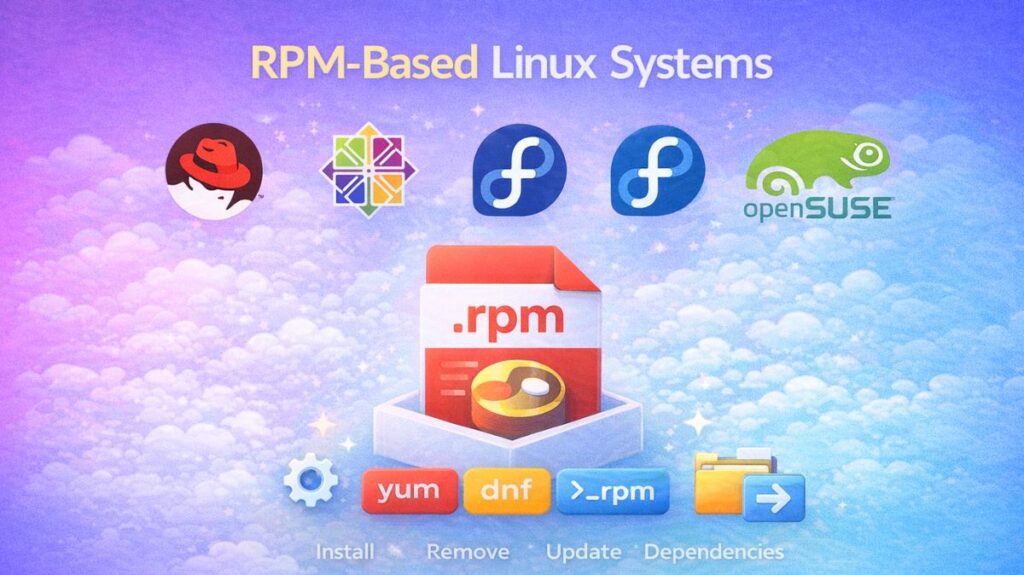
A Linux distribution that installs software using the .rpm file format is known as an RPM-based system. Originally designed by Red Hat, the RPM system controls a database of all installed software, tracking files, versions, and dependencies.
Unlike manual installations, when files are strewn over the system, an RPM-based system considers software as a “package” a single compressed archive comprising the program, its configuration, and its metadata.
RPM Based Linux Distributions
The RPM family is varied, ranging from community-driven projects to high-end enterprise solutions.
Red Hat Enterprise Linux (RHEL): The industry leader is Red Hat Enterprise Linux (RHEL). It is a premium, subscription-based OS noted for high stability and long-term maintenance.
Fedora: The “innovation hub.” It is a community-driven initiative supported by Red Hat that contains the latest cutting-edge software and technologies.
CentOS Stream / Rocky Linux / AlmaLinux: The free, community-driven substitutes for RHEL, which is frequently used for servers and online hosting, are CentOS Stream, Rocky Linux, and AlmaLinux.
openSUSE: A popular European distribution that uses RPMs but use its own unique management tool called Zypper.
Core Features of RPM Systems
The “Package Management Stack,” which has three layers, is what distinguishes these systems:
The Package (.rpm)
The file itself. It provides the binary code and instructions on where to place every file during installation.
The Low-Level Manager (rpm)
The utility used to interface directly with .rpm files. Although it is capable of installing, uninstalling, and querying packages, it is unable to automatically retrieve dependencies from the internet.
Common commands:
bash

rpm -ivh package.rpm   # Install
rpm -e package         # Remove
rpm -qa                # List installed packages
It does not automatically handle dependencies.
Also read about What Is Fedora Linux? Benefits & Drawbacks, Fedora vs Ubuntu
The High-Level Manager (dnf / yum)
This is the “intelligent” layer. The current standard is DNF (Dandified YUM). It searches for software, connects to internet repositories, and automatically gets out of “dependency hell” by downloading all the libraries required for the program to work.
Example of YUM (Yellowdog Updater Modified):
High-level package manager (older systems).
bash

yum install nginx
Example of DNF (Dandified YUM):
Modern replacement for YUM.
bash

dnf update
dnf install docker
Commands for RPM Systems
| Task | Command |
| Install software | sudo dnf install package_name |
| Remove software | sudo dnf remove package_name |
| Update all software | sudo dnf upgrade |
| Search for a package | dnf search keyword |
| List installed packages | rpm -qa |
Also read about What Is Kali Linux And How Does It Work? Its Key Features
Uses
RPM-based systems are chosen for various high-stakes environments:
Enterprise Servers: Because of the extensive testing required in RHEL-based systems, they are the top choice for banks, governments, and large enterprises.
Cloud Infrastructure: Many Amazon Web Services (AWS) instances and Google Cloud servers run on RPM-based Linux.
Development Workstations: Fedora is a preferred choice for developers seeking the newest software tools and a contemporary kernel.
High-Performance Computing (HPC): Customized RPM-based distributions power a large number of the world’s supercomputers.
Real-World Example
When a company installs a web server:
bash

 install httpd
The system automatically:
- Installs Apache
- Adds required libraries
- Configures services
- Registers files in database
No manual work needed.
RPM-Based Systems Benefits
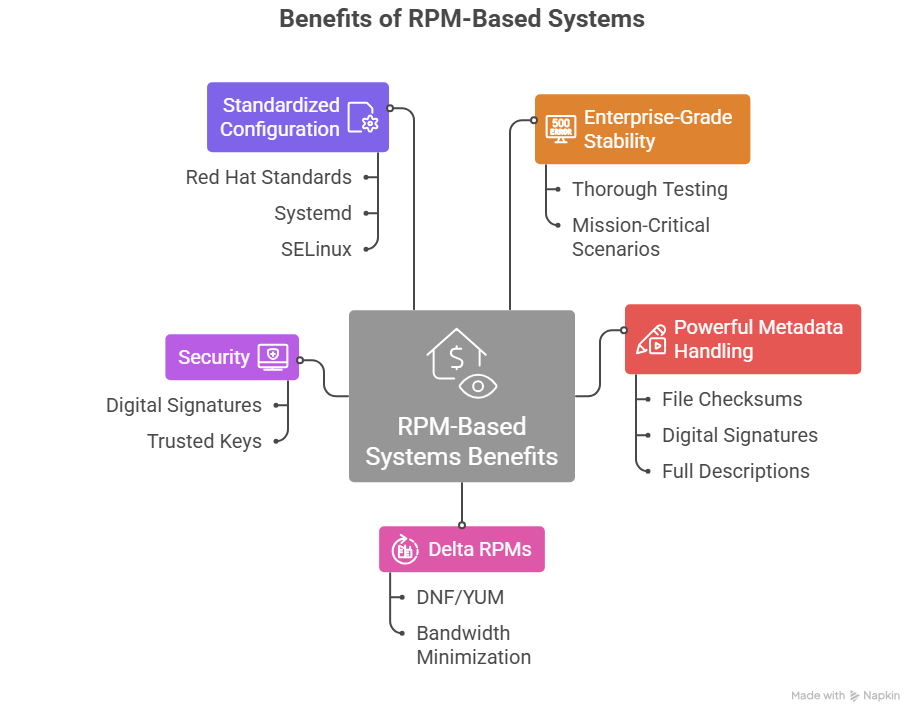
Enterprise-Grade Stability: RPM systems are the backbone of the business world. Distributions like RHEL undergo thorough testing to ensure that software won’t fail in mission-critical scenarios.
Powerful Metadata Handling: The RPM format maintains a tremendous amount of information, including file checksums, digital signatures, and full descriptions. This makes it easy to verify if a file has been corrupted or tampered with.
Delta RPMs (DRPM): One of the most efficient features of DNF/YUM is the ability to download only the “differences” between an old and new package. This drastically minimizes bandwidth usage during updates.
Security: All RPM packages are digitally signed. The system will refuse to install a package if the signature doesn’t match the trusted key, preventing the installation of malicious software.
Standardized Configuration: Because Red Hat sets the standard for many Linux technologies (including Systemd and SELinux), RPM-based systems tend to have very consistent and predictable file structures.
Also read about What Is Linux Distributions (Distros)? Types And Features
RPM-based system limitations
Software Availability (The “App Store” Gap): Official repositories are safe but with fewer packages than Debian/Ubuntu. Common software may require “Third-Party Repos” like EPEL or RPM Fusion.
Version Lag: RPM-based corporate systems ship outdated software editions for stability. The latest programming language or tool may require waiting or compiling.
Complex Dependency Resolution (Strictness): De pendencies are strict in RPM-based systems. The manager will stop installation if a package needs a library version that conflicts with another software to protect the system. There may be “dependency deadlocks.”
Steeper Learning Curve: Tools like dnf and configuration systems like SELinux (Security-Enhanced Linux) are powerful but tougher to master than Ubuntu or Mint in “plug-and-play” mode.
Repository Management: Multiple repos might be messy. Overenabling third-party repos might cause conflicts during system upgrades.
Rpm based vs debian based
| Feature | RPM Systems | DEB Systems |
|---|---|---|
| Package type | .rpm | .deb |
| Popular distros | RHEL, Fedora, openSUSE | Ubuntu, Debian |
| Tools | rpm, dnf, yum | dpkg, apt |
| Enterprise use | Very high | Medium |
| Stability | Extremely high | High |
Conclusion
RPM-based Linux systems provide the professional backbone of modern Linux infrastructure. They offer a strong, safe, and well-organized method for managing software on everything from individual computers to large corporate data centers.
System administrators, cloud engineers, and corporate IT teams throughout the world choose them because to their enterprise stability, robust dependency handling, and organized design.
Also read about What Are The Two Major Linux Package Management Systems?