

This guide explains UNIX commands with real-life examples, Unix Operating System Commands covering file management, system monitoring, permissions, pipes, SSH access, and interview essentials. It also includes a clear UNIX vs Linux comparison, Installation process.
UNIX examples
Practical examples categorized by use case:
File Searching and Discovery
Finding a specific file or piece of information in a sea of data.
- Scenario: You need to find all PDF files in your “Documents” folder.
- Command:
find ~/Documents -name "*.pdf"
- Command:
- Scenario: You want to find every line in a file that contains the word “Error” regardless of capitalization.
- Command:
grep -i "error" server.log
- Command:
- Scenario: You want to see the top 10 largest files in a directory.
- Command:
du -ah | sort -rh | head -n 10
- Command:
Monitoring System Health
Checking if your computer is “breathing” correctly.
- Scenario: Checking how much RAM is being used right now.
- Command:
free -m(on Linux) ortop(on all Unix).
- Command:
- Scenario: Finding a “frozen” application to close it.
- Command:
ps -ef | grep "Chrome"(This gives you the Process ID or PID).
- Command:
- Scenario: Checking if a website or server is reachable.
- Command:
ping google.com
- Command:
Permission Management
UNIX uses a numeric or symbolic system to control who can touch what.
- Scenario: Making a script “executable” so you can run it as a program.
- Command:
chmod +x myscript.sh
- Command:
- Scenario: Restricting a file so only you can read it, and no one else can even see it.
- Command:
chmod 600 private_notes.txt
- Command:
Also read about Unix Operating System: Features, Benefits, Drawbacks & Types
The “Magic” of Pipes (|)
Piping allows the output of one command to become the input for another.
- Scenario: You have a long list of names in a file. you want to sort them alphabetically, remove duplicates, and save the result to a new file.
- Command:
cat names.txt | sort | uniq > clean_names.txt
- Command:
- Scenario: You want to count how many files are in your current folder.
- Command:
ls -l | wc -l
- Command:
Remote Access (SSH)
Unix is the king of remote management.
- Scenario: Logging into a server located in a different country to run commands.
- Command:
ssh username@192.168.1.10
- Command:
Common Symbols
| Symbol | Meaning | Example |
> | Overwrite a file with output | ls > files.txt |
>> | Append output to the end of a file | date >> log.txt |
| **` | `** | Send output to another command |
* | Wildcard (matches everything) | rm *.tmp (removes all .tmp files) |
.. | The parent directory (one level up) | cd .. |
Unix Operating System Commands
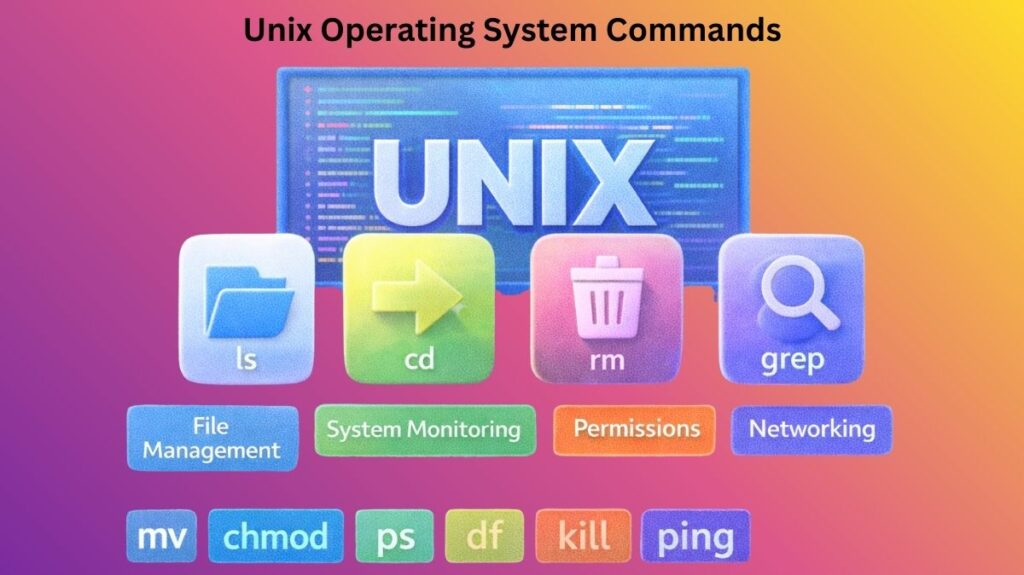
UNIX commands are short, case-sensitive, and designed to be combined.
| Command | Purpose | Example |
ls | List files in the current directory | ls -l (lists with details) |
cd | Change directory | cd /home/user/Documents |
pwd | Print Working Directory (Where am I?) | pwd |
mkdir | Create a new folder | mkdir MyProject |
rm | Remove/Delete a file | rm old_file.txt |
cp | Copy a file or folder | cp file.txt backup.txt |
mv | Move or Rename a file | mv old.txt new.txt |
grep | Search for text within a file | grep "error" log.txt |
chmod | Change file permissions | chmod 755 script.sh |
man | Manual (Help for any command) | man grep |
Also read about Linux File System Structure Explained: Root And Directories
Unix commands with examples
Every command follows a specific structure:
Example: ls -a /etc
ls: The action (list).-a: The option (show all files, including hidden ones)./etc: The argument (look in the “etc” folder).
Installation Process
Although each system is slightly different, installing a UNIX-based operating system (such as Ubuntu) generally goes like this:
Step 1: Create Bootable Media
Use a program like Rufus or Etcher to “burn” the ISO file (image file) onto a USB flash drive after downloading it.
Step 2: Boot from USB
After restarting your computer, use F2, F12, or Del to access the BIOS/UEFI menu. To make the USB drive start first, change the boot order.
Step 3: Disk partitioning
The most important step is this one. You have to choose:
- Erase Disk: Installs UNIX and removes everything.
- Dual Boot: Installs both Windows and UNIX so you can select one at startup.
Step 4: Configuring the User
Create your primary user account and set your Root (Administrator) password. These passwords are essential to UNIX security.
Step 5: Following the Installation
After you’re done, disconnect the USB and restart. Open the terminal and run an update command: sudo apt update && sudo apt upgrade (for Ubuntu/Debian).
Unix operating system commands for interview
File and Directory Commands
| Command | Purpose | Example |
|---|---|---|
ls | List files and folders | ls -l |
pwd | Show current directory | pwd |
cd | Change directory | cd /home/user |
mkdir | Create directory | mkdir test |
rmdir | Delete empty directory | rmdir test |
cp | Copy files | cp file1 file2 |
mv | Move/rename files | mv old.txt new.txt |
rm | Delete files | rm file.txt |
touch | Create empty file | touch demo.txt |
tree | Show directory structure | tree /home |
Also read about What Is A Shell Script In Linux? How It Works And Examples
File Viewing Commands
| Command | Purpose |
|---|---|
cat | Display file content |
less | Scrollable file view |
more | Page-by-page view |
head | First 10 lines |
tail | Last 10 lines |
wc | Word/line count |
Example:
bash

-n 20 log.txt
File Permissions & Ownership
| Command | Purpose |
|---|---|
chmod | Change permissions |
chown | Change owner |
chgrp | Change group |
Example:
bash

chmod 755 script.sh
User & Process Management
| Command | Purpose |
|---|---|
who | Logged-in users |
whoami | Current user |
ps | Running processes |
top | Live system processes |
kill | Stop process |
nice | Set priority |
Example:
bash

kill -9 1234
Disk & System Information
| Command | Purpose |
|---|---|
df | Disk usage |
du | Folder size |
free | Memory usage |
uptime | System running time |
uname | System info |
hostname | Machine name |
Example:
bash

df -h
Also read about What Is Btrfs File System In Linux? And Btrfs Vs Ext4 Vs XFS
Networking Commands
| Command | Purpose |
|---|---|
ping | Check connectivity |
ifconfig | Network config |
netstat | Network status |
ssh | Remote login |
scp | Copy via network |
Example:
bash

ssh user@192.168.1.1
Search & Text Processing
| Command | Purpose |
|---|---|
grep | Search text |
find | Search files |
sort | Sort data |
uniq | Remove duplicates |
cut | Extract columns |
awk | Text processing |
sed | Stream editor |
Example:
bash

grep "error" log.txt
Compression & Archiving
| Command | Purpose |
|---|---|
tar | Archive files |
gzip | Compress |
gunzip | Decompress |
zip | Zip files |
unzip | Extract zip |
Example:
bash

tar -cvf backup.tar folder/
Package & Software Commands
| Command | Purpose |
|---|---|
pkgadd | Install software |
pkgrm | Remove software |
pkginfo | Package info |
Important Interview Concepts
Pipes and Redirection
bash

ls | grep txt
Input/Output
bash

command > output.txt
command < input.txt
Background Jobs
bash

command &
Most Asked Unix Interview Questions
Q1. Difference between rm and rmdir?
rmdeletes filesrmdirdeletes empty directories only
Q2. What is a pipe?
It sends output of one command to another.
Q3. What does chmod 777 mean?
Full permission to everyone (read, write, execute)
Q4. What is cron?
Scheduler for automatic tasks.
Also read about What Is Linux Kernel? Why It Is Important And Its Components
Top 10 Commands
lscdpwdpstopgrepfindchmodtarkill
UNIX vs Linux
| Feature | UNIX | Linux |
|---|---|---|
| Definition | A family of proprietary operating systems originally developed at Bell Labs | An open-source UNIX-like operating system created by Linus Torvalds |
| Source Code | Mostly closed source and controlled by vendors | Completely open source and freely available |
| Cost | Usually paid and requires licenses | Free to use, modify, and distribute |
| Ownership | Owned by companies like Oracle (Solaris), IBM (AIX), HP (HP-UX) | Community-driven with contributions from individuals and companies |
| Development | Developed and maintained by specific vendors | Developed by a global open-source community |
| Customization | Limited customization options | Highly customizable |
| Hardware Support | Runs on specific certified hardware | Runs on almost any hardware |
| Security | Very secure and stable | Very secure with frequent updates |
| Stability | Extremely stable, used in enterprise systems | Very stable, widely used in servers |
| User Interface | Traditionally command-line focused | Both command-line and graphical desktops |
| Popularity | Less common today | Most popular server OS worldwide |
| Learning Curve | Steeper, requires professional training | Easier, large learning resources |
| Software Availability | Limited to vendor-supported software | Huge software repositories |
| Examples | Solaris, AIX, HP-UX, macOS | Ubuntu, Debian, Fedora, Red Hat, Linux Mint |
| Certification | Officially certified UNIX systems | Not officially UNIX, but UNIX-like |
| Updates | Controlled by vendor | Frequent community updates |
| Cloud Usage | Limited | Dominates cloud and container platforms |
| Community Support | Smaller, vendor-based | Massive global community |