

Unix operating system
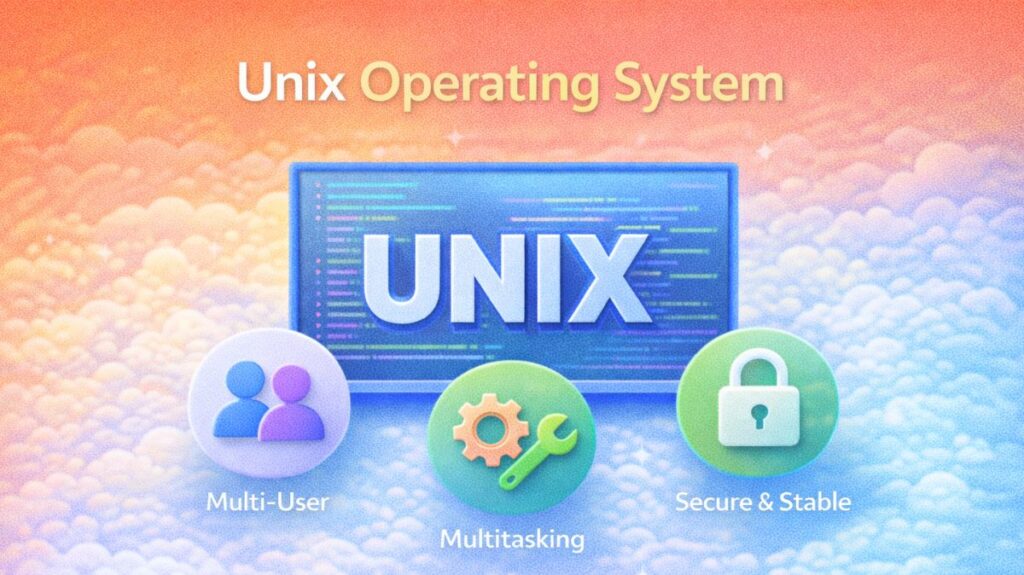
UNIX full form
“Unixed Information and Computing System” (UNIX)
It indicates:
- Uniplexed: Made to manage duties effectively on a single system
- Information → Coordinates files and data
- Computing System → A program-running operating system
What Is UNIX?
The robust, multi-user, multitasking operating system known as UNIX. It was first created at Bell Laboratories in the late 1960s by Ken Thompson, Dennis Ritchie, and his group. Its straightforward architecture and incredibly powerful capabilities make it appropriate for both tiny systems and large enterprise settings. UNIX is widely used in technical and academic disciplines because it logically and transparently reveals its essential concepts, unlike many modern operating systems that conceal internal activities.
Fundamentally, UNIX serves as a mediator between users and computer hardware. It regulates the execution of applications, memory allocation, file storage, and the ability of several users to operate simultaneously on the same system without interfering with one another.
History of UNIX
After abandoning a failed effort dubbed MULTICS, Bell Labs researchers needed a straightforward and effective operating system, which led to the creation of UNIX in 1969. Dennis Ritchie later rewrote UNIX in the C programming language after the original version was created in assembly code. Because of this choice, UNIX was extremely portable, requiring little modification to run on various hardware.
UNIX quickly gained traction in academic institutions and research centers during the 1970s and 1980s. Bell Labs made the source code available to academic institutions, which enabled researchers and students to alter and enhance it. System V, Berkeley Software Distribution (BSD), and subsequent commercial versions like Solaris, AIX, and HP-UX were among the several UNIX variants that emerged over time.
Also read about What Is Linux Mint? And Why Choose Mint Over Ubuntu? Explain
UNIX Architecture
Because of its onion-like architecture, UNIX keeps the user safe from the intricate workings of the hardware.
The Kernel: The OS’s “heart” is the kernel. It manages memory, files, and CPU scheduling through direct hardware interaction.
The Shell: The command-line interpreter that serves as a conduit between the user and the kernel is called the shell. bash, zsh, and ksh are examples of common shells.
File System: In UNIX, every hardware, including keyboards and printers, is seen as a file. It has a structure resembling a hierarchical tree.
Utilities/Commands: Commands and utilities are small programs (like ls, grep, awk) that carry out particular tasks and can be connected by “pipes.”
Features of UNIX
Multi-user & Multi-tasking: Each user can run many programs without interfering with others, and multiple users can log in at the same time.
Pipelining: Pipelining is the process of taking the output of one command and feeding it as input to another by using the |symbol.
Example: cat file.txt | grep "SearchTerm" | sort
Security: A strong system of permissions for the Owner, Group, and Others based on Read (r), Write (w), and Execute (x).
Portability: It can be modified to work with nearly any hardware architecture because it is written in C.
Also read about Linux Mint Installation Process Step By Step For Beginners
UNIX File System Structure
The root directory is the system’s starting point:
/– Root directory, the starting point of the system/bin– Basic user commands/etc– System configuration files/home– User home directories/usr– User applications and libraries/var– Log files and dynamic data/tmp– Temporary files
System files and user files can be safely separated and organized with this layout.
UNIX vs Windows
| Feature | UNIX / Linux | Windows |
| Core Philosophy | Command-line and File-centric | GUI and Registry-centric |
| File Path | Uses forward slash / | Uses backslash \ |
| Case Sensitivity | File.txt and file.txt are different | Usually treats them as the same |
| Development | Open/Community driven (mostly) | Proprietary / Closed Source |
Types of unix systems
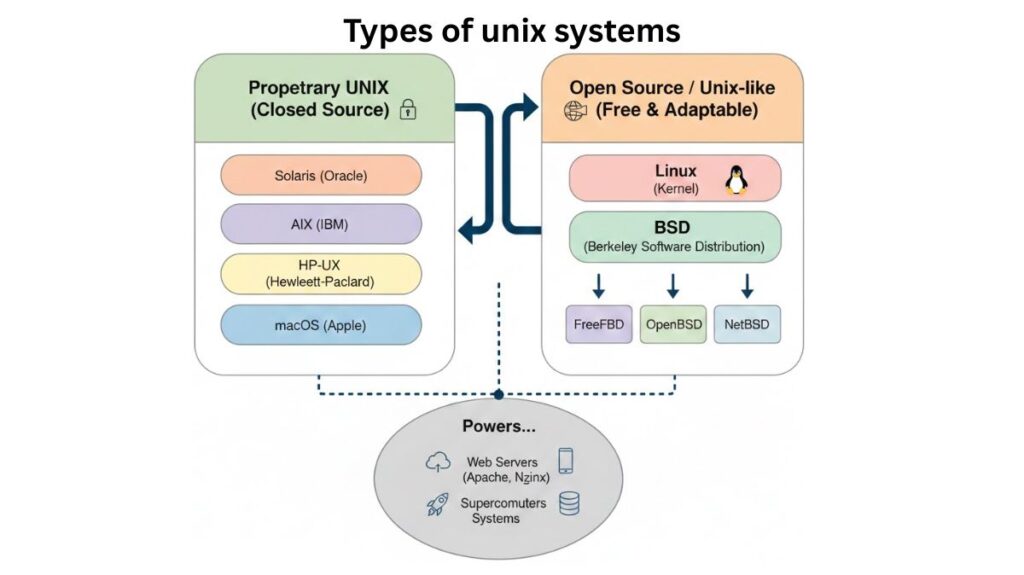
The two main categories of UNIX systems are Open Source (Unix-like) and Proprietary (Closed Source).
A. UNIX proprietary (Traditional UNIX)
- These are designed for their own server computers and are created by particular hardware suppliers.
- High-performance features like ZFS (file system) and scalability are hallmarks of Solaris (Oracle/Sun).
- An enterprise-class operating system made specifically for IBM’s Power processor architecture is called AIX (IBM).
- Hewlett-Packard, or HP-UX, is widely utilized in business settings that are crucial to the purpose.
- The Darwin kernel, a certified UNIX (BSD-based) system, forms the foundation of macOS (Apple).
B. Unix-like (open source)
These were created from the ground up without the original AT&T code, but they adhere to the UNIX philosophy and “feel.”
- The most well-known descendent is Linux. Despite being merely a “kernel,” it drives everything from Android to the fastest supercomputers in the world.
- FreeBSD, OpenBSD, and NetBSD are among the BSD (Berkeley Software Distribution) variations that are well-known for their networking and security stacks.
Also read about What Is The Difference Between Linux And Windows? Explain
Benefits of UNIX
For a number of reasons, UNIX is still the industry standard for professional computing.
- Stability and Uptime: UNIX systems often run for years without rebooting. It handles program crashes without crashing the system.
- Security: Its permission architecture is solid and multi-user from the start. Thus, malware and unauthorized users will have a harder time accessing the system core.
- It handles thousands of processes and hundreds of users without slowing down.
- With just a few lines of code, users can automate large data processing operations to powerful scripting that allows users to “pipe” (connect) tiny actions together.
Drawbacks of UNIX
UNIX has drawbacks that prevent most people from using it as their “everyday” desktop operating system, despite its strength:
- A steep learning curve: Most UNIX versions use the Command Line Interface (CLI). Trying to remember grep, awk, and sed can be scary.
- Linux has great hardware compatibility, while proprietary UNIX like AIX or Solaris need expensive, specialized hardware.
- Games and consumer software: Adobe Suite, CAD, and premium PC games are Windows or macOS, therefore creatives and gamers cannot use “pure” UNIX or Linux.
- Complexity: Non-engineers have problems debugging because the documentation is extensive but for engineers.
What is the use of UNIX?
In reality, where does UNIX reside nowadays? Almost always behind the scenes.
- UNIX-based systems, especially Linux, power most internet servers. Apache and Nginx stability depend on it.
- Linux/UNIX powers most of the top 500 supercomputers.
- Banks and stock exchanges utilize UNIX (AIX or Solaris) for its reliability and ability to handle large transaction volumes.
- AWS, Google Cloud, and Azure use UNIX-based virtualization for cloud computing.
- Embedded Systems: UX-like kernels are used in routers, smart refrigerators, and even the “Mars Rover” due to its modularity and low weight.
Also read about What Are The Two Major Linux Package Management Systems?