

Introduction to Arch Linux
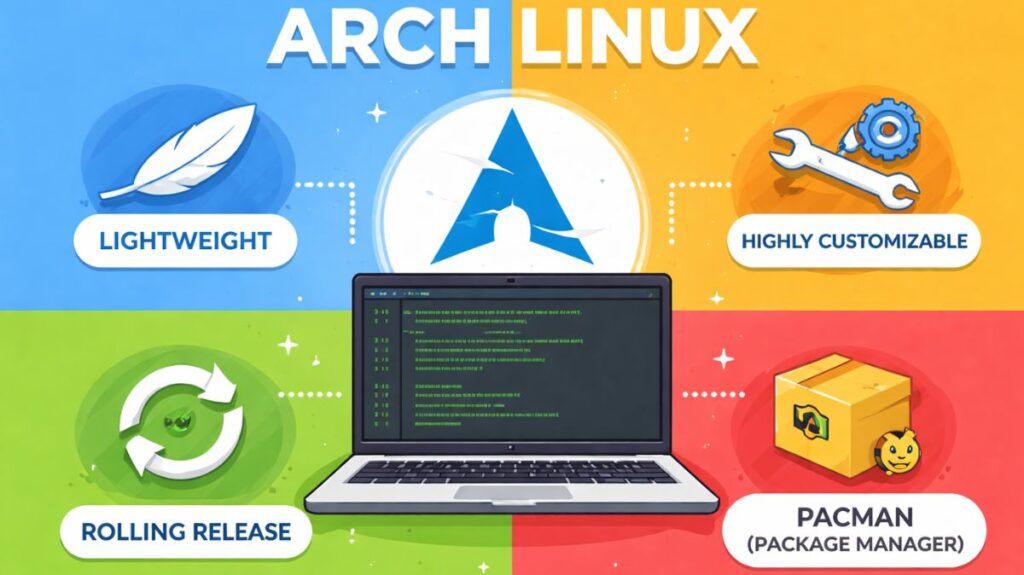
Arch Linux is a Linux distribution that uses a rolling release strategy that is lightweight, adaptable, and independently maintained. Arch Linux simply offers a simple base system and lets users create their own environment, in contrast to many other Linux operating systems that have graphical user interfaces and pre-installed apps.
Users have complete control over what is installed, how the system operates, and how resources are used with this method. Arch Linux is sometimes referred to as a distribution for users who wish to gain a thorough understanding of how Linux functions because of this attitude.
History
Judd Vinet launched Arch Linux for the first time in 2002. Three guiding concepts encapsulate Arch’s primary philosophy:
Simplicity
The goal of Arch’s design is simplicity, not necessarily ease of use. It keeps the system clear and stays away from pointless automation and tools.
The Modern Era
Rather of long-term, out-of-date packages, Arch consistently offers the most recent stable software versions.
Focused on the user
Users that desire complete control are the target audience for this system. Everything is adjustable, and nothing is hidden.
Also read about Linux Installation Step By Step For Beginners Complete Guide
Rolling Release Model
Arch Linux uses a rolling release system. This means:
- There are no major version upgrades.
- You update continuously using:
bash

sudo pacman -Syu- The system always stays current with the newest software.
This avoids reinstalling the OS every few years, which is common in fixed-release distributions.
Arch Linux Tools
Two particular tools are mostly responsible for Arch’s popularity:
Package Management (Pacman)
Arch uses Pacman, one of the fastest and simplest package managers.
Basic commands:
| Command | Purpose |
|---|---|
pacman -S package | Install |
pacman -R package | Remove |
pacman -Syu | Update system |
pacman -Ss name | Search |
Pacman handles dependencies automatically and keeps the system clean.
Also read about What Is The GNOME Terminal In Linux? GNOME-Terminal Uses
AUR (Arch User Repository)
An example of a community-driven library is AUR (Arch User Repository). It is highly likely that the AUR contains any program that is available for Linux. Sharing “build scripts” for applications that aren’t in the official repository is made possible by it.
One of Arch’s biggest strengths is the AUR.
The AUR is a community-driven repository containing thousands of additional packages not available in official repos.
Users can install AUR helpers like:
yayparu
Example:
bash

yay -S google-chrome
This gives access to almost every Linux software available.
Arch linux advantages and disadvantages
| Feature | Advantages | Disadvantages |
| Software | You get the latest features/kernels first. | “Bleeding edge” can occasionally lead to bugs. |
| Bloat | Zero. Only what you choose to install is there. | You have to spend time installing everything (even Wi-Fi drivers). |
| Knowledge | You will learn more about Linux in a week than in a year on Mint. | The learning curve is steep and can be frustrating. |
| Customization | You choose the kernel, the desktop, and every background service. | If it breaks, it is your responsibility to fix it. |
Arch linux installation guide
Typically, a Command Line Interface (CLI) is used to install Arch. By default, there is no “Next, Next, Finish” installer.
Steps include:
- Boot from Arch ISO
- Partition disks
- Format file systems
- Mount partitions
- Install base system
- Configure bootloader
- Install desktop environment (optional)
The Process:
- Partitioning: You use tools like
fdiskorcfdiskto manually partition your hard drive. - Mounting: You fasten such dividers to the actual space.
- You “strap” the base system files onto your drive using Pacstrap.
- Configuration: The files for your language, time zone, and network settings are written by hand.
- Bootloader: To get the computer to start up, you need to install and set up a program like GRUB or systemd-boot.
The archinstall command was introduced in recent years. Although purists still favor the manual approach to comprehend the system’s “guts,” the guided script significantly speeds up the process.
Also read about What Is Linux Mint? And Why Choose Mint Over Ubuntu? Explain
Arch Linux download
Where to Download
Always use the official site: archlinux.org/download
Recommended Download Methods
The size of the ISO is roughly 1.4 GB. Two primary ways:
- BitTorrent (strongly suggested): This is the most dependable and quick approach. Both “Magnet Link” and “.torrent” files are used. In addition to saving bandwidth for the Arch servers, it automatically checks for file problems.
- HTTP Direct Download: Locate your nation by scrolling down the page, then click the “Mirror” link. For the fastest speed, use a mirror near where you are physically located.
Essential Verification
Because Arch is a high-security DIY system, you must check the file for changes.
- Download
sha256sums.txtfrom the website. Usesha256sum -c sha256sums.txton your terminal. “OK,” means the file is perfect.
- PGP Signature: Use GPG to confirm that the signature was formally signed by the Arch Linux developers for added security.
What’s Inside the 2026 ISO?
- LTS kernel 6.18: offers unboxed support for the newest hardware from 2025 and 2026.
- The “guided” installer script’s most recent version is Archinstall 3.0.15. It now supports the rEFInd boot management and the COSMIC 1.0 desktop.
- Zram Support: To improve system performance on low-memory computers, the installer now automatically sets up Zram (compressed RAM).
Next Steps
Once you have the ISO, you must use the dd command or a program like BalenaEtcher to “flash” it on a USB drive:
sudo dd bs=4M if=path/to/archlinux-2026.02.01-x86_64.iso of=/dev/sdX conv=fsync oflag=direct status=progress
(Warning: Replace /dev/sdX with your actual USB drive letter!)
Arch Linux vs Other Distros
| Feature | Arch | Ubuntu | Fedora |
|---|---|---|---|
| Release Model | Rolling | Fixed | Semi-rolling |
| GUI by default | No | Yes | Yes |
| Learning curve | High | Low | Medium |
| Customization | Very High | Medium | Medium |
Also read about Linux Mint Installation Process Step By Step For Beginners