

Fedora Linux
Fedora Linux holds a special and important place in the varied ecosystem of Linux distributions. Many people consider it to be the “proving ground” for contemporary Linux technologies. The features you use in Fedora now will probably power the biggest enterprise servers in the world in a few years since Fedora, which is sponsored by Red Hat, is the upstream source for Red Hat Enterprise Linux (RHEL).
What is Fedora Linux?
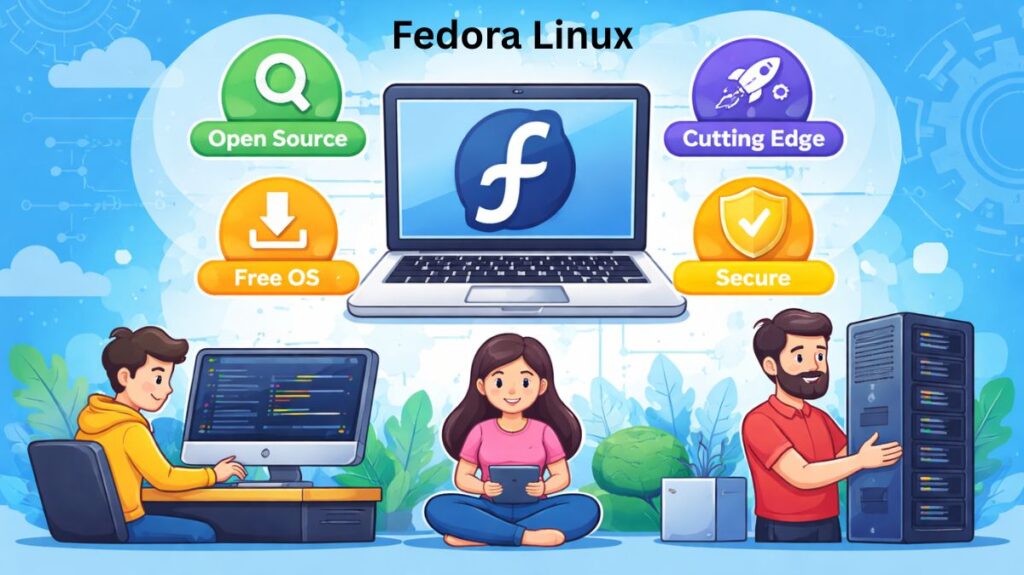
Fedora is a community-driven operating system that prioritizes the “Four Foundations”: Freedom, Friends, Features, and First. Unlike distributions that focus on long-term stability by using older, “frozen” software, Fedora focuses on being at the absolute forefront of innovation.
It employs a brief lifecycle methodology:
- New releases: around once every six months.
- Support window: Approximately 13 months are allotted for each release.
History of Fedora
The original “Red Hat Linux” project’s ashes gave rise to Fedora in 2003. The community-focused portion of the operating system was separated into the Fedora Project when Red Hat chose to concentrate on its commercial enterprise product (RHEL).
- The Red Hat Connection: Red Hat Enterprise Linux’s “Upstream” is Fedora. Fedora two to three years ago tested every significant feature you find on a commercial enterprise server today.
- The Creator’s Choice: Linus Torvalds, the man of the Linux kernel, continues to use Fedora as his main daily driver as of 2026.
Use Cases
Fedora is tailored for particular user types and is not only a “general purpose” operating system:
Software Developers: Fedora comes with the most recent runtimes (Python 3.x, Node.js) and compilers (GCC, LLVM), so developers don’t need to search for third-party repos to obtain up-to-date tools.
Cloud & Container Engineers: Buildah and Podman are hosted on Fedora. It is perhaps the greatest platform for using OCI containers and Kubernetes.
Linux enthusiasts: Fedora is the place to go if you want to be the first to witness “the future of Linux” (such as the switch to Wayland or PipeWire).
System Administrators: Anyone hoping to earn a RHCSA or RHCE certification will find it to be the ideal training ground.
Development Pipeline
Software moves from left to right through these stages before it reaches a paid corporate environment:
| Stage | Name | Role | “Personality” |
| Foundation | Linux Kernel | Core Engine | Pure technology. |
| Upstream | Fedora | Bleeding Edge | Experimental, fast updates, newest features. |
| Midstream | CentOS Stream | The Preview | Stable but rolling; a look at the next RHEL. |
| Downstream | RHEL | The Standard | Maximum stability; used by banks and governments. |
Also Read About What Is CentOS Operating System? CentOS Pros And Cons
Fedora Features
The first philosophy
Almost invariably, Fedora is the first significant distribution to implement new technology. For instance, it spearheaded the sector’s adoption of:
- Wayland: A contemporary alternative to the antiquated X11 window system.
- A potent low-latency multimedia framework is PipeWire.
- Btrfs: A contemporary file system with sophisticated capabilities like snapshots that is the default.
- Systemd: Almost all Linux operating systems now use Systemd as their default init system.
Clean, “Vanilla” Experience
The desktop edition of Fedora Workstation is renowned for providing a “Vanilla GNOME” experience. Fedora offers the program precisely as the original authors intended, in contrast to Ubuntu, which significantly alters the desktop environment.
Security-First Integration
Fedora is one of the few distributions that comes pre-configured with Security-Enhanced Linux (SELinux) activated and in “enforcing” mode. This offers strong kernel-level security, safeguarding the system even in the event that an application is compromised.
Fedora Editions
Fedora is tailored for different use cases through specific “Editions”:
| Edition | Primary Target | Key Benefit |
| Workstation | Developers & Desktop Users | Polished, modern GNOME interface. |
| Server | System Administrators | Robust, manageable, and stable server OS. |
| IoT | Edge Computing/Devices | Optimized for Internet of Things hardware. |
| Cloud | Virtualization/Cloud | Minimal footprint for AWS, Azure, and OpenStack. |
| CoreOS | Container-focused | Minimal, auto-updating OS for Docker/Kubernetes. |
Benefits and Drawbacks
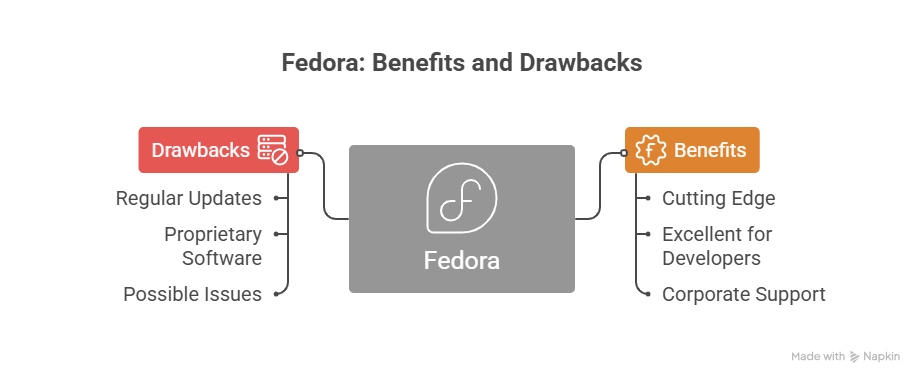
Benefits
- Cutting Edge: You receive the most recent versions of the software, drivers, and kernel.
- Excellent for Developers: All the tools you need to code, including libraries and compilers, are readily available and current.
- Corporate Support: Take advantage of Red Hat’s resources and engineering expertise.
Drawbacks
- Regular Updates: Because of its brief lifecycle, you have to update the entire operating system at least once a year.
- Proprietary Software: Fedora strictly prohibits the use of non-free software. In order to obtain codecs or NVIDIA drivers, you frequently need to allow third-party repositories (such as RPM Fusion).
- Possible Issues: Sometimes, being on the “bleeding edge” causes small issues with newly released software.
Is Fedora Right for You?
You should choose Fedora if:
- You’re looking for the newest features and advancements in the Linux kernel.
- As a software developer, you require contemporary tools.
- You want a desktop environment that is “pure” GNOME.
You should skip Fedora if:
- You want to “set it and forget it” for five years because you detest frequent updates.
- You are a total novice who finds manual driver installations intimidating.
Fedora vs Ubuntu
| Feature | Fedora (Workstation) | Ubuntu (LTS) |
| Philosophy | “First” – Innovation & Free Software | “LTS” – Stability & Ease of Use |
| Package Manager | dnf (RPM packages) | apt (Debian packages) |
| Desktop State | Pure “Vanilla” GNOME | Customized GNOME (Dock, Icons) |
| Security | SELinux (Strict/Enforced) | AppArmor (Standard) |
| Update Cycle | Every 6 months (Short life) | Every 2 years (Long life) |
| Proprietary Apps | Opt-in (via RPM Fusion) | Easy (Included in Software Center) |
Also Read About File Handling In Shell Scripts: Read, Writing Files In Linux
How to install Fedora?
Fedora installs faster than Windows in 2026. High-level workflow:
- Get Fedora Media Writer at getfedora.org.
- Flash: “Flash” the ISO to an 8GB USB with Media Writer.
- Click F12 or Delete to open the Boot Menu after restarting. Choose your USB drive.
- When Fedora boots up, it will enter a “Live Environment.” Without touching your hard disk, you can experiment with the operating system.
- To install, select “Install to Hard Drive.”
- Keyboard & Language: Customize your settings.
- Set destination to disk.Fedora’s default Btrfs supports snapshots and other sophisticated capabilities.
- After the progress bar reaches 100%, restart, remove the USB, and establish your user account.
Which should you choose?
- Choose Fedora: Your fast, secure, and contemporary workstation should feel like a developer’s tool.
- Choose Ubuntu: If you want a system you can install today and not upgrade for 5–10 years.
Fedora vs CentOS vs Linux
| Feature | Fedora | CentOS Stream | Linux (Kernel) |
| User Level | Developers / Enthusiasts | Admins / QA Testers | Developers only |
| Update Speed | Very Fast (every 6 months) | Continuous (Rolling) | Constant Development |
| Stability | Moderate (Cutting edge) | High (Enterprise-ready) | N/A (Core only) |
| Best For | Desktop use & modern coding | Testing for RHEL servers | Building an OS |
| Lifecycle | ~13 months | ~5 years | Continuous |
What is fedora linux commands?
Essential System Maintenance
After your first boot, these are the commands you should run to ensure your system is secure and up-to-date.
Update all packages
Bash

sudo dnf upgrade --refresh
Optimize DNF speed: Fedora limits downloads to 3 at a time by default. You can increase this to 10 for much faster updates.
Bash

echo "max_parallel_downloads=10" | sudo tee -a /etc/dnf/dnf.conf
Software Installation (The DNF5 Basics)
Fedora uses the .rpm package format. Here is how you manage apps via the terminal:
Search for an app:
Bash

dnf search [app-name]
Install an app:
Bash

sudo dnf install [app-name]
Remove an app:
Bash

sudo dnf remove [app-name]
Remove unused dependencies (Clean up):
Bash

sudo dnf autoremove
Unlocking Extra Software (RPM Fusion)
Fedora only ships with 100% free software. To get things like Steam, NVIDIA drivers, and media codecs, you must enable the RPM Fusion repositories.
Enable Free and Non-Free repos:
Bash

sudo dnf install https://mirrors.rpmfusion.org/free/fedora/rpmfusion-free-relea
Install Media Codecs (Essential for Video/Audio):
Bash

sudo dnf group update multimedia --setsw="install_weak_deps=False" --exclude=PackageKit-gstreamer-plugin
sudo dnf group update sound-and-video
Hardware Specifics (NVIDIA & Drivers)
If you have an NVIDIA graphics card, do not download the driver from the website. Use the repository:
Install NVIDIA Driver:
Bash

sudo dnf install akmod-nvidia
sudo dnf install xorg-x11-drv-nvidia-cuda # For CUDA/Rendering
Using Flatpaks (Modern App Standard)
Fedora 43+ has excellent Flatpak integration. Flathub is the best way to get apps like Discord, Spotify, or Zoom.
Enable Flathub Repository:
Bash

flatpak remote-add --if-not-exists flathub https://flathub.org/repo/flathub.flatp
Summary
| Action | Command |
| Update System | sudo dnf upgrade |
| Install Package | sudo dnf install <package> |
| Reboot to Update | sudo dnf system-upgrade reboot |
| Check SB State | mokutil --sb-state (For NVIDIA users) |
| Fix SELinux | sudo fixfiles -B onboot |
Also Read About CentOS Features And Differences Between CentOS vs Ubuntu