

Linux security model with example
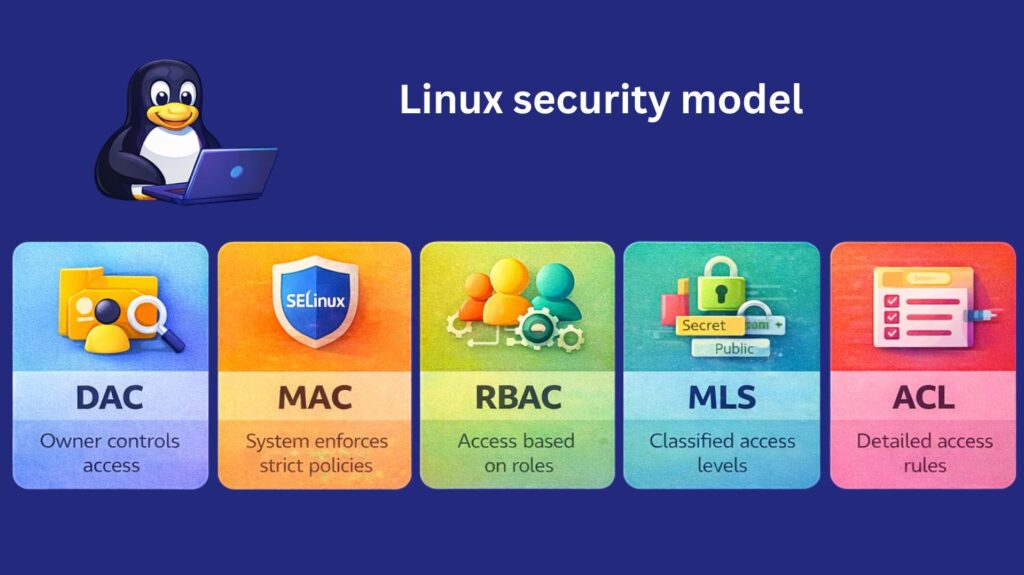
Discretionary Access Control (DAC)
DAC allows the file owner to decide who can access files or resources.
Features:
- Based on user ownership
- Uses read (r), write (w), execute (x) permissions
- Controlled using commands like
chmod,chown
Example:
bash

ls -l file.txt
-rw-r--r-- 1 user1 user1 200 Feb 26 file.txt
Permissions:
- Owner (user1): Read & Write
- Group: Read
- Others: Read
Change permission:
bash

chmod 700 file.txt
Now only the owner can access.
Use Case:
- Personal files
- User home directories
Also read about Linux Security Features, Tools, And Why Linux Is Secure
Mandatory Access Control (MAC)
Definition:
MAC enforces strict security rules set by the system administrator, not by users.
Features:
- Centralized control
- High security
- Users cannot override rules
Example (SELinux):
Example rule:
bash

Apache server can only read files in /var/www/
Even if permission is:
bash

chmod 777 secret.txt
SELinux may still block access.
Also read about Different Types Of MAC Addresses (Media Access Control)
Common MAC Systems:
- SELinux
- AppArmor
Use Case:
- Government systems
- Military systems
- Enterprise servers
Role-Based Access Control (RBAC)
Definition:
Access is assigned based on roles instead of individual users.
Features:
- Users assigned roles
- Roles assigned permissions
- Easier management
Example:
| Role | Permissions |
|---|---|
| Admin | Full access |
| Developer | Read + Write code |
| Guest | Read only |
Example:
bash

User Ravi → Developer Role
User Sita → Admin Role
Use Case:
- Organizations
- Corporate environments
Also read about Advantages And Disadvantages Of RBAC & Types Of RBAC
Multi-Level Security (MLS)
Definition:
Access depends on security levels or classifications.
Levels Example:
- Top Secret
- Secret
- Confidential
- Public
Example:
bash

User clearance: Secret
File level: Top Secret
Access denied.
bash

User clearance: Top Secret
File level: Secret
Access allowed.
Use Case:
- Defense systems
- Intelligence agencies
Access Control Lists (ACL)
Definition:
ACL allows more detailed permissions than normal DAC.
Features:
- Permission for multiple users
- Flexible access
Example:
Give user2 access:
bash

setfacl -m u:user2:r file.txt
Check ACL:
bash

getfacl file.txt
Output:
bash

user::rw-
user:user2:r--
group::r--
other::---
Use Case:
- Shared project directories
- Team collaboration
| Security Model | Control By | Flexibility | Security Level |
|---|---|---|---|
| DAC | Owner | Medium | Basic |
| MAC | System | Low | High |
| RBAC | Roles | High | High |
| MLS | Security Level | Medium | Very High |
| ACL | Owner/Admin | Very High | Medium |
File Permissions and Access Control
File permissions are the foundation of Linux security. Every file and directory has defined ownership and access rules.
Ownership Structure
Each file has:
- User (Owner)
- Group
- Others
Example:
bash

-rwxr-xr--
This means:
- Owner: read, write, execute
- Group: read, execute
- Others: read only
Permission Types
- r (read) – View file contents
- w (write) – Modify file
- x (execute) – Run file as a program
Numeric (Octal) Permissions
- 7 = rwx
- 6 = rw-
- 5 = r-x
- 4 = r–
Example:
bash

chmod 755 filename
Special Permissions
- SUID (Set User ID) – Executes file with owner’s privileges.
- SGID (Set Group ID) – Executes file with group privileges.
- Sticky Bit – Prevents users from deleting files owned by others in shared directories (e.g.,
/tmp).
Also read about Understanding Services And System Management In Linux
Access Control Lists (ACLs)
ACLs provide more flexible permission management beyond the standard user/group/other model.
Example:
bash

setfacl -m u:username:rwx file
SELinux and AppArmor
Basic protection is offered by standard Linux permissions, while more stringent controls are enforced by sophisticated security frameworks.
SELinux (Security-Enhanced Linux)
SELinux, created by the National Security Agency, gives Linux systems Mandatory Access Control (MAC).
SELinux examines security policies, which specify which processes have access to which files or resources, rather than just user permissions.
Modes
- Enforcing: Regulations are upheld.
- Permissive: Infractions are noted, but they are not prevented.
- Disabled: SELinux is not running.
Benefits
- Reduces the harm caused by hacked services
- Offers granular control.
- Robust containment measures
AppArmor
Another mandatory access control system, AppArmor, is frequently found in distributions based on Ubuntu and Debian.
It restricts the capabilities of programs by setting security profiles for them.
Key Features
- Security based on profiles
- Configuration is simpler than with SELinux.
- Control based on paths
Firewall Configuration
Linux systems are shielded from unwanted network access via firewalls.
iptables
iptables is a traditional Linux firewall utility used to configure packet filtering rules.
Example:
bash

iptables -A INPUT -p tcp --dport 22 -j ACCEPT
firewalld
firewalld is a dynamic firewall management tool used in many modern distributions like Red Hat Enterprise Linux and CentOS.
Features:
- Zone-based firewall management
- Runtime and permanent rule sets
- Easy service-based configuration
UFW (Uncomplicated Firewall)
Used in Ubuntu, UFW simplifies firewall management.
Example:
bash

ufw allow ssh
ufw enable
System Updates and Patching
Keeping systems updated is one of the most critical security tasks.
Why Updates Matter
- Fix security vulnerabilities
- Patch bugs
- Improve performance
- Add security enhancements
Package Managers
Different distributions use different tools:
apt– Debian/Ubuntudnforyum– RHEL/CentOSpacman– Arch Linux
Example:
bash

sudo apt update
sudo apt upgrade
Automatic Updates
Administrators can configure automatic security updates to reduce human error and ensure timely patching.
Linux security interview questions and answers
Learning commands is only one aspect of preparing for a Linux security interview; you also need to have a “defense-in-depth” mentality.
Core Security & Hardening
1. How do you secure an SSH server against brute-force attacks?
Answer: Beyond strong passwords, I would implement several layers:
- Disable Root Login: Set
PermitRootLogin noin/etc/ssh/sshd_config. - Key-based Authentication: Enforce SSH keys and disable password auth (
PasswordAuthentication no). - Custom Port: Change the default port (22) to a non-standard port to reduce automated bot scanning.
- Fail2Ban: Install and configure Fail2Ban to temporarily ban IP addresses that exhibit multiple failed login attempts.
2. What is the difference between SELinux and AppArmor?
Answer: Both are Mandatory Access Control (MAC) systems, but they differ in approach:
- SELinux (Security-Enhanced Linux): Uses a label-based system. Every process and file has a security context (label). It is extremely powerful but has a steeper learning curve. (Common in RHEL/CentOS).
- AppArmor: Uses a path-based system. Profiles are created for individual applications based on their file paths. It is generally considered easier to configure. (Common in Ubuntu/Debian).
3. Explain the Principle of Least Privilege (PoLP) in a Linux context.
Answer: PoLP means giving a user or process the minimum levels of access necessary to perform its functions.
- Users: Avoid using the
rootaccount for daily tasks; usesudofor specific elevated commands. - Services: Run web servers (like Nginx) or databases as non-privileged system users (e.g.,
www-dataormysql) rather than root.
Monitoring & Incident Response
4. A server is experiencing high CPU usage. How do you check if it’s a security breach (like a crypto-miner)?
Answer: I would start with top or htop to identify the offending process.
- Check the User: Is the process running as a user that shouldn’t be executing high-load tasks?
- Inspect the Binary: Use
lsof -p [PID]to see which files and network sockets the process is using. - Check Cron: Look in
/etc/crontaband/var/spool/cron/for unauthorized scheduled tasks that might be re-triggering the miner.
5. What is the role of auditd in Linux security?
Answer: auditd is the userspace component of the Linux Auditing System. It allows you to track security-relevant information by logging system calls. You can monitor:
- Who modified a specific sensitive file (e.g.,
/etc/shadow). - Unauthorized attempts to access files.
- Network connection attempts and changes to system time.
6. How do you find files that are world-writable?
Answer: World-writable files are a major risk because any user can modify them. I use the find command:
bash

find / -xdev -type f -perm -0002 -ls
Networking & System Integrity
7. How do you check for open ports and the services listening on them?
Answer: I prefer using ss (the modern replacement for netstat):
ss -tulpn: This shows TCP, UDP, Listening sockets, the Process ID, and Numeric addresses.- I would then use
iptablesorufw/firewalldto close any ports that aren’t strictly necessary.
8. What is “Sticky Bit” and why is it a security feature?
Answer: The sticky bit (chmod +t) is primarily used on directories like /tmp. It ensures that even if multiple users have write access to a directory, a user can only delete or rename files that they personally own. This prevents users from deleting each other’s temporary files.
SUID vs SGID
| Feature | SUID (Set User ID) | SGID (Set Group ID) |
| Effect on Files | Executes with permissions of the owner. | Executes with permissions of the group. |
| Security Risk | High; if a root-owned file has SUID, it runs as root. | Moderate; grants group-level access. |
| Command | chmod u+s [file] | chmod g+s [file] |
Also read about What Is A Shell Script In Linux? How It Works And Examples