

What is Linux Logging?
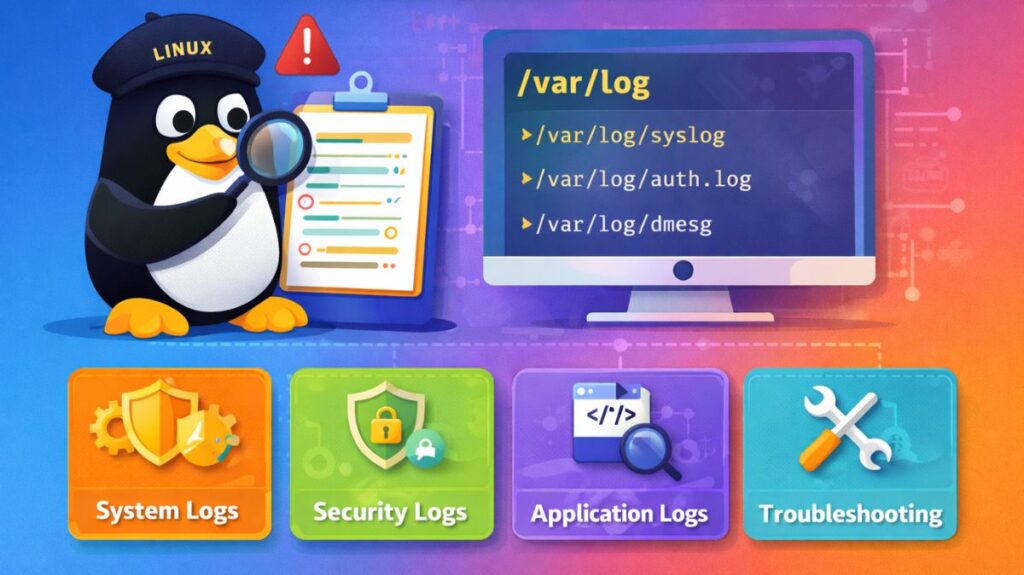
Logging is the continuous process of recording events that happen within the Linux kernel and its applications. These records are stored as text files, usually under the /var/log directory.
An operating system’s “diagnostic sensors” are Linux logging. A Linux administrator uses logs and efficiency tools to locate and solve system faults, much like a doctor uses charts and scans to find an ailment.
How does logging work in Linux?
The logging mechanism generally follows a three-step flow:
- Generation: An application or the kernel encounters an event (like a failed login or a full disk).
- Collection: A daemon (background service) like
rsyslogorjournaldintercepts this message. - Storage: The daemon categorizes the message based on its facility (source) and priority (severity) and writes it to a specific file or binary database.
System Linux Log Files
Linux uses a centralized logging system (often managed by rsyslog or journald). Here are the primary files you need to know:
Linux logs location
/var/log/syslog(Debian/Ubuntu) or/var/log/messages(RHEL/CentOS): These are the “catch-all” logs. They contain general system activity, informational messages, and non-critical errors./var/log/auth.log(Debian/Ubuntu) or/var/log/secure(RedHat): These track every login attempt, sudo command usage, and authentication error. If someone is trying to brute-force your password, it shows up here./var/log/dmesg: Contains kernel-level messages, specifically related to hardware detection during the boot process./var/log/kern.log: A detailed log of kernel events, including firewall blocks and hardware errors.
Monitoring System Performance
To find out why a system is slow, you use real-time monitoring tools, and Linux logs help monitor:
- CPU & Processes:
toporhtopprovides an interactive list of which programs are consuming the most resources.
Check using:
bash

top
htop
- Memory Usage:
free -mshows total, used, and available RAM in Megabytes.
bash

free -m
vmstat
- Disk Usage I/O:
iostathelps determine if the hard drive is struggling to keep up with read/write requests.
bash

df -h
du -sh
System Load
bash

uptime
Logs may show warnings related to memory shortage, CPU overload, or disk errors.
Also read about Difference Between BIOS And UEFI In Modern Computers
Where are the Linux logs?
If you want to see what’s happening manually, head over to the /var/log directory. Here are the “celebrity” log files you should know:
| File Name | Purpose |
/var/log/syslog | The “catch-all” for general system messages (Debian/Ubuntu). |
/var/log/messages | Same as above, but for RHEL/CentOS/Fedora systems. |
/var/log/auth.log | Records every login, sudo attempt, and SSH connection. |
/var/log/kern.log | Direct output from the Linux Kernel (hardware, drivers). |
/var/log/apache2/ | Logs specific to the Apache web server (if installed). |
Features of Linux Logging
1. Centralized Management (Syslog Protocol)
Most Linux distributions use a centralized daemon like rsyslog or syslog-ng. This allows the system to collect logs from the kernel, background services, and user applications in one place.
- Remote Logging: A key feature is the ability to send logs over a network to a central log server, preventing a hacker from deleting local traces of their activity.
2. Structured Metadata (Systemd-Journald)
Modern Linux uses journald to capture “structured” logs. Unlike traditional text logs, these include metadata such as:
- The exact Process ID (PID).
- The User ID (UID) that ran the command.
- The specific Systemd Unit (service) that generated the message.
3. Log Rotation and Archiving
To prevent logs from filling up the entire hard drive, Linux uses a tool called logrotate.
- Compression: Old logs are automatically compressed (e.g.,
syslog.1.gz). - Retention: You can set rules to keep logs for 30 days or 1 year, after which the oldest files are automatically deleted.
4. Severity Levels (Prioritization)
Linux logs categorize every event by its importance. This allows administrators to filter out “noise” and focus on disasters.
- EMERG: System is unusable.
- ALERT: Action must be taken immediately.
- CRIT: Critical conditions (hardware failure).
- ERR: Error conditions (service failed to start).
- WARNING: Warning conditions.
- NOTICE: Normal but significant conditions.
- INFO: Informational messages.
- DEBUG: Debug-level messages (highly detailed).
Functions and Importance of Logs
| Feature | Function in the OS | Importance |
| Real-time Streaming | Commands like tail -f allow admins to watch errors as they happen. | Critical for live debugging during a crash. |
| Kernel Ring Buffer | Stores the very first messages of the boot process before the disk is mounted. | Essential for diagnosing hardware or driver issues. |
| Access Control | Log files are restricted so only “root” or specific groups can read them. | Protects sensitive data like usernames and IP addresses. |
| Non-Repudiation | Creates a permanent record of who logged in and what commands they ran. | Vital for legal compliance and security forensics. |
Also read about Basic Disk Management Commands In Linux With Examples
Advantages and Disadvantages of Linux Logging
Advantages
- Precision: You can find the exact millisecond at which a service failed.
- Automation: Scripts can be written to “watch” logs and send an email or SMS if a specific error appears.
- Flexibility: You can choose to log to a file, a database, or a remote console simultaneously.
Disadvantages
- Disk Usage: If a service enters an “error loop,” it can generate Gigabytes of logs in minutes, crashing the system.
- Complexity: Learning the difference between
/var/log(text) andjournalctl(binary). It can be confusing for beginners.
Text vs Binary Logs
| Feature | Text Logs (/var/log) | Binary Logs (journalctl) |
| Readability | Can be read with cat or nano. | Requires journalctl command. |
| Metadata | Basic timestamp and message. | Includes process ID, user ID, and precise boot timing. |
| Persistence | Stays on disk until deleted. | Can be configured to clear after a certain size/time. |
| Searchability | Requires grep. | Has built-in filters for time, priority, and service. |
Linux logging tools
Common tools for viewing and analyzing logs:
cat– View entire fileless– Scroll through large filesgrep– Search specific keywordstail -f– Monitor logs in real timejournalctl– View systemd journal logsdmesg– Display kernel messages
Also read about How To Open Terminal In Linux? And Linux Terminal Command