

What is Bash in Linux?
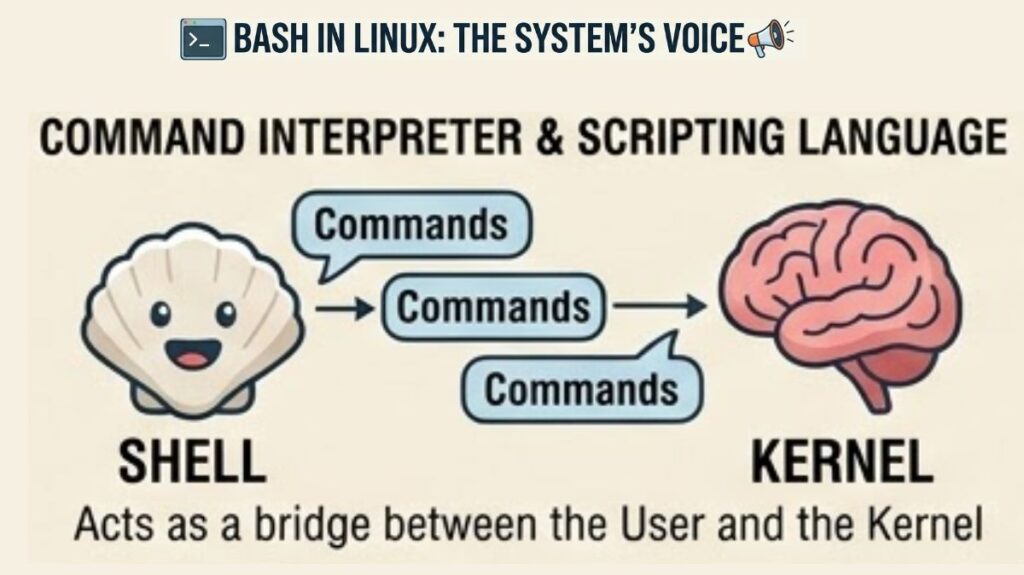
Bash (Bourne Again Shell) is the primary interface between the human user and the operating system’s kernel. It is both a command language interpreter and a powerful programming language.
If the Linux Kernel is the “brain” of the computer, Bash is the “voice” you use to tell that brain what to execute.
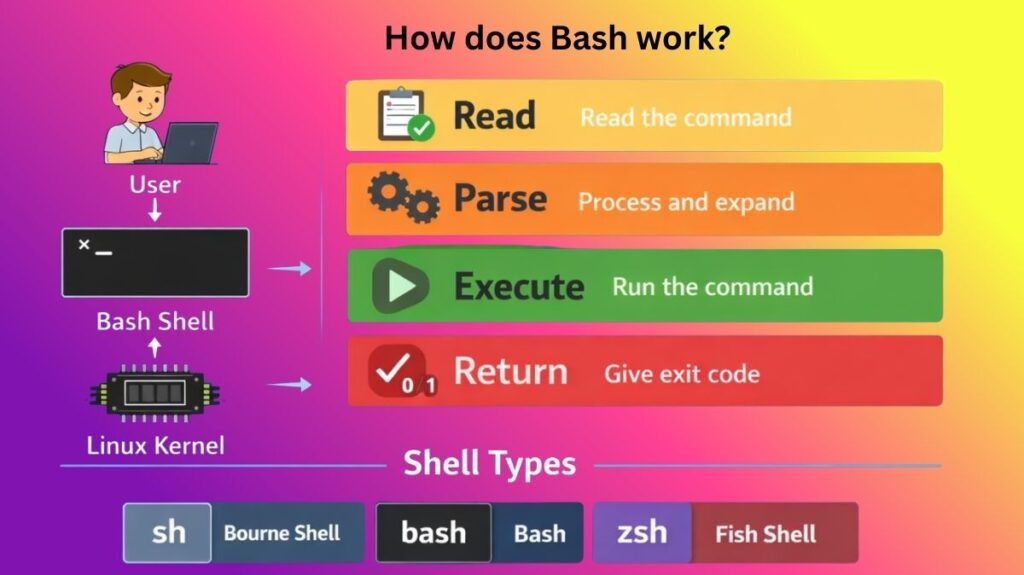
How does Bash work?
The REPL (Read-Eval-Print Loop) is a basic loop that powers Bash. The following occurs when you type a command and press Enter:
- Read: Bash reads input from a script file or the keyboard.
- Parse: It divides the command into “tokens” (the command, its arguments, and its options). Additionally, it manages expansion (substituting $VAR with values or * with filenames).
- Execute: Bash searches for the command. In the event that it is “Built-in,” Bash manages it internally. If it’s a “Binary,” Bash forks a new process, looks through the folders specified in your $PATH variable, and runs the file.
- Return: Upon completion, the command returns an Exit Code (0 for success, 1-255 for failure) to Bash.
Types of Shells in Linux
While Bash is the most common, there are several “flavors” of shells used in DevOps and systems administration:
| Shell Type | Feature | Use Case |
| Bash | The industry standard; highly compatible. | Default on most Linux distros. |
| Sh (Bourne) | The original “old school” Unix shell. | Used for ultra-portable, basic scripts. |
| Zsh | High customization; better auto-completion. | Default on modern macOS and Power-Users. |
| Fish | “Friendly” shell; interactive and colorful. | Beginners who want a modern UI out-of-the-box. |
| Dash | Faster and smaller than Bash. | Used by Debian/Ubuntu to run system boot scripts. |
Bash Functions: The Logic Blocks
A Function in Bash is a reusable block of code. Instead of writing the same 10 lines of code every time you want to back up a file, you write a function once and call it by name.
Example of a DevOps-style function:
Bash

# Define the function
check_service() {
    if systemctl is-active --quiet "$1"; then
        echo "Service $1 is running."
    else
        echo "Alert: $1 is down! Restarting..."
        sudo systemctl restart "$1"
    fi
}

# Call the function
check_service "nginx"
check_service "docker"
Key Components of Bash
A. Environment Variables
These are “global settings” that tell Bash how to behave.
$HOME: Your user’s home directory.$PATH: The list of folders Bash searches for commands.$USER: Your current username.
Also read about Linux Containers vs Virtual Machines The Core Differences
B. Input/Output Redirection
Bash allows you to “pipe” data between programs, which is the core of the Linux philosophy: Do one thing and do it well.
>: Overwrite a file with output.>>: Append output to the end of a file.|(Pipe) : Send the output of one command to be the input of the next.
C. Alias
An alias is a “nickname” for a long command.
- Example:
alias ll='ls -la'allows you to just typellto see all hidden files in a list.
Sh vs Bash vs Zsh
These are three common Unix/Linux shells used to interact with the operating system through the command line. Each shell provides command execution and scripting but differs in features, usability, and customization.
| Feature | sh | bash | zsh |
|---|---|---|---|
| Full Name | Bourne Shell | Bourne Again Shell | Z Shell |
| Developed By | Stephen Bourne | Brian Fox | Paul Falstad |
| Release Year | 1977 | 1989 | 1990 |
| Purpose | Original Unix shell used for scripting | Enhanced version of Bourne Shell | Advanced interactive shell with many features |
| Compatibility | Basic shell scripting | Compatible with sh scripts | Compatible with bash and sh scripts (mostly) |
| Features | Basic command execution | Command history, tab completion, aliases | Powerful auto-completion, spelling correction, plugins |
| Customization | Very limited | Moderate customization | Highly customizable |
| Performance | Very lightweight | Moderate | Slightly heavier due to features |
| Default Shell | Used in many Unix systems for scripts | Default shell in most Linux distributions | Default shell in modern systems like macOS |
| Learning Difficulty | Simple but limited | Easy and widely used | Powerful auto-completion, spelling correction, and plugins |
Simple Example
Command executed in all shells:
bash

echo "Hello Linux"
Output:
bash

Hello Linux
Why Is Bash Still Relevant in 2026?
Bash is still necessary despite AI and high-level languages like Python because:
- Cloud-Native Entrypoints: Nearly all Docker containers begin with a
.shfile. - Infrastructure as Code: During the boot phase (Cloud-Init), tools like as Terraform and Ansible frequently “inject” Bash scripts into Cloud instances.
- Speed: A Bash one-liner is ten times quicker to write and execute than a Python script for basic file renaming or log filtering.
Also read about What Is Linux in Cloud & DevOps? Importance, And Commands