

Virtualization and CCNA Cloud Computing
Through the separation of services from their underlying physical hardware, virtualization and cloud computing are related technologies that have revolutionized modern IT. Cloud computing is a broad strategy for providing these and other IT services on-demand, whereas virtualization is the specific technology that allows a single physical computer to host many virtual systems, but the two are frequently used together.
You can also read What is WAN Security & Advantages of Wide Area Network Wan
The Fundamentals of Virtualization
The way virtualization works is by separating an operating system (OS) from the hardware itself. This enables the simultaneous operation of several Virtual Machines (VMs) on a single physical host server, each of which functions as a separate computer with its own virtualized resources.
- The Hypervisor: The program known as the hypervisor controls access to physical resources, such as CPU, RAM, NIC, and storage, and distributes them among distinct virtual machines.
- Type 1 (Bare-Metal):Runs directly on the host hardware (e.g., Microsoft Hyper-V, VMware ESXi) is Type 1 (Bare-Metal).
- Type 2 (Hosted): Utilizes an existing desktop operating system (such as VMware Workstation or VirtualBox) to function as an application.
- Virtual Network Functions (VNFs): By using software that runs on a virtualized system, conventional networking functions like load balancers, firewalls, and routers can be provided. The Cisco Cloud Services Router (CSR) and the ASAv firewall are two important examples.
- Networking with vSwitches: A host utilizes an internal virtual switch (vSwitch) to logically connect the virtual machines’ vNICs to the server’s physical NICs in order to connect the virtual machines to the network.
Characteristics of Cloud Computing
An IT service must fulfill five requirements in order to be classified as “cloud” in accordance with the NIST standard:
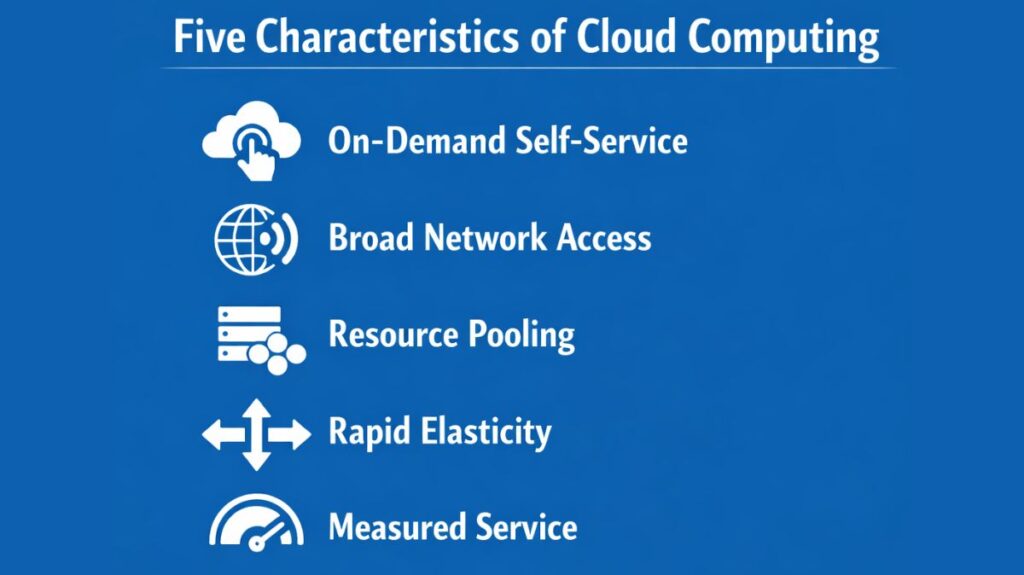
- On-demand self-service: Customers can order, change, or terminate services via on-demand self-service without speaking with a provider in person.
- Broad network access: Any network can be used to access services from a variety of devices, including computers, tablets, and smartphones.
- Resource pooling: A pool of resources is kept up to date by providers and dynamically allocated to several users, most of whom are not aware of the resources’ actual location.
- Rapid elasticity: Depending on volume requirements, the resource pool can scale up or down instantly, giving the user the impression that it is limitless.
- Measured service: For the purposes of billing and transparency, usage is tracked and reported to the client.
You can also read Importance Of Computer Network Security Protect Your Data
Cloud Service and Deployment Models
Generally speaking, cloud products are separated into three service models according to the degree of management offered:
- Infrastructure as a Service (IaaS): The infrastructure as a service (IaaS) provider provides the network equipment, virtualized services, and hardware; the customer is in charge of installing the operating system and applications.
- Platform as a Service (PaaS): The OS and pre-installed development tools are provided by the platform as a service (PaaS), which is designed for software development and frees up developers to concentrate on creating code.
- Software as a Service (SaaS): The supplier hides the underlying infrastructure from the consumer while delivering fully functional software. Examples of this type of software include Office 365, Dropbox, and email.
Based on who controls the infrastructure, deployment is further divided into:
- Public Cloud: Services are offered for sale online to a wide range of customers.
- Private Cloud (On-Premise): A business provides its own internal cloud services to its own staff.
- Hybrid Cloud: An architecture that combines two or more different clouds, such as a combination of public and private resources, is called a hybrid cloud.
Cloud Connectivity and WAN Paths
In order to balance security and performance, a company must use particular WAN tactics while connecting to a public cloud:
- Internet VPN: Internet virtual private networks (VPNs) offer privacy and agility, but they are unable to guarantee Quality of Service (QoS).
- Private WAN (MPLS/Ethernet WAN): Although private WAN (MPLS/Ethernet WAN) is slower to deploy and more costly, it provides better security and offers QoS markings for sensitive traffic, such as phone and video.
- Intercloud Exchange: An enterprise can connect to numerous public cloud providers at the same time with this specially designed wide area network (WAN) service, which makes switching suppliers easier.
Comparing virtualization to an apartment building, a typical data center can be thought of as a row of separate homes, each of which has its own power, plumbing, and operating system. While the infrastructure is shared by a single building (the physical host), each resident resides in a separate, readily movable, and self-contained unit (VM). These residents can buy extra water or energy as needed (elasticity) and only pay for the exact amount they use (measured service) thanks to cloud computing.
You can also read What Are The Different Types Of Network Operating System