

How to Install SELinux
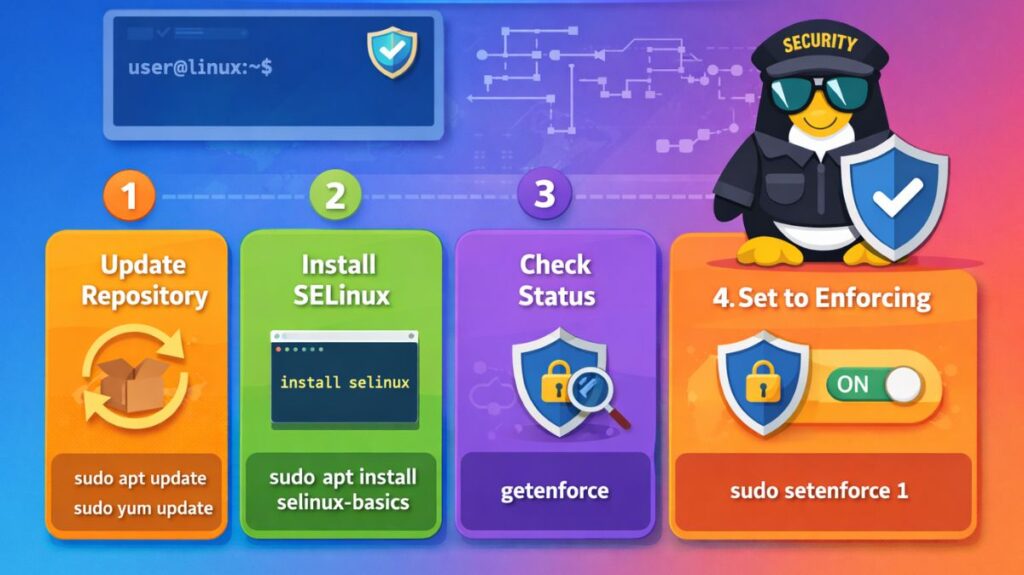
Step 1: Check if SELinux is Already Installed
bash

sestatus
If installed, you will see:
- SELinux status: enabled/disabled
- Current mode: enforcing/permissive
If the command is not found, install it using the steps below.
Installation Based on Linux Distribution
Install SELinux on RHEL / CentOS / Rocky Linux / AlmaLinux
These systems usually include SELinux by default.
Install Required Packages
bash

sudo dnf install selinux-policy selinux-policy-targeted policycoreutils
For older systems:
bash

sudo yum install selinux-policy selinux-policy-targeted policycoreutils
Edit SELinux Configuration File
bash

sudo nano /etc/selinux/config
Set:
bash

SELINUX=enforcing
SELINUXTYPE=targeted
Reboot the System
bash

sudo reboot
Install SELinux on Fedora
SELinux is enabled by default in Fedora.
To ensure packages are installed:
bash

sudo dnf install selinux-policy selinux-policy-targeted policycoreutils
Check status:
bash

sestatus
Install SELinux on Debian / Ubuntu
By default, Ubuntu and Debian use AppArmor, not SELinux. You can install SELinux manually.
Install SELinux Packages
bash

sudo apt update
sudo apt install selinux-basics selinux-policy-default policycoreutils
Activate SELinux
bash

sudo selinux-activate
Reboot
bash

sudo reboot
Verify
bash

sestatus
SELinux Modes After Installation
You can change modes without rebooting:
Enforcing Mode (Recommended)
bash

sudo setenforce 1
Permissive Mode (Testing Mode)
bash

sudo setenforce 0
Permanent change:
bash

sudo nano /etc/selinux/config
Verify SELinux is Working
bash

getenforce
Possible outputs:
- Enforcing
- Permissive
- Disabled
Also read about Explain Linux Security Model: SELinux, AppArmor And RBAC
Install Troubleshooting Tools (Optional but Recommended)
bash

sudo dnf install setools-console
or on Debian/Ubuntu:
bash

sudo apt install setools
After Installation Best Practices
- Start in permissive mode first
- Check logs in:
bash

/var/log/audit/audit.log
Use audit2allow to generate policies:
bash

sudo audit2allow -a
Do not disable SELinux permanently unless absolutely necessary.
Common Installation Issues
| Problem | Solution |
|---|---|
| System fails to boot | Boot into rescue mode and disable SELinux |
| Service not starting | Check SELinux context using ls -Z |
| Permission denied errors | Review audit logs |
Selinux interview questions and answers
Core Concepts
What is SELinux and how does it differ from standard Linux permissions?
Answer: SELinux (Security-Enhanced Linux) is a Mandatory Access Control (MAC) system.
- Standard Permissions (DAC): In Discretionary Access Control, the owner of a file (user) decides who can read, write, or execute it. If a process is compromised, it has the full permissions of the user.
- SELinux (MAC): The system enforces a central security policy. Even if a user (or root) owns a file, they cannot access it unless the SELinux policy explicitly allows that specific process (domain) to interact with that specific file (type).
2. Explain the three SELinux modes?
Answer:
- Enforcing: The default mode. Policies are enforced and access is denied if it violates the rules. Denials are logged.
- Permissive: SELinux does not block any actions, but it logs what would have been blocked. This is primarily used for troubleshooting.
- Disabled: SELinux is completely off. No logs are generated and no policies are loaded.
3. What is an SELinux “Security Context”?
Answer: Every process, file, and network port is assigned a label called a context. It usually follows the format user:role:type:level.
- User: The SELinux user (not necessarily the Linux user).
- Role: Defines what the user can do.
- Type: The most important part for “Type Enforcement.” It defines the “Domain” for processes and “Type” for files.
- Level: Used for Multi-Level Security (MLS).
Commands & Troubleshooting
4. How do you check the current status of SELinux?
Answer: * getenforce: Returns only the mode (Enforcing, Permissive, or Disabled).
sestatus: Provides a detailed report including the policy version, mount point, and current mode.
5. How do you switch between modes without rebooting?
Answer: Use the setenforce command:
setenforce 0: Switches to Permissive.setenforce 1: Switches to Enforcing.- Note: You cannot switch to or from “Disabled” without a reboot and a configuration change in
/etc/selinux/config.
Alos read about Networking in Linux: Types, Advantages, and Disadvantages
6. You moved a file to /var/www/html, but Apache can’t read it. What happened and how do you fix it?
Answer: When you move (mv) a file, it retains its original SELinux context (e.g., admin_home_t). Apache expects files to have the httpd_sys_content_t type.
- To check:
ls -Z /var/www/html - To fix (temporary):
chcon -t httpd_sys_content_t filename - To fix (permanent):
restorecon -v filename(this restores the label based on the system’s default policy database).
7. What are SELinux Booleans?
Answer: Booleans are “on/off” switches that allow you to change parts of the SELinux policy at runtime without writing new code.
- Example: To allow Apache to send email, you would toggle
httpd_can_sendmail. - Command:
getsebool -a(list all) orsetsebool -P httpd_enable_homedirs on(the-Pmakes it permanent across reboots).
Advanced Troubleshooting
8. Where do you look for SELinux denial logs?
Answer:
/var/log/audit/audit.log: Look fortype=AVC(Access Vector Cache) messages./var/log/messages: Ifsetroubleshootis installed, it provides more “human-readable” explanations here.ausearch -m avc -ts recent: A command-line tool to quickly find recent denials.
9. What is audit2allow and when should you use it?
Answer: audit2allow is a tool that analyzes denial logs and generates a custom policy module to allow the blocked action.
- Caution: You should only use it if you are sure the denial is a “false positive” and the activity is actually required for the application to function. It is a last resort.
Also read about What Is Linux System Administration? How It Works & Types
10. How do you find which port a service is allowed to bind to?
Answer: Use the semanage command:
semanage port -l | grep http: This lists all ports thehttp_port_ttype is allowed to listen on (e.g., 80, 443, 8080).- If you change a service to a non-standard port, you must add that port to the policy using
semanage port -a -t http_port_t -p tcp <port_number>.
AppArmor vs SELinux
| Feature | AppArmor | SELinux |
| Identification | Path-based (Uses the file location) | Label-based (Uses an attribute/inode) |
| Complexity | Low (Easy to read/write) | High (Steep learning curve) |
| Granularity | Medium | Very High (Fine-grained) |
| Default Distros | Ubuntu, Debian, openSUSE | RHEL, Fedora, CentOS, Android |
| Configuration | Human-readable profiles | Binary policy modules |
| Key Advantage | Simplicity and speed of deployment | Superior isolation (especially containers) |
Which is better, AppArmor or SELinux?
Why AppArmor is “Better” for You
If time and sanity are important to you, go with AppArmor.
- Human Readable: You are able to open and comprehend an AppArmor profile. It appears to be a straightforward file and permissions list.
- Learning Mode: It contains a “complain” mode that keeps an eye on an application and, based on how it behaves, automatically assists you in creating a security profile.
- If you have little friction, you can “set it and forget it.” It rarely interferes with system updates, and when it does, changing a text route makes fixing the issue simple.
Why SELinux is “Better” for You
If you are using Kubernetes or Production Servers, go with SELinux.
- Bulletproof Isolation: Symlinks and relocating files to different folders cannot fool it since it employs labels, which are kept in the file’s information.
- Container Secret Sauce: Multi-Category Security (MCS) is used by SELinux. This enables a host to operate 100 identical containers and guarantees that a hacker gets “categorized” apart from the other 99 containers even if they manage to escape one.
- Fine-Grained: It meticulously regulates network ports, packet flow, and particular kernel capabilities in addition to files.
Also read about Linux Security Features, Tools, And Why Linux Is Secure
The Reality Check for 2026
Two significant trends are causing the dispute to narrow:
- Distribution Defaults: AppArmor was recently replaced by SELinux as the default for new installs on openSUSE. This shows that label-based security is becoming more widely accepted as being more reliable for contemporary cloud applications.
- Tooling SELinux has evolved from the “manual nightmare” it was a decade ago. It is now lot easier for regular administrators to use thanks to tools like
audit2allow, which creates policies for you based on logs.
The Alternative
- AppArmor for your PC or laptop. While offering strong protection for your network programs and browser, it stays out of your way.
- SELinux for your database/web server. The initial configuration hassle is justified by the additional defense against “Zero-Day” attacks.
- SELinux for Docker/Kubernetes. It is the industry standard for stopping containers from moving laterally.