

Understanding how Linux changes system states is essential for system administrators, DevOps engineers, and even regular users who want deeper control over their systems. Two major concepts govern this behavior: Runlevels in traditional init systems and Targets in modern systemd-based systems.
What are the Runlevels in Linux?
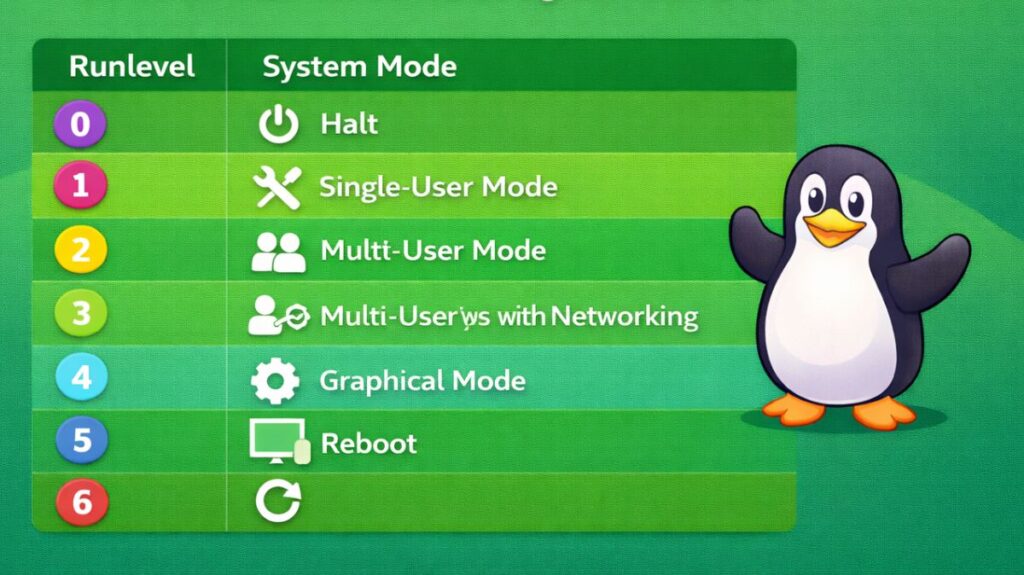
In Linux, runlevels are preset operational states that control which services are active at any given moment. The traditional SysVinit (System V Init) system was used to introduce them.
A particular system mode, such as reboot mode, multi-user mode, or single-user mode, is represented by each runlevel.
Legacy Linux Runlevels
| Runlevel | Name | Description |
| 0 | Halt | Shuts down the system. |
| 1 | Single-User Mode | Used for maintenance; no networking, root access only. |
| 2 | Multi-User Mode | Multiple users can log in, but usually no networking (distro dependent). |
| 3 | Multi-User with Networking | Standard command-line interface (CLI) mode for servers. |
| 4 | User-defined | Rarely used; available for custom configurations. |
| 5 | Graphical Mode | Standard desktop mode with a GUI (X11/Wayland). |
| 6 | Reboot | Reboots the system. |
Also Read About What Is The Difference Between Systemd And Systemctl?
How Runlevels Work Internally
When the system enters a runlevel:
- Init reads the configuration from
/etc/inittab - It executes scripts in
/etc/init.d/ - Symbolic links in directories like
/etc/rc3.d/determine which services start or stop
Scripts starting with:
S= Start serviceK= Kill service
Example:
Bash

/etc/rc3.d/S20network
/etc/rc3.d/K10bluetooth
This means:
- Network starts in runlevel 3
- Bluetooth stops in runlevel 3
All scripts run sequentially, one after another.
Limitations of Runlevels
Runlevels had a number of shortcomings even if they were effective for years:
- Slow boot times are caused by services starting one at a time
- Absence of effective dependency management
- Failures that are difficult to debug
- If a service crashes, there is no automated restart
- The quality of scripts varies between systems
- Systemd was developed as a result of these constraints
Also Read About What Is A Shell Script In Linux? How It Works And Examples
What is a target in Linux?
A collection of systemd units that specify a system state is called a target. In Linux systems based on systemd, targets are the contemporary equivalent of runlevels. Targets have supplanted numbered runlevels in contemporary Linux distributions (Ubuntu, Fedora, CentOS/RHEL 7+, and Debian). In essence, targets are .target files that combine several services.
Instead of numbered levels, systemd uses descriptive names like:
multi-user.targetgraphical.targetrescue.target
Targets are stored as unit files in:
swift

/lib/systemd/system/
Common systemd Targets
| Runlevel | systemd Target | Purpose |
| Runlevel 0 | poweroff.target | Shutting down. |
| Runlevel 1 | rescue.target | Basic shell for fixing the system. |
| Runlevel 3 | multi-user.target | Non-graphical, networking enabled (Servers). |
| Runlevel 5 | graphical.target | Desktop environment (Workstations). |
| Runlevel 6 | reboot.target | Restarting. |
How Targets Work
Unlike SysVinit, systemd:
- Starts services in parallel
- Automatically resolves dependencies
- Uses unit files instead of shell scripts
- Tracks processes using cgroups
Each target pulls in multiple units:
Example:
graphical.target
 ├── display-manager.service
 ├── network.target
 ├── sound.target
This makes the boot process faster and more reliable.
Also Read About What Is Kernel Loading In Linux? Kernel Loading Process
How to Manage Targets
To switch between these states, it now use systemctl rather than the previous initcommand.
Checking Current Status
To see what your current default “mode” is:
Bash

systemctl get-default
Changing the “State” on the Fly
If you are in a desktop environment (Graphical) and want to switch to a pure command-line (Multi-user) to save RAM:
Bash

sudo systemctl isolate multi-user.target
Note: All services not specified in the new target are stopped by the isolate command.
Changing the Default Boot Mode
If you want your computer to always boot into the command line (common for servers):
Bash

sudo systemctl set-default multi-user.target
How to change runlevel in Linux
Whether you are using an older legacy system (with SysVinit) or a more recent system (with systemd) will determine how to change your “state” in Linux. Systemd is probably what you need because it is used by nearly all modern distributions, including Ubuntu, Fedora, and Debian.
Modern Method (systemd)
To switch between Targets (the contemporary counterpart of runlevels) in systemd, to utilize the systemctl command.
Changing the current session (Immediate)
If you want to switch modes right now without rebooting, use the isolate command.
- To Command Line (Runlevel 3):
sudo systemctl isolate multi-user.target - To Graphical UI (Runlevel 5):
sudo systemctl isolate graphical.target - To Rescue Mode (Runlevel 1):
sudo systemctl isolate rescue.target
Changing the default boot (Permanent)
If you want the system to always boot into a specific mode:
- Check current default:
systemctl get-default - Set new default:
sudo systemctl set-default multi-user.target(for CLI)orsudo systemctl set-default graphical.target(for GUI)
Also Read About What Is GRUB Bootloader? Linux Boot Process And Commands
Legacy Method (SysVinit)
If you are working on an older system (like CentOS 6 or older Debian versions), you use the telinit or init command.
- Switch to Runlevel 3 (CLI):
sudo init 3 - Switch to Runlevel 5 (GUI):
sudo init 5 - Check current runlevel:
runlevel
Changing Runlevel at Boot (Grub Menu)
If your system is failing to boot and you need to get into Single User Mode (Runlevel 1) to fix it:
- Restart the computer.
- At the GRUB menu, highlight your OS and press
eto edit. - Find the line starting with
linux. - Go to the end of that line and add a space followed by the number
1or the wordsingle. - Press
Ctrl + XorF10to boot.
| Goal | systemd Command (Modern) | SysVinit Command (Old) |
| Check Current | systemctl get-default | runlevel |
| Go to CLI | sudo systemctl isolate multi-user.target | sudo init 3 |
| Go to GUI | sudo systemctl isolate graphical.target | sudo init 5 |
| Reboot | sudo systemctl reboot | sudo init 6 |
It helps to examine real-world situations in order to comprehend how runlevels and targets function in practice. The reasoning behind “stacking” services is still the same, even though the names have changed from numbers to goals.
Practical Examples of Targets
The targets in systemd are arranged in a hierarchy. The Graphical target, for example, “includes” all of the Multi-user target.
Example A: The Server Standard (multi-user.target)
This is Runlevel 3’s equivalent. It is utilized for databases, web servers, and any other device that does not require a monitor to be connected in.
- Networking, SSH access, Cron jobs, MySQL/PostgreSQL database services, and Apache/Nginx web servers are all operational.
- The desktop icons, GDM/LightDM login screens, and the X11 or Wayland display server are not operating.
- A system administrator overseeing a cloud instance is the typical user.
Example B: The Home Desktop (graphical.target)
This is Runlevel 5’s equivalent. It expands upon the multi-user goal.
- Everything is running in
multi-user.targetin addition to the Desktop Environment (GNOME, KDE, or XFCE) and the Display Manager (the screen where you enter your password). - A typical user is someone who browses, codes, or plays games on Linux.
Example C: The Emergency Room (rescue.target)
This is Runlevel 1’s equivalent.
- Just the minimal necessities are operating. basic file system mounting and a root shell.
- Networking, multiple user logins, and background web services are not operating.
- Common User: Someone attempting to correct a disk issue or reset a forgotten root password.
Also Read About Linux Boot Process Step By Step And Interview Questions
Are Runlevels Still Used?
Yes, but mostly for compatibility.
Systemd still supports runlevel commands:
bash

runlevel
telinit 3
Internally, systemd simply maps them to targets.
What is the difference between target and runlevel?
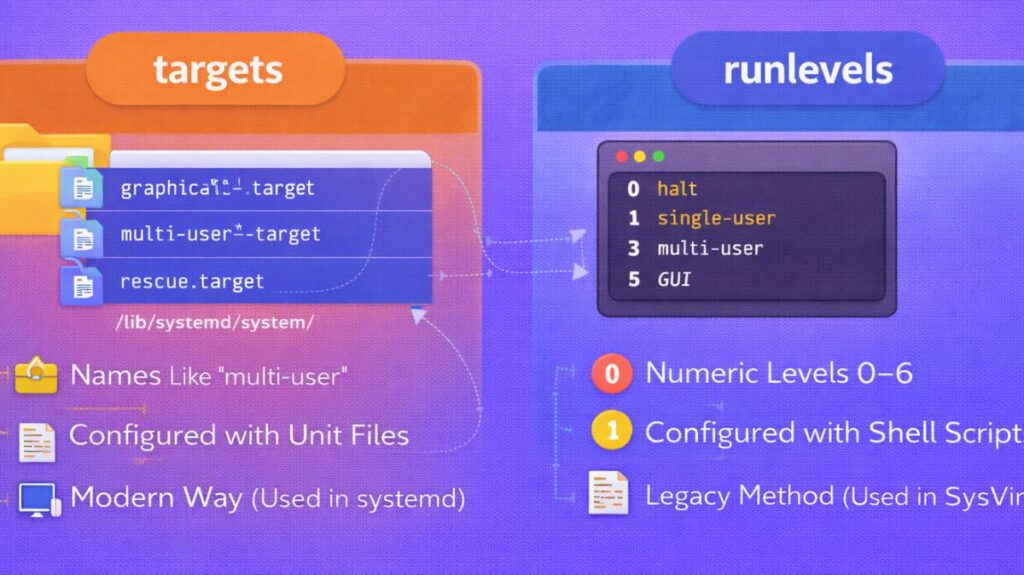
| Feature | Runlevels | Targets |
|---|---|---|
| Naming | Numeric (0–6) | Descriptive names |
| Execution | Sequential | Parallel |
| Scripts | Shell scripts | Unit files |
| Dependency handling | Manual | Automatic |
| Logging | Text logs | journalctl |
| Crash recovery | None | Automatic restart |
| Speed | Slower | Faster |
In conclusion
Although targets modernized Linux system control, runlevels established its foundation.
Today:
- Runlevels = legacy
- Targets = standard
Even if you’re not aware of it, targets are used while working with any modern Linux distributions (Ubuntu, Fedora, Debian, RHEL, Arch).