

What is Linux system administration?
The process of overseeing, setting up, and maintaining a Linux-based environment to make sure it is dependable, safe, and efficient is known as Linux System Administration. The fundamentals of administration are the same whether you are in charge of a fleet of thousands of cloud servers or a single PC.
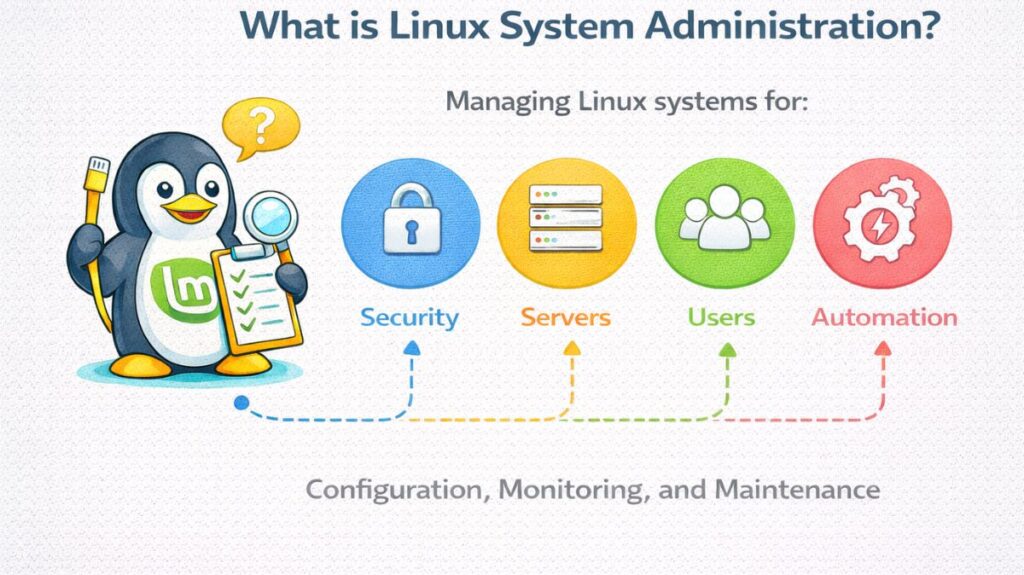
How Linux System Administration Works
Linux administration is accomplished by combining:
- Tools for command-line
- Configuration documents
- Services for the system
- Management at the kernel level
While the Linux kernel interacts directly with hardware, administrators can regulate system behavior through user-space tools.
Configuration files and command-line tools are used by administrators to control the system services that are launched at bootup.
Linux system administration commands
Group and User Management
The idea of “Multi-user” access lies at the core of Linux security. Who has access to the system and what they can do are managed by an administrator.
- The “Superuser” with complete system authority is the root account.
- Sudo: A way to temporarily provide ordinary users administrative access without disclosing the root password.
- Files: Key files include
/etc/passwd(user info) and/etc/group(group info).
Package Management
Package managers are used for installation and updates instead of downloading .exe files from websites.
- Ubuntu and Debian: Make use of
apt(Advanced Package Tool). - RHEL, CentOS, and Fedora: Use
dnforyum. - The objective is to automatically manage dependencies and keep software updated with security fixes.
Process and Resource Monitoring
The system’s RAM, CPU, and disk space must all be kept in check by administrators.
top/htop: A view of active processes in real time.df -h: Verifies disk space utilization in a format that is readable by humans.free -m: Shows the amount of memory that is used and available.kill: Puts an end to a process that is “hanging” or using excessive amounts of resources.
Networking and Security
A Linux box’s security is of utmost importance. This entails firewall, IP address, and port management.
ip addr: Shows the IPs and network interfaces that are currently in use.ssh: Secure remote access, or SSH.- Firewalls: Programs such as
firewalldorufw(Uncomplicated Firewall) permit or prohibit traffic. - Permissions: Using
chmodandchownto manage the Read (r), Write (w), and Execute (x) bits on files.
Scripting and Automation
An excellent administrator never performs the same task twice. Repetitive tasks are automated by them.
- Writing
.shfiles to automate backups or user creation is known as shell scripting (Bash). - Cron jobs are tasks that are scheduled to execute at predetermined times (e.g., “Run backup script at 3 AM daily”).
Service Management (systemd)
Its are already covered, background daemon management is essential. Using systemctl to start, stop, and enable services ensures that web servers, databases, and network tools are always available.
Also read about Understanding Services And System Management In Linux
The Linux File System Hierarchy
A Linux admin must navigate the standard directory structure (FHS). Everything in Linux is treated as a file, including hardware.
| Directory | Purpose |
/etc | Configuration files for the system and services. |
/var/log | System and application logs (critical for troubleshooting). |
/home | Personal directories for users. |
/bin & /sbin | Essential executable binaries and system tools. |
/root | The home directory for the root user. |
Why is it Important?
Without appropriate management:
- Security leaks happen because of poor permissions.
- Performance drops occur because “zombie” processes eat up RAM.
- Data loss happens because backup scripts weren’t automated.
Advantages of Linux System Administration
- High Stability: Linux servers don’t need to be rebooted for years.
- Strong security to firewall support and an integrated authorization system.
- Economical: Open-source license lowers costs.
- Adaptable: Adaptable to various settings.
- Performance: Effective use of available resources.
Disadvantages of Linux System Administration
- Challenging learning curve for novices.
- Complexity of the command line.
- Fewer commercial applications than some other operating systems.
- Advanced troubleshooting calls for technical know-how.
Important Tools Used in Linux Administration
- SSH for remote access
- Cron for task scheduling
- systemctl for service control
- journalctl for log management
- Bash for scripting
- Monitoring tools like Nagios or top
These tools simplify system management and automation.
Also read about Types Of Services In Linux: Popular Services And Management
Types of Linux Administration
Depending on the context, infrastructure size, and organizational objectives, the broad area of Linux system administration is frequently broken down into specialized jobs. In a small workplace, a “Generalist” can be in charge of everything, but in large organizations, these responsibilities are divided into other categories.
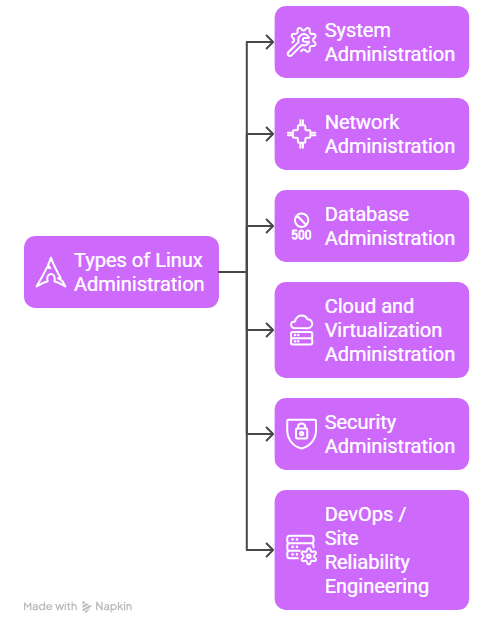
System Administration (Generalist)
- The general well-being of the local workstations or servers is the administrator’s responsibility.
- Key responsibilities include local security, software upgrades, hardware configuration, and user account administration.
- Focus: Making sure the operating system is dependable and accessible for staff members or locally installed apps.
Tools: apt/dnf, useradd, chmod, chown.
Network Administration
- Specifically focuses on the communication between Linux computers and the external environment.
- Configuring firewalls (IPTables/NFTables), controlling DNS (BIND), configuring DHCP, and managing VPNs or routing are important tasks.
- The main points of emphasis are latency, connectivity, and blocking unwanted network access.
Tools: iproute2, nmcli, wireshark, firewalld.
Database Administration (DBA)
- The recommended operating system for high-performance databases is Linux. A Linux DBA concentrates on how the database engine and operating system interact.
- Manage storage volumes (LVM), automate backups, and optimize the Linux kernel for database performance.
- Priorities include high availability, query speed, and data integrity.
Tools: mysqld, postgresql, iotop, sysctl.
Cloud and Virtualization Administration
- Because to the popularity of AWS, Azure, and Google Cloud, many administrators now oversee “Virtual” Linux instances instead of actual hardware.
- Managing “Elastic” storage, providing cloud instances, and overseeing hypervisors (KVM, Xen) are important tasks.
- Priorities include cost effectiveness, resource allocation, and scalability.
Tools: terraform, ansible, virt-manager, cloud-init.
Security Administration (SecOps)
- Hardening the system against both internal and external attacks is the only emphasis of these administrators.
- Important tasks include doing vulnerability scans, auditing system logs, and putting SELinux or AppArmor policies into practice.
- Emphasis: Threat reduction, encryption, and compliance.
Tools: fail2ban, auditd, nmap, lynis.
DevOps / Site Reliability Engineering (SRE)
- Blending “Admin” with “Development” activity, this is a contemporary evolution of Linux administration.
- Key responsibilities include creating code to manage infrastructure (Infrastructure as Code), orchestrating containers (Kubernetes/Docker), and managing CI/CD pipelines.
- Priorities include automation, fast deployment, and 99.99 percent uptime.
Tools: docker, kubernetes, git, jenkins.
Also read about Services And System Management In Linux Interview Questions