

By 2026, Linux will be more than simply an “operating system”; it will be the common tongue of DevOps and the Cloud. From a basic starting script to a worldwide Kubernetes cluster, it offers the stability, security, and modularity needed to run it all.
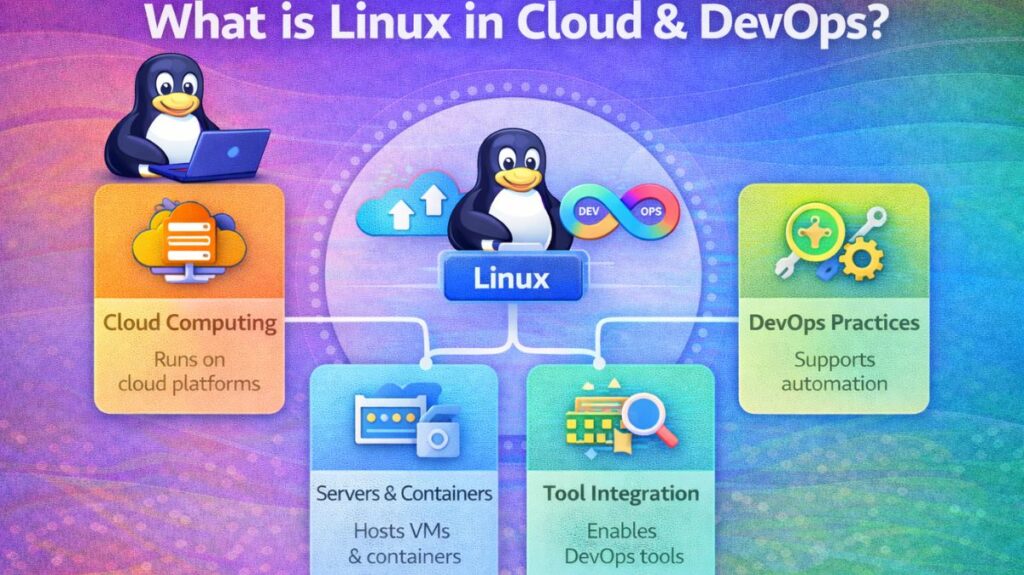
What is Linux in Cloud & DevOps?
In this sense, Linux serves as the modern software factory’s base layer.
- In the cloud, it serves as both the customized kernel for serverless functions and the host operating system for virtual machines (VMs).
- Automation tools such as Terraform, Ansible, and Jenkins thrive in the DevOps environment.
How it Works
Linux’s low-overhead kernel communicates with cloud hardware directly. Typically, the code you produce in a DevOps pipeline is transferred to a cloud provider, where it is executed on a large Linux server, after being bundled into a “container,” a miniature Linux environment.
Features
- The “secret sauce” that enables containers like Docker to separate processes and constrain CPU/RAM is kernel namespaces and cgroups.
- CLI-First Design: A robust Command Line Interface (CLI) that enables script automation of every action.
- SSH-Native: The industry standard for controlling thousands of cloud servers at once from a single terminal is Secure Shell.
- Package management: Complex DevOps stacks may be installed instantly with tools like apt, yum, and pacman.
Also read about Process Management In Shell Scripting: Commands & Examples
Importances
Linux plays a number of vital functions that maintain the internet’s functionality:
- Infrastructure as Code (IaC): Terraform and other tools can handle servers like software, which can be readily replaced, tested, and versioned on Linux.
- Process Management: By controlling “microservices,” the operating system makes sure that an application’s remaining components remain operational even in the event of a crash.
- Security Enforcement: By serving as virtual security guards, programs like SELinux and AppArmor stop compromised apps from gaining access to the rest of the system.
Types of Cloud/DevOps Linux Distros
Not all Linux versions are the same. In 2026, we categorize them by their use case:
| Type | Examples | Best For |
| Enterprise Stable | RHEL, Rocky Linux, AlmaLinux | Mission-critical production databases. |
| Cloud-Native/LTS | Ubuntu Server, Debian | General purpose cloud VMs and CI/CD agents. |
| Container-Optimized | Alpine Linux, Bottlerocket | Tiny, ultra-fast images for Docker/Kubernetes. |
| Cutting-Edge | Fedora, Arch Linux | Development workstations for the latest tools. |
The Role of Linux in Cloud & DevOps
Linux serves as the common language in a DevOps culture that aims to reduce the systems development life cycle.
- In the cloud: AWS, Azure, and Google Cloud are all just enormous Linux clusters. You are probably working with a Linux kernel when you launch an EC2 instance or a Lambda function.
- Linux’s file-system-centric architecture is essential to the “Infrastructure as Code” (IaC) concept in DevOps. Linux’s “everything is a file” philosophy makes setting up a server, network, or database just a question of modifying text files that are ideal for version control systems like Git.
Why is it used?
Scalability: Linux can be scaled to thousands of CPU cores for supercomputing or reduced to a few megabytes (Alpine Linux) for containers.
Security: The isolation required for multi-tenant cloud environments is provided by features like Namespaces and Cgroups.
No Cost/Open Source: Without complicated legal arrangements, businesses can spin up 1,000 nodes for an hour of testing because there are no licensing fees.
CLI-First: Automation is essential to DevOps. Any Graphical User Interface (GUI) is not nearly as powerful or “scriptable” as the Linux Command Line Interface (CLI).
Also read about Linux Troubleshooting: Features, Types, And Best Practices
Essential Commands with Examples
A DevOps engineer spends most of their time in the terminal. Here are the “bread and butter” commands:
A. Infrastructure & Resource Monitoring
toporhtop: View real-time CPU and Memory usage.- Example:
htop(Provides a color-coded, interactive view of process loads).
- Example:
df -h: Check disk space in human-readable format.- Example:
df -h /var/log(Checks if logs are filling up the partition).
- Example:
free -m: Check available RAM in Megabytes.
B. Networking & Connectivity
curl: Transfer data from or to a server (essential for testing APIs).- Example:
curl -I https://google.com(Fetches only the HTTP headers to check connectivity).
- Example:
ss -tuln: List all open ports and listening services.ip addr: Display IP addresses assigned to network interfaces.
C. File Manipulation & Automation
grep: Search for patterns within files.- Example:
grep "ERROR" /var/log/syslog(Quickly finds system failures).
- Example:
chmod: Change file permissions (critical for security).- Example:
chmod 400 my-key.pem(Makes a private key readable only by the owner).
- Example:
sed: Stream Editor for filtering and transforming text.- Example:
sed -i 's/localhost/10.0.0.5/g' config.yaml(Updates an IP across a file automatically).
- Example:
Also read about What Is Linux Logging? How It Works, Log Files, And Features
Setting Up the Environment
To start practicing Linux for DevOps, you don’t need to wipe your computer. Use one of these three modern methods:
Method A: WSL 2 (Windows Subsystem for Linux)
Best for Windows users. It runs a genuine Linux kernel inside Windows.
- Open PowerShell as Admin.
- Run:
wsl --install - Restart your PC. You now have Ubuntu running as an app.
Method B: Cloud Free Tiers (The “Real” Way)
- Sign up for AWS Free Tier.
- Launch an EC2 instance (t3.micro) using the Amazon Linux 2023 or Ubuntu AMI.
- Connect via SSH:
ssh -i your-key.pem ec2-user@your-instance-ip.
Method C: VirtualBox
- Download VirtualBox and an Ubuntu Server ISO.
- Create a “New” VM, mount the ISO, and follow the installation prompts. This is great for learning “bare metal” installation.
Real-World Applications
Containerization (Docker/Podman): Containers create separated environments for applications by utilizing the characteristics of the host Linux kernel.
Orchestration (Kubernetes): K8s oversees the scalability and deployment of those containers throughout a Linux “cluster.”
CI/CD Pipelines: Build jobs are nearly always carried out on Linux environments by programs like Jenkins, GitLab CI, and GitHub Actions runners.
Web hosting: The Linux networking stack is optimized for high-performance servers such as Nginx and Apache.
What is the difference between Linux, Cloud, and DevOps?
| Feature | Linux (The Foundation) | Cloud Computing (The Platform) | DevOps (The Methodology) |
| Primary Identity | An open-source Operating System (OS). | A delivery model for computing services over the internet. | A cultural and technical philosophy for software delivery. |
| Core Goal | To manage hardware resources and provide a kernel for software. | To provide on-demand, scalable infrastructure (Servers, Storage). | To bridge the gap between Development and Operations via automation. |
| “Physical” Layer | Installed directly on servers or virtual machines. | A massive global network of data centers. | Lives in the “workflows” and automation pipelines of a team. |
| Key Components | Kernel, Shell, File System, Systemd. | Virtualization, Managed Services (AWS, Azure, GCP), Serverless. | CI/CD, Infrastructure as Code (IaC), Monitoring, Testing. |
| Ownership | You own/manage the OS configuration and patches. | You rent resources; the provider (AWS) owns the physical hardware. | You own the automation logic and the deployment speed. |
| DevOps Role | The primary environment where DevOps tools are built/run. | The target environment where applications are deployed. | The “glue” that uses Linux tools to automate Cloud resources. |
Also read about Explain Linux Security Model: SELinux, AppArmor And RBAC