

In this article we learn about what Extensible Markup Language is, Key Characteristics, importance, Components, Applications, Advantages and Disadvantages of XML.
Extensible Markup Language Definition
The powerful and highly configurable markup language known as Extensible Markup Language (XML) was created to specify a set of guidelines for encoding documents in a machine-readable and human-readable format. A text-based data format called XML facilitates information sharing between computer systems, including databases, webpages, and third-party apps. The World Wide Web Consortium (W3C) recommends it.
You can also read What is YAML Yet Another Markup Language and YAML vs JSON
Key Characteristics
The main function of XML is serialization, which allows for the storage, transmission, and reconstruction of any data. Because it standardizes this process and serves as a lingua franca for information representation, it is ideal for data exchange.
Key characteristics include:
- Extensibility: XML enables users to define their own unique tags, in contrast to HTML, which uses a preset set of tags. It is very good at representing a variety of data structures because of its flexibility.
- Data-centric: The main purpose of XML is to store and transfer data, with an emphasis on the information’s structure and substance rather than how it is presented.
- Self-descriptive: An XML document’s tags improve readability for both humans and machines by giving the data they contain context and meaning.
- Platform-independent: Regardless of the underlying platforms of various systems, applications, and organizations, XML’s text-based format makes it extremely portable for data transmission.
- Structure: XML documents are hierarchically structured, with the data arranged according to a tree-like architecture of elements and attributes.
Why is XML important?
A markup language called Extensible Markup Language (XML) offers guidelines for defining any type of data. XML cannot carry out computational processes on its own, in contrast to other programming languages. Alternatively, organized data management can be implemented using any software or programming language.
For example, consider a text document with comments on it. The comments might give suggestions like these:
- Make the title bold
- This sentence is a header
- This word is the author
These remarks enhance the document’s usability without changing its content. In a similar vein, XML employs markup symbols to give more details about any data. This information is used by other software, such as browsers and data processing apps, to process structured data more effectively.
You can also read What is JSON for Network Automation and JSON Limitations
XML tags
You use markup symbols, called tags in XML, to define data. For example, to represent data for a website, you can create tags such as <website>, <name>, and <category>. Your XML document for the quantumcomputer.blog website would have content like this:
<website>
<name> quantumcomputer.blog </name>
<category> quantum computing </category>

</website>
Components of XML
XML data is contained within a digital file and uses tags to tell how the text should be interpreted.
- XML Declaration: XML documents often begin with an optional XML declaration that profiles key information such as the XML version being used and character coding (e.g.,
<?xml version="1.0" encoding="UTF-8"?>). - Elements and Tags: Markup symbols are called tags. An element is a logical component, delimited by a start-tag (e.g.,
<book>) and a matching end-tag (e.g.,</book>), or an empty-element tag (e.g.,<line-break />). The characters between the start and end tags are the element’s content. - Root Element: Every XML document must have exactly one top-level element that contains all other elements.
- Hierarchy: All other elements are contained within a primary tag called the root element. The structure involves child elements nested within parent elements.
- Content: The actual data values stored in the file are called XML content.
- Attributes: Elements can have attributes, which are name–value pairs providing additional descriptors or details about the enclosed data. e.g.: <person age=”22″>
- XML uses a strict syntax; for instance, XML is case-sensitive, meaning the start-tag and end-tag must match exactly (e.g.,
<Book>instead of<book>will cause an error). A document that adheres to these basic syntax rules is considered “well-formed”.
<?xml version="1.0" encoding="UTF-8"?>
<bookstore>  <book category="fiction"> <title lang="en">The Great Novel</title> <author>Jane Doe</author>
    <price>19.99</price>
  </book>
  <book category="non-fiction">
    <title lang="en">XML Guide</title>
    <author>John Smith</author>
    <price>49.99</price>
  </book>
</bookstore>
You can also read What is Data Format for Automation and Data Formats Types
Schemas and Validation
An XML schema, sometimes known as a grammar, establishes guidelines or restrictions on an XML file’s structure. It ensures data integrity by managing content and data types.
- An XML document is deemed “valid” if it complies with its specified schema.
- XML Schema Definition (XSD) and Document Type Definition (DTD) are the two main schema languages. The more popular language, XSD, has extensive feature sets and strong data type capabilities.
- Specialized schema languages, such as Chemical Markup Language (CML) and Scalable Vector Graphics (SVG) for two-dimensional vector graphics, are available for particular uses.
- Grammatical rules to determine the order of elements
- Conditions that the content must meet, either yes or no
- Content data kinds in XML files
- Data integrity constraints
For example, an XML schema for bookstores might impose constraints like these:
- The attributes title and author will be present in a book element.
- A category element with an attribute name will be nestled beneath the book element.
- A book’s pricing will be a distinct element that is nested beneath “book.”
Applications of XML
XML is used in thousands of applications and is essential to many technologies. Important applications include:
- Data Transfer and Exchange: Because XML is platform-agnostic, it is frequently used for data storage and transmission across many software programs, systems, and computer languages.
- Web Services: Web services are utilized in communication protocols such as REST (Representational State Transfer) APIs and SOAP (Simple Object Access Protocol) to facilitate the smooth exchange of data between various systems via the internet.
- Configuration Files: XML is used to organize complicated software program configuration settings, making parameters simpler to comprehend and change (e.g., in Android development or application configurations).
- Documentation and Document Formats: XML is utilized to specify the structural information of technical documents, allowing programs to present the content flexibly (e.g., for printing or webpage publication). It underpins document formats such as Microsoft Office Open XML formats (e.g.,
.docx,.xlsx) and RSS feeds.
- Metadata Description: It describes rich metadata that helps with effective document management, retrieval, and classification, as well as search engine optimization.
You can also read Future of Network Automation and Types of Network Automation
What are the Advantages of XML
Support interbusiness transactions
Information such as price, specifications, and delivery dates must be shared between two businesses when one offers a product or service to another. Extensible Markup Language (XML) allows them to electronically exchange all relevant data and automatically finish complicated transactions without the need for human participation.
Maintain data integrity
Data integrity can be maintained by transferring data and its description using XML. The following are some uses for this descriptive information:
- Verify data accuracy
- Automatically customize data presentation for different users
- Store data consistently across multiple platforms
Improve search efficiency
Compared to other document forms, XML files can be sorted and categorized more accurately and effectively by computer programs like search engines. The word mark, for instance, can be a verb or a noun. Search engines are able to precisely classify marks for pertinent search results based on XML tags. As a result, XML facilitates more effective computer interpretation of natural language.
Design flexible applications
You may easily update or change the design of your application with XML. XML support is included into many systems, particularly the more recent ones. You can make changes without having to restructure your entire database because they can read and handle XML data files automatically.
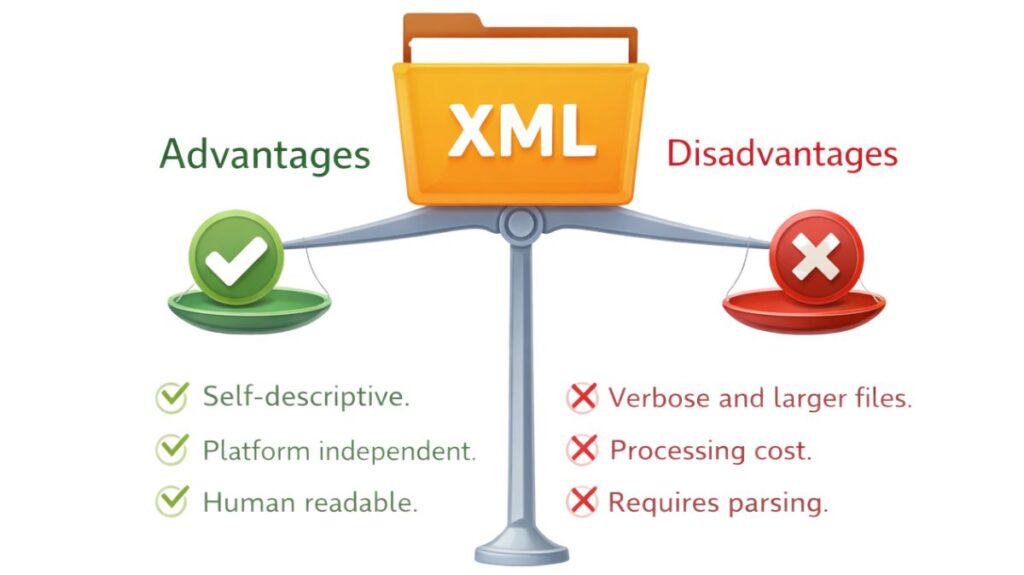
Disadvantages of XML
- Verbosity: XML can occasionally be verbose, like a storyteller who takes their time telling a story, which results in bigger file sizes. Particularly in situations involving huge datasets or frequent data transmission, this verbosity might affect performance and increase bandwidth usage.
- Complexity: Managing schemas, namespaces, and other XML-related ideas can add layers of complexity; it’s like trying to make your way through a labyrinth of norms and regulations. For novices, this intricacy can be intimidating, and handling it successfully may call for further training and experience.
- Parsing Overhead: It can take a lot of resources to parse XML documents, particularly for huge datasets. It’s like trying to figure out a long book with complex narrative twists. Application performance may be impacted by this parsing burden, especially in situations requiring high throughput or real-time data processing.
For structured data, XML can be viewed as a universal translator. XML offers a standardized, hierarchical framework (using custom tags and schemas) that enables reliable information exchange between disparate computer systems, guaranteeing that the structure and meaning of the data are maintained regardless of the underlying platform, much like a translator agrees on a common grammatical framework to ensure messages are accurately conveyed between two different native speakers.
You can also read What is MP BGP Multiprotocol BGP? Components and Benefits