

What is PEAP?
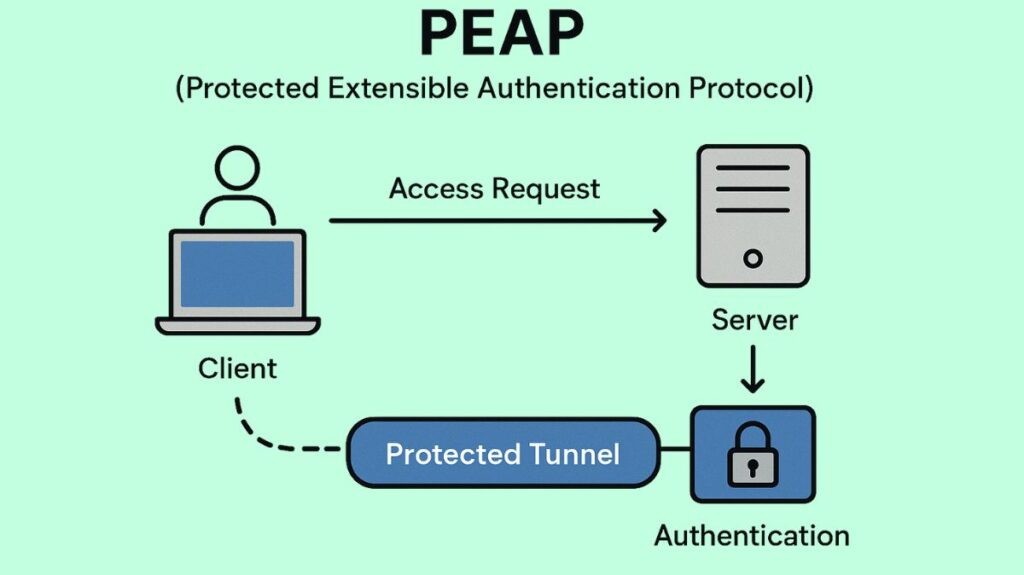
The Protected Extensible Authentication Protocol (PEAP), sometimes known as Protected EAP, is an authentication technique that uses a secure, encrypted tunnel to protect network access.
Microsoft, Cisco, and RSA Security collaborated to create PEAP in order to fix flaws in previous EAP techniques that presumed a protected communication route and lacked built-in security safeguards for the authentication dialogue.
You can also read Network Authentication Protocols and Types of Protocols
Core Function and Mechanism
PEAP works by using a Transport Layer Security (TLS) tunnel to encapsulate the Extensible Authentication Protocol (EAP). Sensitive login information is safeguarded and kept encrypted during the authentication process in this architecture.
Two essential steps, known as inner and exterior authentication, are involved in the PEAP authentication process:
Phase 1: TLS Tunnel Establishment (Outer Authentication)
- Server Authentication: The authentication server (AS), which is frequently a RADIUS server, presents its digital certificate when the client (supplicant) establishes a connection.
- Verification: To make sure it is speaking with the correct server, the client checks the host’s certificate against a reliable list of Certificate Authorities (CAs). In addition to being crucial for reciprocal authentication, this client verification of the server aids in thwarting Man-in-the-Middle (MITM) attacks.
- Tunnel Creation: A secure TLS tunnel is created between the client and the server, encrypting all subsequent communication, when the server’s certificate has been validated and trusted. To create this tunnel, PEAP needs the authentication server to have a current SSL/TLS certificate.
Phase 2: Client Authentication (Inner Authentication)
- Encapsulation: The inner EAP technique is used as a second authentication mechanism within this well-established, secure TLS tunnel. Through the encrypted channel, the client safely transmits its login credentials.
- Inner Methods: A username and password are verified as authentication credentials. As internal PEAP mechanisms, Windows supports EAP-TLS (Smart Card or other Certificate) and EAP-MSCHAP v2 (Secure password).
- The most popular inner technique for PEAP is EAP-MSCHAP v2. It takes advantage of the MSCHAP v2 authentication protocol’s username and password encapsulation. However, the same types of attacks that affect NTLMv1 can also affect MSCHAPv2-based connections.
- EAP-TLS can be used as an inner method as well.
- Additionally, PEAP can make use of EAP-GTC (Generic Token Card), particularly in PEAPv1, which is compatible with LDAP-based authentication servers.
You can also read What is Point to Point Protocol Over Ethernet PPPOE Benefits
Security and Deployment Context
PEAP is a widely deployed EAP method that balances strong security and easy deployment.
| Feature | PEAP | EAP-TLS |
|---|---|---|
| TLS Protection | Outer layer protects the inner authentication. | Full certificate-based authentication. |
| Server Certificate | Required. | Required. |
| Client Certificate | Optional; client usually authenticates via username/password. | Required. |
| Deployment Effort | Easier; only server certificate management is required. | More complex; requires managing PKI for every user/device. |
| Security Level | High. | Very high (the highest level of security offered by EAP methods). |
Enhanced Security Features
Credential Protection: A crucial component of secure network access, PEAP shields user credentials from interception and eavesdropping by establishing the TLS tunnel first.
Cryptobinding TLV: Cryptobinding TLV is an optional security feature in PEAP. By integrating the inner and outer method authentications, the RADIUS server strengthens the TLS tunnel’s security and makes some MITM attacks more challenging.
Identity Privacy: PEAP can be configured to enable identity privacy, preventing the client from sending its identity before the RADIUS server has been authenticated. An anonymous identity value can optionally be provided, resulting in an identity response like anonymous@example instead of alice@example.
Configuration Settings
PEAP configuration settings map to MsPeapConnectionPropertiesV1 (and V2) in XML profiles. Key configurable options include:
- Selecting the inner authentication method (EAP-MSCHAP v2 or EAP-TLS).
- Enabling fast reconnect, which helps create a refreshed security association more efficiently, especially for VPN connections using IKEv2 technology.
- Server validation options (available for PEAP, EAP-TLS, EAP-TTLS, and TEAP), which ensure the client verifies the server’s identity by validating the server certificate’s signatures, expiry, and issuance by a trusted Root CA. Clients can also specify which trusted root CAs to trust or specify the RADIUS server name(s) to connect to using regular expressions.
Analogy:
PEAP can be compared to conveying a secret message via an armored, extremely secure vehicle. The first stage (TLS tunnel) is establishing the armored vehicle connection after verifying the recipient’s bank’s identity (the Authentication Server) using its certified charter (digital certificate). Entering the armored vehicle and safely showing your personal ATM card and PIN (your username/password via EAP-MSCHAPv2) is the second phase (inner authentication). The important thing is that your private PIN is only ever disclosed within the verified, trusted, encrypted connection and is never displayed on a public street.
You can also read What is Link Control Protocol LCP, Functions and Types