

kind (Kubernetes IN Docker) is an open-source tool designed to run local Kubernetes clusters by utilizing Docker containers as cluster nodes rather than traditional virtual machines. This design is faster and more resource-efficient than Minikube or Docker Desktop, which use virtual machine overhead.
You can also read How to Get Started Kubernetes? Explained Briefly
Key Features and Advantages
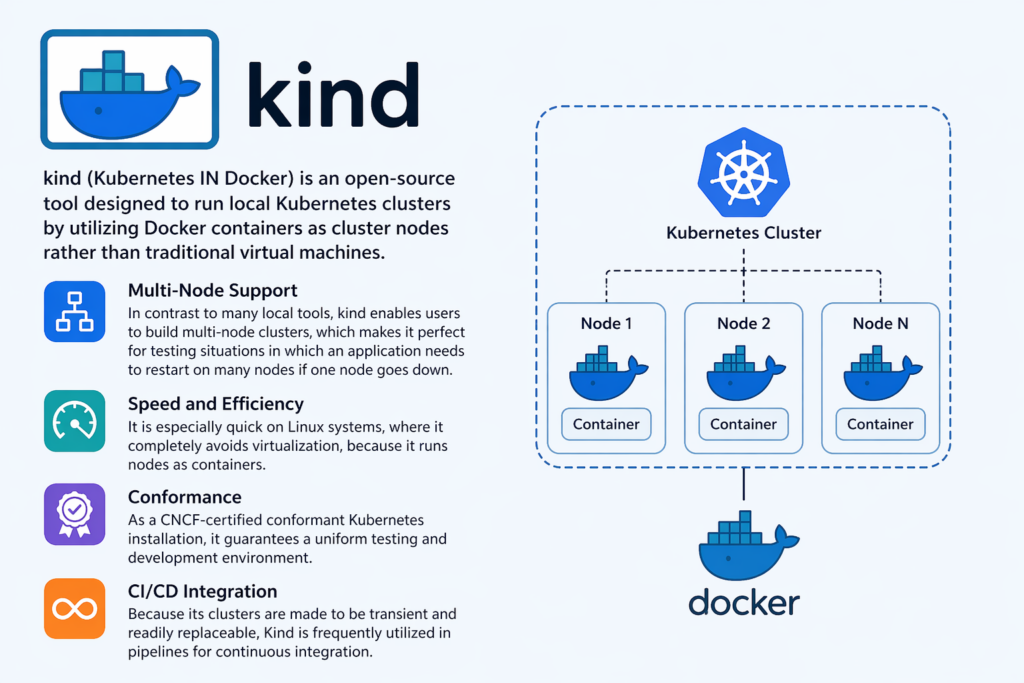
- Multi-Node Support: In contrast to many local tools, kind enables users to build multi-node clusters, which makes it perfect for testing situations in which an application needs to restart on many nodes if one node goes down.
- Speed and Efficiency: It is especially quick on Linux systems, where it completely avoids virtualization, because it runs nodes as containers.
- Conformance: As a CNCF-certified conformant Kubernetes installation, it guarantees a uniform testing and development environment.
- CI/CD Integration: Because its clusters are made to be transient and readily replaceable, Kind is frequently utilized in pipelines for continuous integration.
Prerequisites and Setup
Install the following on your PC before starting:
- Docker:
kindruns cluster nodes as Docker containers. kubectl: The Kubernetes command-line tool for interacting with the cluster.kindCLI: The command-line tool to create and managekindclusters
Kind requires Docker (or Podman) on your machine. Kubectl is needed to communicate with the cluster when it’s created.
Installation varies by platform:
- macOS: Can be installed via Homebrew using
brew install kind. - Linux: Typically installed by downloading the binary via
curland moving it to your local path. - Windows: Installed via PowerShell using
curl.exeto download the executable.
You can also read What is the Importance of Kubernetes & Why Kubernetes?
Cluster Management
Creation
A basic cluster can be started with the command kind create cluster, which defaults to the name “kind”.
You can specify a custom name using the kind create cluster--name flag.
For example, I created a govindhtech cluster, for that I use the following command
kind create cluster--name govindhtech cluster
Checking The Number Of Nodes In The Cluster
Kind uses containers to run Kubernetes nodes, thus if we use the Docker command to view the list of containers:
docker container ls
This is currently a single Node cluster, but we will see our kindest/node Node operational.
This can also be verified by looking at our cluster’s node list. Type the subsequent Kubectl command:
kubectl get nodes
The procedures we’ve followed thus far are very standard for various approaches to setting up local Kubernetes clusters, including using Docker Desktop or Minikube.
Kind’s capacity to generate several clusters sets it apart from its competitors.
Type the following command to use Kind to establish another cluster:
kind create cluster --name govindhtech-cluster-two
Additionally, a second cluster known as “govindhtech-cluster-two” will be created:
Let’s remove the second cluster as we have now generated two that are useless. The command to remove a Kind cluster is as follows:
kind delete cluster --name govindhtech-cluster-two
Advanced Configuration
For production-like testing, you can use a YAML configuration file to define specific roles, such as multiple control-plane nodes or worker nodes. The cluster is then created using kind create cluster --config [filename].
Loading Images
To test locally built Docker images without pushing them to a registry, you can load them directly into the cluster nodes using kind load docker-image [image-name].
Verification
You can verify your setup by running kubectl get nodes to see the status of your container-based nodes or kind get clusters to see all active environments.
Deletion
When testing is complete, the cluster is easily removed with kind delete cluster --name [name].
You can also read What is Kubernetes Architecture, Features of K8s
Limitations
Kind is still a “work in progress” (pre-1.0 version), despite being powerful for development. Furthermore, it might not accurately reproduce some cloud-specific capabilities, such as sophisticated storage integrations present in production-grade cloud clusters, because it runs inside Docker containers.
You can also read What is Container Orchestration in Kubernetes?