

NodePort Service in Kubernetes
To expose applications to external traffic, Kubernetes’ NodePort Service creates static ports on worker nodes. When scaled, destroyed, or regenerated, Kubernetes Pods have temporary IP addresses for internal communication. Service abstraction, especially NodePort, provides a reliable network endpoint that shields external clients from backend changes by maintaining a constant IP address and port.
The Core Architecture of NodePort
A NodePort Service serves as a compromise in the Kubernetes service hierarchy. It is an extension of the ClusterIP Service. To manage routing within the cluster, Kubernetes automatically creates an internal ClusterIP when you create a NodePort. It then goes one step further and opens a port on the nodes themselves.
Three different port configurations specified in a Service manifest are necessary for the capability to function.
- nodePort: This is the external port opened on every node’s IP address (e.g., 30007). By default, Kubernetes allocates these from a specific range: 30000–32767.
- port: This is the internal port for the Service itself within the cluster, allowing other Pods to reach it via the stable ClusterIP.
- targetPort: This is the specific port on which the application container inside the Pod is actually listening (e.g., 8080 for a web app).
A key characteristic of NodePort is cluster-wide availability. The designated port is opened on every single node in the cluster, even if a specific node is not currently running a replica of the application Pod. This ensures that traffic sent to <NodeIP>:<NodePort> on any node will be successfully routed to a healthy Pod elsewhere in the cluster.
You can also read How to create a Service in Kubernetes & It’s Core Mechanisms
How NodePort Works: Under the Hood
Kube-proxy, a component that runs on each worker node, is responsible for the actual routing of network packets. Kube-proxy uses IPVS or iptables rules to program the host’s kernel and keeps an eye on the API server for modifications to Service objects.
The flow takes the following actions when an external request reaches a node on the designated NodePort:
- Any node in the cluster receives the request via the
nodePort. - After trapping traffic with kube-proxy rules, the node’s kernel utilizes DNAT to reroute the request to the service’s ClusterIP.
- The Service uses the EndpointSlice resource to find healthy Pods that fulfill its label selector.
- A functional backend Pod’s
targetPortreceives the request after the Service load-balances it (typically round-robin).
Implementation and Examples
You can use the command line or a YAML manifest to define a NodePort Service.
Example 1: YAML Manifest for an Nginx Application
This example demonstrates how to manually specify a port and use a label selector to find the target Pods.
apiVersion: v1
kind: Service
metadata:
  name: my-nodeport-service
spec:
  type: NodePort
  selector:
    app: my-app # Selects pods with this label
  ports:
    - protocol: TCP
      port: 80         # Internal Service port
      targetPort: 8080 # Port the container is listening on
      nodePort: 30007  # External port on every node (Optional)
In this configuration, an external user would access the application by navigating to http://<Any-Node-IP>:30007. If the nodePort field is omitted, Kubernetes will randomly assign an available port from the 30000–32767 range.
Example 2: Command Line Implementation
To deploy quickly, kubectl can expose an existing deployment as a NodePort:
kubectl expose deployment my-deployment --type=NodePort --port=80 --target-port=8080
After running this command, you can retrieve the assigned port using kubectl get svc. In local environments like Minikube, you can use a helper command to find the access URL: minikube service <service-name> --url.
You can also read How to manually run a Kubernetes Cronjob?
Port Management and Advanced Configuration
Kubernetes divides the 30000–32767 range across two bands to prevent collisions:
- Static Band (30000–30085): Set aside for manual assignments to lower the possibility of a clash with ports that are automatically assigned.
- Dynamic Band (30086–32767): The control plane uses this band for automatic, arbitrary assignments.
By specifying the --nodeport-addresses switch, administrators can also limit the network interfaces kube-proxy utilizes for NodePort services. When it comes to multi-homed nodes, this is helpful because you might only want to offer the service on a particular internal or external network.
Use Cases for NodePort
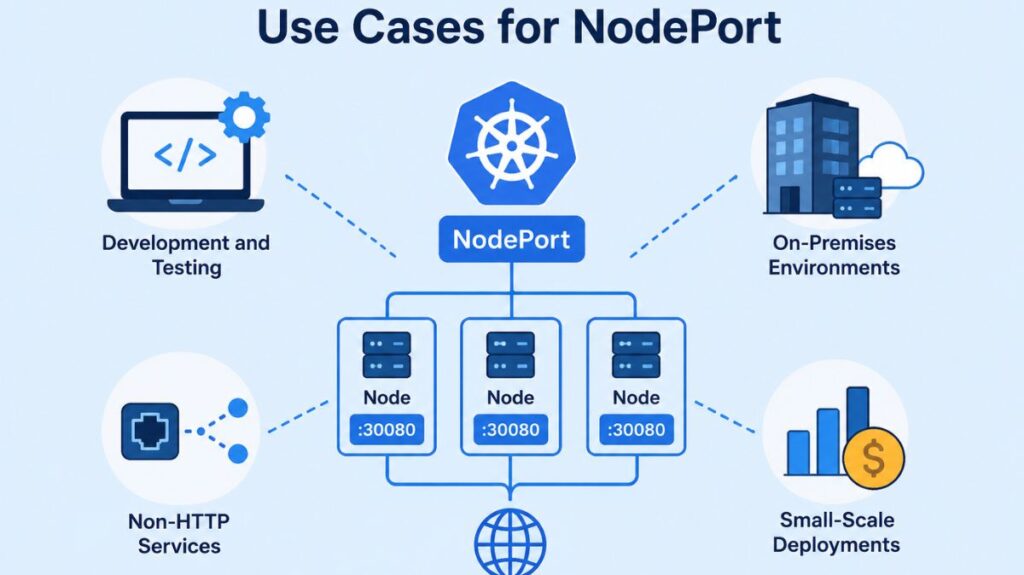
The following situations are where NodePort is commonly used:
- Development and Testing: It provides direct service access without cloud load balancers or ingress controllers for development and testing.
- On-Premises Environments: Data centers without a cloud-provider LoadBalancer use NodePort to bring outside traffic into the cluster.
- Non-HTTP Services: It can be used for raw TCP/UDP streams and other applications that need a reliable port.
- Small-Scale Deployments: NodePort is cheap for basic apps with minimal traffic because it doesn’t require cloud services.
You can also read What is a Kubernetes Job? & Use Cases For Kubernetes Jobs
Limitations and Security Considerations
NodePort is portable, but it has serious flaws that frequently prevent it from being used for large-scale production:
- Security Risk: Because worker nodes must have public IPs and open firewall rules to expose node ports to the internet, the cluster’s attack surface is greatly increased.
- No Native External Load Balancing: NodePort does not offer a single point of entry. Even if the program works on other nodes, clients linked to that node’s IP will lose access if it goes down. To fix this, users often manually configure an external load balancer to point to the nodes.
- Non-Standard Ports: Web traffic usually expects ports 80 or 443, therefore being limited to the 30000+ range is not normal.
- Manual Management: To prevent conflicts, developers must manually monitor assignments because each service needs a different port.
Comparison with Other Service Types
- ClusterIP: Internal only, ClusterIP is the default. It is not accessible via the internet and is utilized for inter-pod communication.
- LoadBalancer: NodePort is the foundation for LoadBalancer. It instantly sets up a managed load balancer in cloud settings, which routes traffic to the underlying NodePorts and offers a single, dependable IP address.
- Ingress: Non-services can also be combined under a single IP address through path-based or hostname-based routing at the ingress, a higher-level Layer 7 entry point.
The flexibility of NodePort is essential for the exposure of Kubernetes applications. However, its reliance on high-numbered ports and node-specific IPs renders LoadBalancer or Ingress more dependable.
You can also read How to Get Started Kubernetes? Explained Briefly